






ERP for nonprofits: features, benefits, and implementation

Nov 13, 2026 14 min read
Head of ERP Consultants
Verified expert
Every article at Innowise is created by authors with real-world experience. They understand the topic beyond theory and bring insight from real projects.
19+ years of experience
Verified expert
19+ years of experience
Kiryl is a specialist in SAP ecosystem optimization. He cuts through the complexity of enterprise resource planning, tailoring SAP modules to specific workflows to ensure clients extract maximum efficiency from their digital core.
Expertise
ERP Project management Process optimization
Let's talk

Key takeaways

  • ERP systems for nonprofits combine accounting, fund and grant tracking, donor and volunteer records, program data, and reporting in one system, so staff spend less time copying figures between spreadsheets and separate tools.
  • Fund accounting is a key feature that distinguishes a nonprofit ERP from a standard one. Gifts and grants may come with restrictions on how the money can be used, and the system tracks and reports on those restrictions.
  • Odoo, Microsoft Dynamics 365, SAP, NetSuite, and custom development offer options for nonprofits of different sizes, budgets, and complexity levels.
  • Start by looking at how your organization receives funding and reports on it, then compare integration, security, cost, and training load.
Summarize article with AI

Recently I held a consulting session with a nonprofit organization. They wanted an ERP but didn’t have any specific platform in mind. Their question t was, “Which platform would work best for a nonprofit?” There’s nothing unusual about that. I’d say it’s a very common question we hear in consulting.

Let’s first look at how a nonprofit ERP differs from a regular ERP system. ERP for nonprofit organizations is business management software that covers finance, HR, procurement, assets, and reporting, plus nonprofit-specific tools like fund accounting, grant tracking, donor records, volunteer management, and program budgets. A nonprofit ERP helps organizations manage restricted funds, spend them according to their designated purposes, and show donors, funders, boards, and regulators where each dollar went.

In the US, FASB ASU 2016-14 requires nonprofit organizations to classify net assets as either with or without donor restrictions. They must also report expenses by function and nature. Additional rules apply to federal grants: for fiscal years beginning on or after October 1, 2024, the federal expenditure threshold for a single audit has been raised from $750,000 to $1 million.

On top of these compliance requirements, nonprofits often have to manage multiple funding sources at once. According to estimates by Giving USA, total donations in the United States amounted to $617.2 billion in 2025, of which 64% came from individuals, 19% from foundations, 10% from bequests, and 7% from corporations. Each source may come with its own restrictions and reporting requirements. As a result, keeping track of all this in spreadsheets and a standalone CRM can become difficult.

That’s why many nonprofits start considering an ERP system. But how do you choose the right one? Let’s look at some of the best ERP for nonprofit organizations, the features you need, and their benefits. I’ll also share a few tips on choosing a platform and explain how Innowise can help.

Implement your nonprofit ERP with Innowise

ERP features for nonprofit organizations

Nonprofit ERP software shares many of the core finance and operations capabilities of standard ERP systems, but also includes nonprofit-specific features. Here are ten key areas to look for.

  • Finance management icon.

    Finance management

    The general ledger, accounts payable and receivable, cash management, and bank reconciliation form the core. Nonprofit ERPs may also include purchase order approvals, full audit trails, and multi-currency and multi-entity support for international or affiliated operations.

  • Fund accounting and grant management icon.

    Fund accounting and grant management

    Fund accounting tracks every dollar by source and restriction, supporting compliance with ASU 2016-14. Grant management covers the entire award lifecycle, including budgets, spending, milestones, and reporting, with support for the latest federal Uniform Guidance rules.

  • Donor and constituent management icon.

    Donor and constituent management

    A constituent record covers donors, volunteers, members, beneficiaries, and partners in one profile. It stores gift history, pledges, recurring donations, event attendance, communication preferences, and consent. With the right integration, a gift can be posted to the appropriate fund as soon as it is recorded, so development staff doesn’t have to wait for finance to reconcile.

  • Program management icon.

    Program management

    Program modules plan activities, assign staff and budgets, and track delivery against targets. Linking program costs to outcome metrics lets a nonprofit show funders how much it costs to achieve a particular outcome and which programs deliver the best results for the money spent.

  • Volunteer and HR management icon.

    Volunteer and HR management

    HR covers recruiting, onboarding, payroll, time tracking, and training for paid staff. Volunteer management handles scheduling, skills, background checks, and hours.

  • Fundraising and marketing management icon.

    Fundraising and marketing management

    Campaign and appeal tracking, online donation forms, event registration, email segments, and peer-to-peer fundraising connect to the donor database. Marketing and finance work from the same campaign data, so teams can calculate metrics like cost per dollar raised and donor retention using consistent data.

  • Asset and inventory management icon.

    Asset and inventory management

    Nonprofits hold equipment, vehicles, and buildings, and many also store goods for distribution. The ERP tracks fixed assets and depreciation, maintenance schedules, stock levels across warehouses, and in-kind donations valued according to applicable accounting standards.

  • Reporting and analytics icon.

    Reporting and analytics

    Nonprofit ERP systems provide grant reports for funders and financial data needed for Form 990 in the US. Role-based dashboards show program directors budget-versus-actual figures for their programs, while board members can see liquidity and fund balances.

  • Budgeting and forecasting icon.

    Budgeting and forecasting

    Budgets can be set by fund, grant, program, and department, with comparisons to actuals. Scenario planning shows what happens if a major grant ends or a campaign misses its target. Cash flow forecasts account for the timing of pledges and grant payments.

  • Document management icon.

    Document management

    Grant agreements, contracts, receipts, board minutes, and audit files stay linked to the relevant transactions, funds, or records. Access rules limit who can see what, and version history helps when an auditor or funder asks for an old document.

Explore how ERP can improve your nonprofit’s operations

Benefits of ERP for nonprofits

ERP systems for nonprofits can save staff time, improve financial oversight, and help build donor trust. Here are six benefits we at Innowise see most often in our work with nonprofits.

Financial transparency and accountability

You can demonstrate to donors and sponsors that designated donations were used as intended. If each transaction includes a fund, grant, or program code, the organization can check how the money was spent directly against its accounting records. Auditors can also track transactions without spending time on lengthy searches.

Small finance departments often spend time re-entering data, reconciling bank transactions, and compiling reports for sponsors in spreadsheets. A unified system reduces duplicate data entry, while automated reporting and reconciliation tools cut down on repetitive manual checks.

When donation history, campaign results, and fund balances are available in one system, fundraising teams can get a clearer picture of their fundraising efforts. They can see which donors have stopped giving, which appeals have reached their targets, and how much money is left in designated funds.

Finance, fundraising, programs, and human resources no longer maintain separate versions of the same data. A donor who is also a volunteer and serves on the events committee can have a single profile, rather than separate entries in different tools. Changes made in one department can then be reflected across the system.

Managers can compare costs by program, remaining funds, and cash balances at any point during the month. This helps them decide whether to expand programs, freeze hiring, or apply for another grant.

As nonprofits take on new programs, secure more grants, enter new countries, and establish affiliates, reporting becomes more complicated. An ERP system for nonprofit organizations can support additional funds, projects, legal entities, and users as the organization grows, without requiring a complete overhaul of its existing accounting setup.

ERP platforms for nonprofit organizations

There’s no single ERP platform that works for every nonprofit. I’ve selected six options worth considering. Choosing the right ERP system depends on the organization’s size, funding structure, and the complexity its team can handle. Each solution has its own strengths and limitations.

  • Odoo
  • Microsoft Dynamics 365
  • SAP S/4HANA
  • SAP Business One
  • Oracle NetSuite
  • Custom ERP

Odoo is a modular ERP with an open-source Community edition and a paid Enterprise edition. It’s a good option for small and mid-sized nonprofits and NGOs looking for a flexible system and working with a technical partner on a limited budget. Organizations can install the apps they need, such as accounting, CRM, membership, events, recruitment, and website management. Fund tracking can be configured using analytic accounts and plans for individual funds or programs.

Strengths

  • Relatively low licensing cost
  • Flexible modules
  • Built-in CRM
  • Membership management
  • Event management tools

Possible limitations

  • No native fund accounting out of the box, so additional configuration or modules may be needed

Microsoft Dynamics 365 Business Central is Microsoft’s ERP for small and mid-sized organizations. The system covers finance, supply chain, projects, and operations. It connects to Microsoft 365, Power BI, and Power Platform, making it a good fit for teams already working in Outlook, Teams, and Excel. Fund accounting and grant tracking may require partner extensions available through Microsoft’s marketplace.

Strengths

  • Discounted nonprofit pricing
  • Power BI reporting
  • Large partner network with fund accounting add-ons

Possible limitations

  • Nonprofit-specific functions depend on add-ons, which can increase licensing and setup costs
  • Pricing and eligibility vary by country

SAP offers S/4HANA Cloud Public Edition for large NGOs, foundations, and international organizations with many funding sources, countries, and legal entities. Its public-sector capabilities include Fund Accounting and Grants Management. SAP’s training materials also explain how the system supports the full grant lifecycle, including requirements set by the sponsor. SAP S/4HANA supports multi-entity, multi-currency, and multi-country operations, with HR capabilities available through integration with SuccessFactors.

Strengths

  • Advanced funds accounting and grants management
  • Strong internal controls and audit functions
  • Global coverage

Possible limitations

  • Longer implementation times and higher costs
  • Typically requires an experienced partner

For smaller nonprofits that need to manage purchasing and inventory for distribution programs, SAP offers another option: Business One. s. It includes financials, purchasing, inventory, sales, CRM, and reporting. SAP’s product description doesn’t list nonprofit-specific functions such as fund accounting or grant tracking, so organizations may need additional configuration or partner add-ons to support these requirements.

Strengths

  • Relatively affordable SAP ERP option
  • Potentially faster deployment than more complex ERP systems
  • Financials, purchasing, inventory, and CRM in one system

Possible limitations

  • No dedicated nonprofit fund accounting or grant tracking features listed as standard, so additional configuration or partner add-ons may be necessary

Oracle NetSuite is a cloud ERP with nonprofit-specific functionality, including fund accounting, grant accounting, and tracking of billing schedules and milestones, donor tracking, and reporting aligned with FASB requirements. It tracks funds through classes, departments, locations, and custom segments. Through its Social Impact program, NetSuite offers eligible nonprofits free or discounted software, as well as pro bono services. It’s also an option worth considering for mid-sized and large nonprofits.

Strengths

  • Grant tracking with billing schedules
  • Multi-entity reporting
  • The Social Impact program

Possible limitations

  • Subscription costs can be high without a donation or discount
  • Configuration may require a skilled partner

With custom ERP development, you get a solution designed specifically for your organization, tailored to how you manage funds, handle grants, and run your day-to-day operations. This approach makes sense if the organization has a particularly complex operational structure: for example, if it consists of a network of regional offices, combines grant-making with direct service delivery, or operates in different countries, each with its own donor reporting requirements. Custom development is also worth considering when off-the-shelf software would require so many modifications that building a proprietary solution could be more cost-effective in the long run. The system can also be integrated with your existing software.

Strengths

  • Built around your organization’s needs
  • Greater control over data and the development roadmap
  • No per-user ERP software license fees

Possible limitations

  • Higher upfront cost
  • Longer development and implementation time
  • The need for permanent technical ownership

Odoo, SAP, NetSuite, or custom ERP? Let’s find your match

How to choose ERP software for a nonprofit

At Innowise, we start each ERP consulting engagement by documenting the client’s requirements and evaluating shortlisted nonprofit ERP solutions against your data. I usually use the following eleven criteria to guide the comparison:

01 arrow-icon.
Nonprofit-specific functionality

Check for fund accounting, grant tracking, pledge accounting, functional expense allocation, and net asset reporting that work out of the box rather than through spreadsheets. When comparing nonprofit ERP software, ask each vendor to walk through how a restricted donation is recorded, spent, and reported on.

02 arrow-icon.
Organization’s operational and reporting requirements

List what you must report and to whom: funders, auditors, regulators, and the board. Include Form 990 or its local equivalent, funder-specific grant reports, support for federal audit requirements if you meet the applicable threshold, and board dashboards. Map your own processes, such as approvals, volunteer onboarding, and program intake, so gaps show up before you sign.

03 arrow-icon.
Integration with existing systems

Most nonprofits already use a donor database, online giving forms, payment providers, payroll, and a case or program management tool. Look for prebuilt connectors and open APIs, and ask who builds and maintains the rest. Weak integrations force staff to enter the same data manually, which is the problem the ERP was brought to solve.

04 arrow-icon.
Customization options

Every nonprofit has its own fund structures, approval chains, and report layouts. Find out which of these can be set up through configuration and which need code, and what happens to custom work during version upgrades.

05 arrow-icon.
Security

A nonprofit ERP stores donor contact details, payment data, employee records, and sometimes information about vulnerable beneficiaries. Check role-based access, encryption in transit and at rest, audit logs, single sign-on, and multi-factor authentication. Check which data protection and security requirements apply to your organization, including GDPR and PCI DSS where relevant.

06 arrow-icon.
Deployment options

Cloud, on-premises, and hybrid setups each suit different cases. Cloud reduces the need for in-house servers and can make it easier for remote teams and volunteers to access the system. On-premises or private cloud hosting may be preferred or necessary because of data residency requirements or donor-privacy policies, so check where the data is stored.

07 arrow-icon.
Scalability

Plan for the organization you expect to have in five years, with more users, grants, entities, and currencies. Ask how licensing and performance change as transaction volumes increase, and whether you can add modules without a new implementation.

08 arrow-icon.
Implementation and support

Ask for references from nonprofits of similar size, a written implementation plan covering data migration and training, and details of post-launch support: response times, languages, and time zones. Plan separately for migrating gift history and open grants.

09 arrow-icon.
Licensing and implementation costs

Compare the total cost over three to five years: licenses or subscriptions, implementation, add-ons, integrations, training, and support. Ask about nonprofit programs such as Microsoft’s nonprofit pricing or NetSuite’s Social Impact program, since they can make a significant difference to the overall cost. Confirm eligibility, renewal terms, and what happens to a discount if the organization grows.

10 arrow-icon.
Ease of use and training requirements

Volunteers, program staff, and board members who are not accountants may need to use parts of the system. Test the screens they will see, check mobile access, and estimate training hours. A system that finance likes but program teams avoid can send staff back to spreadsheets.

11
Vendor expertise and reputation

Look for a vendor or implementation partner with nonprofit projects in their portfolio, certified consultants, and a long-term support model. Speak to two or three customers of a similar size and ask what they would change about their implementation.

arrow-icon.arrow-icon.
01 Nonprofit-specific functionality

Check for fund accounting, grant tracking, pledge accounting, functional expense allocation, and net asset reporting that work out of the box rather than through spreadsheets. When comparing nonprofit ERP software, ask each vendor to walk through how a restricted donation is recorded, spent, and reported on.

arrow-icon.arrow-icon.
02 Organization’s operational and reporting requirements

List what you must report and to whom: funders, auditors, regulators, and the board. Include Form 990 or its local equivalent, funder-specific grant reports, support for federal audit requirements if you meet the applicable threshold, and board dashboards. Map your own processes, such as approvals, volunteer onboarding, and program intake, so gaps show up before you sign.

arrow-icon.arrow-icon.
03 Integration with existing systems

Most nonprofits already use a donor database, online giving forms, payment providers, payroll, and a case or program management tool. Look for prebuilt connectors and open APIs, and ask who builds and maintains the rest. Weak integrations force staff to enter the same data manually, which is the problem the ERP was brought to solve.

arrow-icon.arrow-icon.
04 Customization options

Every nonprofit has its own fund structures, approval chains, and report layouts. Find out which of these can be set up through configuration and which need code, and what happens to custom work during version upgrades.

arrow-icon.arrow-icon.
05 Security

A nonprofit ERP stores donor contact details, payment data, employee records, and sometimes information about vulnerable beneficiaries. Check role-based access, encryption in transit and at rest, audit logs, single sign-on, and multi-factor authentication. Check which data protection and security requirements apply to your organization, including GDPR and PCI DSS where relevant.

arrow-icon.arrow-icon.
06 Deployment options

Cloud, on-premises, and hybrid setups each suit different cases. Cloud reduces the need for in-house servers and can make it easier for remote teams and volunteers to access the system. On-premises or private cloud hosting may be preferred or necessary because of data residency requirements or donor-privacy policies, so check where the data is stored.

arrow-icon.arrow-icon.
07 Scalability

Plan for the organization you expect to have in five years, with more users, grants, entities, and currencies. Ask how licensing and performance change as transaction volumes increase, and whether you can add modules without a new implementation.

arrow-icon.arrow-icon.
08 Implementation and support

Ask for references from nonprofits of similar size, a written implementation plan covering data migration and training, and details of post-launch support: response times, languages, and time zones. Plan separately for migrating gift history and open grants.

arrow-icon.arrow-icon.
09 Licensing and implementation costs

Compare the total cost over three to five years: licenses or subscriptions, implementation, add-ons, integrations, training, and support. Ask about nonprofit programs such as Microsoft’s nonprofit pricing or NetSuite’s Social Impact program, since they can make a significant difference to the overall cost. Confirm eligibility, renewal terms, and what happens to a discount if the organization grows.

arrow-icon.arrow-icon.
10 Ease of use and training requirements

Volunteers, program staff, and board members who are not accountants may need to use parts of the system. Test the screens they will see, check mobile access, and estimate training hours. A system that finance likes but program teams avoid can send staff back to spreadsheets.

arrow-icon.arrow-icon.
11 Vendor expertise and reputation

Look for a vendor or implementation partner with nonprofit projects in their portfolio, certified consultants, and a long-term support model. Speak to two or three customers of a similar size and ask what they would change about their implementation.

I recommend deciding up front which system owns each kind of data. For example, donor records might live in the CRM, while financial transactions belong in the ERP. Two-way sync of the same fields can lead to conflicting records or duplicate entries, so it’s important to define which system is responsible for updating each field.
Raman Karabach, Head of Microsoft Dynamics and CRM.
Raman Karabach
Head of CRM Practice

Our ERP services for nonprofit organizations

Innowise helps nonprofits choose, set up, and extend ERP systems, from initial planning to post-launch support. Share your funding model, reporting duties, and current tools, and we can recommend a platform and a phased plan. The services below can be used together or individually.

ERP consulting

  • Review of funding sources, donor restrictions, reporting duties, and current tools to map how the organization tracks money, donors, volunteers, and programs today.
  • Gap analysis of existing processes and systems across finance, fundraising, program management, and HR workflows.
  • Documentation of functional, reporting, integration, and security requirements, ranked by importance to the organization.
  • Comparison of shortlisted platforms against those requirements.
  • Phased roadmap with a cost estimate and a list of risks.
View ERP consulting services

ERP implementation

  • Configuration of the chosen platform for the fund structure, chart of accounts, approval rules, and reports.
  • Setup of grant, donor, volunteer, and program modules around the organization’s own workflows.
  • Definition of user roles and access permissions for finance staff, program teams, volunteers, and the board.
  • Role-based training sessions for each user group, covering their daily tasks in the system.
  • Go-live support and post-launch troubleshooting to address issues that arise during the transition to daily operations.
View ERP implementation services

Custom ERP development

  • Analysis of processes that off-the-shelf software doesn’t cover, such as unusual fund rules, a network of local chapters, or donor reporting requirements that vary by country.
  • Design of the system architecture, data model, and user interfaces around funds, grants, programs, and volunteers.
  • Development of ERP modules or a complete system in iterations, with regular demos for review.
  • Connections to the existing donor database, payment providers, and case-management tools.
  • Working software built to agreed requirements, delivered with technical documentation and a maintenance plan.
View custom development services

ERP integration

  • Connection of the ERP to donor databases, online giving and payment platforms, payroll, case management, and BI tools.
  • Use of APIs and prebuilt connectors where available, with custom connectors developed for systems that lack them.
  • Mapping of fields between systems, so gifts, grants, and volunteer hours are recorded in the right places.
  • Automated data transfers between systems without manual re-entry, on a set schedule or as events happen.
  • Monitoring and error alerts for failed transfers, with each connection documented.
View integration services

ERP migration

  • Audit of the data held in spreadsheets, legacy accounting software, or an older ERP to decide what needs to move.
  • Cleansing of duplicate donor records, outdated contacts, and mismatched fund codes before loading.
  • Transfer of gift history, pledges, open grants, fund balances, and volunteer records into the new system.
  • Test migrations using sample data, with reconciliation checks to confirm that balances match those in the source system.
  • Final cutover planned around the financial calendar.
View ERP migration services

ERP testing

  • Test plan built around the organization’s own funds, grants, and reporting requirements.
  • Checks of financial calculations, fund and grant postings, and net asset reporting.
  • Verification of integrations, with test data moving between connected systems.
  • Review of access rules and role permissions.
  • Performance checks with the expected number of concurrent users and transaction volumes.
  • Test runs before go-live and after every major update, with a report listing the issues found and resolution status.
View testing services

  • Review of funding sources, donor restrictions, reporting duties, and current tools to map how the organization tracks money, donors, volunteers, and programs today.
  • Gap analysis of existing processes and systems across finance, fundraising, program management, and HR workflows.
  • Documentation of functional, reporting, integration, and security requirements, ranked by importance to the organization.
  • Comparison of shortlisted platforms against those requirements.
  • Phased roadmap with a cost estimate and a list of risks.
View ERP consulting services

  • Configuration of the chosen platform for the fund structure, chart of accounts, approval rules, and reports.
  • Setup of grant, donor, volunteer, and program modules around the organization’s own workflows.
  • Definition of user roles and access permissions for finance staff, program teams, volunteers, and the board.
  • Role-based training sessions for each user group, covering their daily tasks in the system.
  • Go-live support and post-launch troubleshooting to address issues that arise during the transition to daily operations.
View ERP implementation services

  • Analysis of processes that off-the-shelf software doesn’t cover, such as unusual fund rules, a network of local chapters, or donor reporting requirements that vary by country.
  • Design of the system architecture, data model, and user interfaces around funds, grants, programs, and volunteers.
  • Development of ERP modules or a complete system in iterations, with regular demos for review.
  • Connections to the existing donor database, payment providers, and case-management tools.
  • Working software built to agreed requirements, delivered with technical documentation and a maintenance plan.
View custom development services

  • Connection of the ERP to donor databases, online giving and payment platforms, payroll, case management, and BI tools.
  • Use of APIs and prebuilt connectors where available, with custom connectors developed for systems that lack them.
  • Mapping of fields between systems, so gifts, grants, and volunteer hours are recorded in the right places.
  • Automated data transfers between systems without manual re-entry, on a set schedule or as events happen.
  • Monitoring and error alerts for failed transfers, with each connection documented.
View integration services

  • Audit of the data held in spreadsheets, legacy accounting software, or an older ERP to decide what needs to move.
  • Cleansing of duplicate donor records, outdated contacts, and mismatched fund codes before loading.
  • Transfer of gift history, pledges, open grants, fund balances, and volunteer records into the new system.
  • Test migrations using sample data, with reconciliation checks to confirm that balances match those in the source system.
  • Final cutover planned around the financial calendar.
View ERP migration services

  • Test plan built around the organization’s own funds, grants, and reporting requirements.
  • Checks of financial calculations, fund and grant postings, and net asset reporting.
  • Verification of integrations, with test data moving between connected systems.
  • Review of access rules and role permissions.
  • Performance checks with the expected number of concurrent users and transaction volumes.
  • Test runs before go-live and after every major update, with a report listing the issues found and resolution status.
View testing services

How we help businesses succeed with ERP

All case studies
Odoo ERP implementation
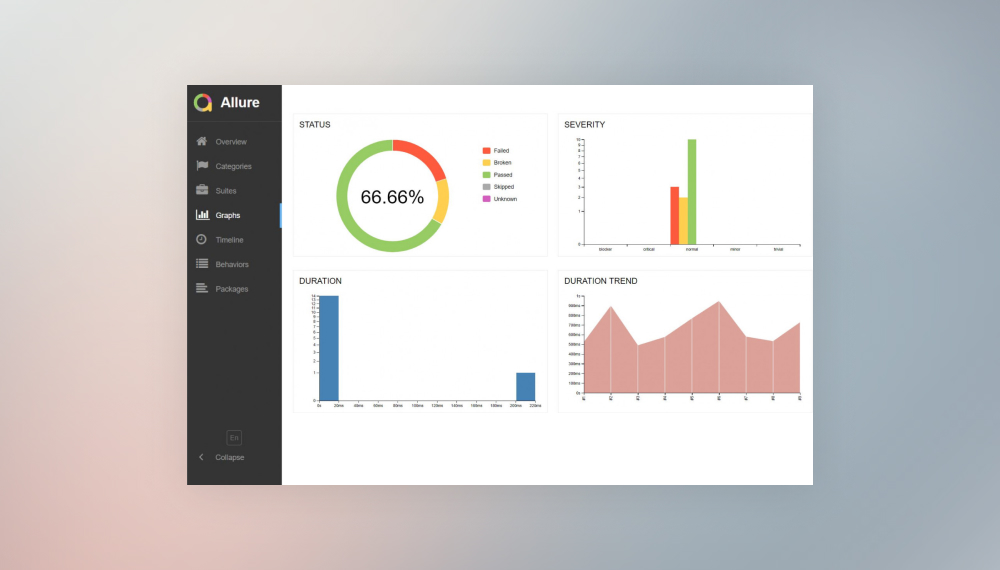
Innowise implemented Odoo 17 Enterprise as a single connected system for sales, purchasing, production, finance, service, HR, and reporting.
100% unified operations under one ERP
100% operations traceability
View case study
Client review

View case study
Client review logo. Client review

Odoo ERP implementation.
Automated testing for top ERP solutions
Innowise executed automated ERP testing to ensure that integrating new functionality did not compromise the integrity of the existing system.
2x faster feature release compared to manual QA
Upgrade of data management software for extractive, oil, and gas industry
Innowise has upgraded a set of customized oil and gas platforms to optimize resource exploration and extraction processes.
1-3 seconds to generate reports
Royalty streams calculator development
Innowise developed a convenient system for storing, calculating, and editing royalty streams from biopharmaceutical products on a quarterly basis.
Enterprise resources management system development
We built cloud-based mobile and web applications for tracking and managing equipment and machines’ states, location, and work schedule in real-time.
Time and task tracking application upgrade
Innowise enhanced a custom web and mobile solution allowing users to easily track document management tasks, working time, and safety.
MedSpa Network website redesign and rebuild
Innowise rebuilt MedSpa Network’s website on WordPress, giving its team control over day-to-day content updates.
2 months from kickoff to launch
3-5 leads per week up from 1 per month
View case study
Client review
View case study
Client review logo. Client review
MedSpa Network website redesign and rebuild.
AI bot for TBC Bank marketing campaign
Innowise built a bilingual Telegram bot that generates AI selfies with TBC Bank's football-star brand ambassador.
3,000 users engaged
2 languages supported
View case study
Client review

View case study
Client review logo. Client review

AI Telegram bot..
01 / 01
Close popup icon

Conclusion

An ERP system for nonprofit organizations consolidates data on finances, fundraising, program implementation, and human resources in one platform. It helps track donations and grants according to any restrictions attached to them. As a result, preparing reports for funders, auditors, and the board of directors becomes easier.

Choosing the right solution depends on the funding structure, the scale of operations, and the tools already in use. Odoo and Dynamics 365 Business Central can work well for smaller nonprofits; SAP S/4HANA and NetSuite may be better suited to larger organizations with many grants and separate divisions; and organizations with highly specific requirements may benefit from a custom-built ERP. Whichever option you choose, be sure to test the shortlisted systems using your organization’s actual data and reports, and plan ahead for data migration and staff training.

If you need an outside expert opinion, the Innowise ERP team can help assess your needs and recommend a suitable approach.

FAQ

The basic feature set for nonprofit ERP software includes fund accounting, grant management, donor and constituent records, and reporting. Extended functionality may include program budgeting, volunteer and HR management, fundraising tools, asset and inventory tracking, and document storage. Organizations can start with finance, fund accounting, and reporting, then add the other modules in phases.

ERP can give nonprofits a shared view of financial, donor, grant, and program data. It reduces duplicate data entry and lets leaders compare program costs and fund balances month to month. The same setup can also support growth, allowing organizations to manage additional grants, programs, and entities without having to replace their existing accounting software.

Start by looking at how the organization receives funding and reports on it. Then compare platforms based on nonprofit-specific functions, integration with current tools, security, deployment, scalability, support, total cost, and ease of use. Test the shortlisted systems using your organization’s own data.

Limited budgets and small or nonexistent IT teams are common constraints. Migrating gift history and open grants, setting up fund structures that match donor restrictions, and training staff and volunteers add to the workload, while integrating donor databases and payment tools requires separate planning. Innowise can manage the rollout in phases and prepare a migration plan with testing and reconciliation steps to help reduce these risks.

ERP can track each gift and grant by fund, restriction, and purpose. With the right configuration, it can flag spending that doesn’t meet donor or funder conditions. Grant modules cover the award lifecycle, and the system can support reporting of net assets with and without donor restrictions. For federal awards, ERP tools can also help track indirect costs and prepare reports in line with applicable Uniform Guidance requirements.

ERP can reduce reliance on separate spreadsheets and tools by making data available across departments. For example, if a donor is also a volunteer, they can have a single profile rather than separate records. Financial statements, grant reports, and role-based dashboards can use consistent data, reducing discrepancies between reports. Audit trails and document links also make it easier to answer auditors and funders.

Show all

Table of contents

Implement your nonprofit ERP with Innowise

    Contact us

    Book a call or fill out the form below and we’ll get back to you once we’ve processed your request.

    Send us a voice message
    Attach documents
    Upload file

    You can attach 1 file up to 2MB. Valid file formats: pdf, jpg, jpeg, png.

    By clicking Send, you consent to Innowise processing your personal data per our Privacy Policy to provide you with relevant information. By submitting your phone number, you agree that we may contact you via voice calls, SMS, and messaging apps. Calling, message, and data rates may apply.

    You can also send us your request
    to contact@innowise.com
    What happens next?
    1

    Once we’ve received and processed your request, we’ll get back to you to detail your project needs and sign an NDA to ensure confidentiality.

    2

    After examining your wants, needs, and expectations, our team will devise a project proposal with the scope of work, team size, time, and cost estimates.

    3

    We’ll arrange a meeting with you to discuss the offer and nail down the details.

    4

    Finally, we’ll sign a contract and start working on your project right away.

    More services we cover

    arrow