








SAP Tax Compliance for SAP S/4HANA: how it works, key features, and implementation

Nov 25, 2026 18 min read
Head of ERP Consultants
Verified expert
Every article at Innowise is created by authors with real-world experience. They understand the topic beyond theory and bring insight from real projects.
19+ years of experience
Verified expert
19+ years of experience
Kiryl is a specialist in SAP ecosystem optimization. He cuts through the complexity of enterprise resource planning, tailoring SAP modules to specific workflows to ensure clients extract maximum efficiency from their digital core.
Expertise
ERP Project management Process optimization
Let's talk

Key takeaways

  • SAP Tax Compliance for SAP S/4HANA is a tax monitoring add-on, not a tax calculation tool. It checks business data for possible errors and helps teams investigate them.
  • The SAP Tax Compliance software provides predefined checks for identifying missing VAT IDs and inconsistencies between VAT registration numbers recorded in purchase orders, line items, and supplier master data.  
  • Checks can run automatically on a schedule. For example, a company can review VAT-related transactions daily instead of manually examining thousands of invoices before reporting.
  • Potential errors become compliance hits. Tax specialists can review the affected records, assign correction tasks to responsible employees, and monitor their completion.
  • Implementation involves more than installing the add-on. Companies need a compatible SAP S/4HANA environment, properly configured compliance checks, and access to the necessary transaction data.
Summarize article with AI

Tax compliance errors often originate in everyday financial transactions. An incorrect VAT code, missing supplier information, or inconsistent accounting entry can go unnoticed until tax reporting time or an audit. For businesses processing thousands of transactions across multiple entities, checking every record manually is time-consuming and increases the risk of overlooking potential issues.

Despite the need for more efficient tax controls, many businesses struggle to automate their processes. According to the 2026 State of the Corporate Tax Department report, 62% of surveyed tax departments made limited or no progress in adopting automation or AI over the previous year. Among departments that achieved moderate or significant progress, 58% reported that these technologies helped reduce errors, while 91% reported time savings. The findings suggest that tax automation can deliver practical benefits, but many organizations have yet to realize them.

For companies using SAP S/4HANA, SAP Tax Compliance addresses a specific part of this challenge. It checks business data against defined tax rules, flags potential discrepancies, and helps teams investigate and resolve findings. This article explains how the solution works, which capabilities it offers, and what businesses should consider before implementation.

Ready to improve tax compliance?

What is SAP Tax Compliance for SAP S/4HANA?

SAP Tax Compliance for SAP S/4HANA is an add-on solution that helps organizations detect potential tax compliance issues in business data and manage their resolution.

Part of SAP Assurance and Compliance Software for SAP S/4HANA, it allows businesses to check transactions against configurable rules, identify suspicious records, and coordinate corrective actions.

As described in the official SAP Tax Compliance product documentation, the solution supports automated issue detection, configurable monitoring frequency, and documentation of remediation activities.

For example, a company can configure a check to identify supplier invoices with missing tax identifiers or transactions whose tax codes do not match defined business conditions.

When a record meets a check’s conditions, the system generates a hit for investigation. A hit indicates a possible compliance issue rather than a confirmed violation.

SAP Tax Compliance does not replace an organization’s tax determination engine or statutory reporting software. Its principal role is to examine relevant business data and provide a structured process for investigating exceptions.

SAP.

Strengthen your SAP tax controls

How does SAP Tax Compliance for SAP S/4HANA work?

SAP Tax Compliance examines business data against predefined rules and flags records that may contain tax errors. Tax teams can then investigate these findings, assign corrective tasks, and monitor their resolution. The process relies on compliance checks, scenarios, and task management, as described in SAP’s official documentation on investigating compliance issues. Here’s how it works in practice.

01 arrow-icon.
Step 1:Define tax compliance checks and rules

Tax specialists identify conditions that may indicate a compliance issue, such as a missing VAT ID or an invoice posted without a tax code. These conditions are translated into compliance checks, configurable rules that examine business records and identify those requiring attention.

02 arrow-icon.
Step 2: Configure and run compliance scenarios

Related checks are grouped into a compliance scenario, allowing several controls to be executed together. For example, a scenario may cover different VAT-related invoice issues. The checks can run on demand or on a schedule, examining the selected business data for exceptions.

03 arrow-icon.
Step 3: Detect tax errors and compliance risks

When a transaction meets a check's conditions, the system generates a compliance hit. A hit signals a potential issue, not a confirmed violation. Tax specialists review the results in the My Compliance Check Results application to determine which records require investigation.

04 arrow-icon.
Step 4: Investigate findings and resolve issues

Investigators examine hits and, where configured, navigate to the underlying business documents. They can create task lists and assign corrective activities, which the assigned employees can handle through My Compliance Tasks. Depending on the finding, this may involve correcting a posting, updating master data, or documenting why no correction is needed.

05
Step 5: Monitor results and track remediation activities

As investigations progress, SAP updates the statuses of hits, tasks, and compliance scenario runs. Tax managers can use the Compliance Results Overview app to identify outstanding work, track completion, and follow up on unresolved findings. Recurring issues may also indicate that existing compliance checks or upstream business processes need adjustment.

arrow-icon.arrow-icon.
01 Step 1:Define tax compliance checks and rules

Tax specialists identify conditions that may indicate a compliance issue, such as a missing VAT ID or an invoice posted without a tax code. These conditions are translated into compliance checks, configurable rules that examine business records and identify those requiring attention.

arrow-icon.arrow-icon.
02 Step 2: Configure and run compliance scenarios

Related checks are grouped into a compliance scenario, allowing several controls to be executed together. For example, a scenario may cover different VAT-related invoice issues. The checks can run on demand or on a schedule, examining the selected business data for exceptions.

arrow-icon.arrow-icon.
03 Step 3: Detect tax errors and compliance risks

When a transaction meets a check's conditions, the system generates a compliance hit. A hit signals a potential issue, not a confirmed violation. Tax specialists review the results in the My Compliance Check Results application to determine which records require investigation.

arrow-icon.arrow-icon.
04 Step 4: Investigate findings and resolve issues

Investigators examine hits and, where configured, navigate to the underlying business documents. They can create task lists and assign corrective activities, which the assigned employees can handle through My Compliance Tasks. Depending on the finding, this may involve correcting a posting, updating master data, or documenting why no correction is needed.

arrow-icon.arrow-icon.
05 Step 5: Monitor results and track remediation activities

As investigations progress, SAP updates the statuses of hits, tasks, and compliance scenario runs. Tax managers can use the Compliance Results Overview app to identify outstanding work, track completion, and follow up on unresolved findings. Recurring issues may also indicate that existing compliance checks or upstream business processes need adjustment.

Key features and capabilities

SAP Tax Compliance does more than flag tax discrepancies. It also provides tools for organizing compliance checks, reviewing suspicious transactions, and coordinating corrective actions. The following capabilities, outlined in SAP’s official documentation, form the basis of its compliance monitoring process.

  • Compliance checks​
  • Compliance scenarios​
  • Compliance hit detection​
  • Investigation management​
  • Automated hit processing​

Compliance checks and customizable rules

  • Configure compliance scenarios using existing rules.
  • Examine business records for missing fields, incorrect values, or inconsistent tax treatment.
  • Build custom checks using ABAP CDS entities.
Accounts specialist verifies electronic invoices, streamlining workflow with automated billing tools.

Compliance scenarios and scheduled execution

  • Combine several checks into a single compliance scenario.
  • Schedule recurring runs or execute checks on demand.
  • Narrow the scope of analysis using configurable selection criteria.
Accessing a centralized analytics portal to evaluate company operations and outcomes.

Detection and analysis of compliance hits

  • Flag transactions that meet predefined exception conditions.
  • Examine the affected documents and relevant transaction details.
  • Distinguish actual tax issues from findings that require no correction.
Finance team evaluates quality and cost metrics using digital analytics for business process improvement.

Investigation and task management

  • Route findings to employees responsible for investigation.
  • Access underlying business documents through configured navigation links.
  • Record investigation outcomes and monitor outstanding tasks.
IT professional working on laptop surrounded by holographic document schemas and a scheduling icon for task management.

Automated hit processing

  • Generate task lists automatically for qualifying findings.
  • Automate task distribution and confirmation where appropriate.
  • Limit manual intervention for repetitive processing activities.
Smart manufacturing team oversees robotic arms with IoT-driven control panel.

As described in SAP’s automatic hit processing documentation, organizations can configure these automation options separately, depending on their investigation procedures and control requirements.

Benefits and business use cases

Routine compliance work consumes a significant share of tax teams’ time. According to the 2025 EY Tax and Finance Operations Survey, internal tax personnel spend 53% of their working time on routine compliance activities, including data collection, reconciliations, and tax return preparation.

SAP Tax Compliance helps address part of this workload by checking business records against predefined rules and directing potential exceptions to the appropriate employees. Rather than manually searching through large volumes of transactions, tax specialists can concentrate on investigating potentially incorrect postings, correcting master data, and resolving issues that could affect reporting.

Here are some of the most common SAP Tax Compliance use cases and benefits we’ve seen while working with clients at Innowise.

  • VAT validation and tax code checks icon.

    VAT validation and tax code checks

    Incorrect VAT codes can lead to inaccurate tax treatment and subsequent reporting adjustments. SAP Tax Compliance can identify potentially inconsistent tax code combinations by evaluating transactions against configured rules.

    For businesses operating across jurisdictions, such checks help teams focus their reviews on transactions involving complex VAT treatment.

  • Identifying missing or invalid VAT IDs icon.

    Identifying missing or invalid VAT IDs

    Missing or incorrectly formatted VAT registration numbers can create additional verification work and reporting risks. Configured compliance checks can detect incomplete identifiers and flag records for correction.

    Where validation against official tax registries is required, external validation services or additional integrations may be necessary.

  • Detecting incorrect tax postings icon.

    Detecting incorrect tax postings

    Accounting entries may contain inconsistencies between tax codes, amounts, posting attributes, and business document information.

    Custom checks can identify suspicious records for investigation before they affect downstream reporting or reconciliation.

  • Monitoring high-risk tax transactions icon.

    Monitoring high-risk tax transactions

    Organizations may choose to monitor specific transaction categories more closely, including cross-border services, unusual tax treatments, or high-value invoices.

    Risk-focused checks help tax teams prioritize investigations based on the organization's actual tax risk exposure.

Tax compliance issueSAP checkExpected result
Incorrect VAT codeCompare tax code with transaction characteristicsPotentially incorrect VAT treatment identified
Missing VAT IDValidate required tax identifier fieldsIncomplete master data flagged
Inconsistent tax postingCompare posting details against defined tax conditionsSuspicious transactions identified
Missing tax informationCheck required fields against applicable business rulesPotentially incorrect postings flagged
High-risk cross-border transactionEvaluate country combinations and transaction classificationsTransactions selected for further review

These are examples of configurable controls, not a verified list of standard delivered checks.

How to implement SAP Tax Compliance for SAP S/4HANA

Implementing SAP Tax Compliance requires aligning business requirements with the SAP landscape, configuring relevant checks, and establishing workflows for handling findings. The following roadmap outlines the main stages, based on SAP’s Extensibility Guide for SAP Tax Compliance, version 1.7.

01 arrow-icon.
Step 1: Assess tax compliance requirements

Identify the tax risks, business processes, and transaction types that need monitoring. Define the expected compliance rules and determine which source systems contain the required data.

02 arrow-icon.
Step 2: Check system compatibility and prepare data

Verify SAP S/4HANA and SAP HANA compatibility, then identify and prepare the relevant business data. Configure data replication where necessary and define worklist types using ABAP CDS entities to structure the information used in compliance checks.

03 arrow-icon.
Step 3: Configure compliance checks and scenarios

Develop compliance check views using ABAP CDS entities and configure rules for identifying potential tax issues. Group related checks into compliance scenarios and define their execution parameters.

04 arrow-icon.
Step 4: Test findings and investigation workflows

Run compliance scenarios with representative transaction data and review the generated hits. Validate the accuracy of compliance checks, document navigation, user authorizations, and task assignment workflows before deployment.

05
Step 5: Deploy and optimize compliance monitoring

Schedule compliance scenario runs and monitor their results through SAP Fiori applications. Review unresolved findings, track remediation activities, and refine compliance checks as tax requirements and business processes change.

arrow-icon.arrow-icon.
01 Step 1: Assess tax compliance requirements

Identify the tax risks, business processes, and transaction types that need monitoring. Define the expected compliance rules and determine which source systems contain the required data.

arrow-icon.arrow-icon.
02 Step 2: Check system compatibility and prepare data

Verify SAP S/4HANA and SAP HANA compatibility, then identify and prepare the relevant business data. Configure data replication where necessary and define worklist types using ABAP CDS entities to structure the information used in compliance checks.

arrow-icon.arrow-icon.
03 Step 3: Configure compliance checks and scenarios

Develop compliance check views using ABAP CDS entities and configure rules for identifying potential tax issues. Group related checks into compliance scenarios and define their execution parameters.

arrow-icon.arrow-icon.
04 Step 4: Test findings and investigation workflows

Run compliance scenarios with representative transaction data and review the generated hits. Validate the accuracy of compliance checks, document navigation, user authorizations, and task assignment workflows before deployment.

arrow-icon.arrow-icon.
05 Step 5: Deploy and optimize compliance monitoring

Schedule compliance scenario runs and monitor their results through SAP Fiori applications. Review unresolved findings, track remediation activities, and refine compliance checks as tax requirements and business processes change.

SAP Tax Compliance implementation can get tricky, especially when working with multiple source systems, configuring custom compliance checks, or setting up investigation workflows. An experienced SAP partner can help you navigate these challenges. At Innowise, we can help you assess your SAP environment, prepare the necessary data, configure compliance checks, and test the solution before deployment.

The biggest challenge with SAP Tax Compliance is not running the checks but making sure they reflect real business risks. If the rules are too broad, tax teams end up reviewing too many irrelevant findings. The key is to start with high-risk transactions, test checks against real data, and refine them based on the results.
Michael Labutin, Head of Delivery.
Michael Labutin
Head of Delivery Office

SAP Tax Compliance architecture and technical requirements

SAP Tax Compliance for SAP S/4HANA operates as an add-on to both SAP S/4HANA on-premise and SAP S/4HANA Cloud, private edition systems, making compatibility with the underlying SAP landscape an important consideration. For instance, SAP’s SAP Tax Compliance for SAP S/4HANA 1.7 SP00 release documentation specifies SAP S/4HANA 2023 FPS00 and SAP HANA 2.0 SPS07. Organizations should therefore verify the requirements of their chosen release before proceeding with installation.

Beyond system compatibility, the architecture determines how tax data is accessed and evaluated. SAP Tax Compliance uses ABAP Core Data Services (CDS) entities to model the data used by compliance checks and implement check logic. As explained in SAP’s Extensibility Guide 1.7, the relevant data must be available in the same SAP HANA database as the solution itself. This means organizations using separate source databases need to replicate the required records, whereas data already available within the same SAP S/4HANA system can be accessed without additional replication.

Our success stories

All case studies
QA and DevOps automation for faster release cycles
Innowise transformed the release process for the client's flagship product by replacing manual practices with a meticulous automated framework.
98% fewer production bugs
10x faster deployment
View case study
Client review

View case study
Client review logo. Client review
Private digital workplace suite deployed on a personal computer..
Custom corporate LMS development
We developed a custom corporate learning management system to cut training costs, boost engagement, and accelerate employee onboarding.
30% reduced training costs
40% faster onboarding
Metaverse game development
Innowise developed a digital surrounding for virtual interaction between petrolheads in the metaverse.
8,888 playable avatars
2 lands with unique experiences
Staff and payroll management system refactoring
Innowise helped improve one of the leading digital systems, providing companies in Germany with payroll services.
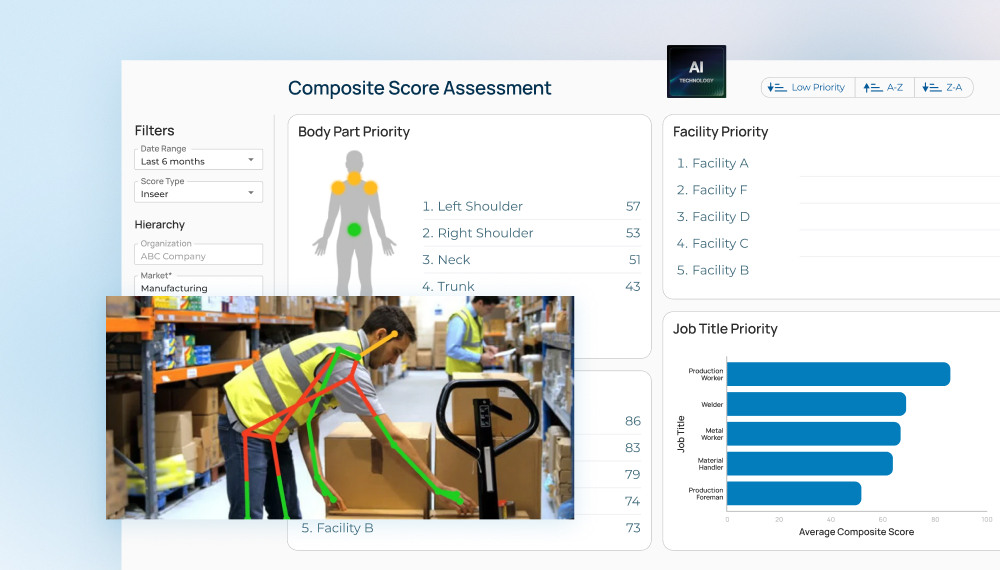
Scaling AI ergonomics assessment software
Working with an AI ergonomics startup, Innowise established a predictable, fully controlled delivery system with automated quality gates.
2× faster releases with consistent quality
25 new features shipped in 2 years
On-premise data management system overhaul
Innowise performed Azure integration for the clients’ digital infrastructure, linking the on-premise data storage with the cloud.
Enterprise resources management system development
We built cloud-based mobile and web applications for tracking and managing equipment and machines’ states, location, and work schedule in real-time.
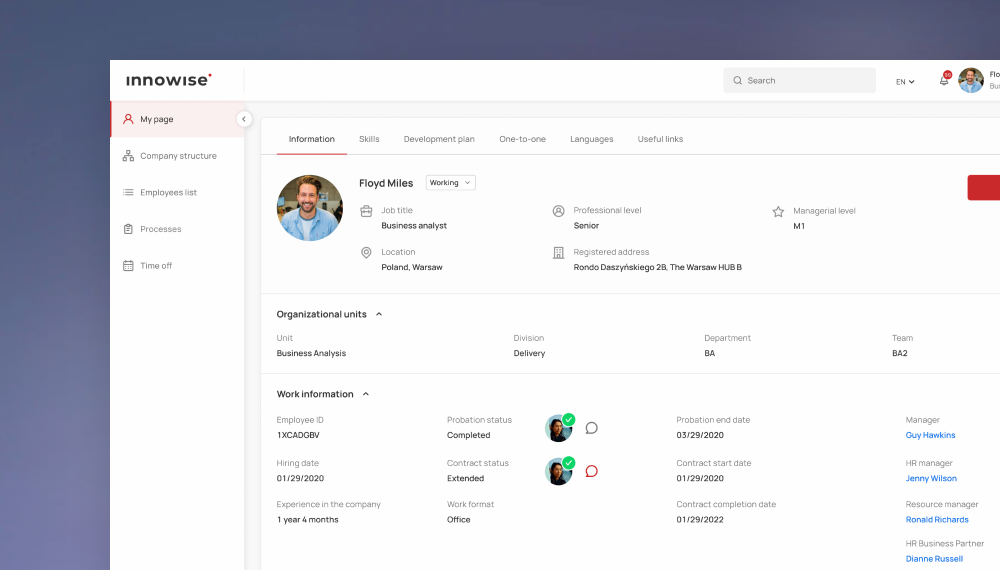
Development of a web-based HRM system
We have built an internal HRM ecosystem that streamlines staff benefits, recruiting, onboarding, learning and development, and more.
6 months for MVP development
Digital educational platform development
Our team developed a platform that connects mentors and coaches using machine learning and data analytics-based functionality.
01 / 01
Close popup icon

How Innowise can help with SAP Tax Compliance implementation

As an SAP partner providing consulting and implementation services, Innowise helps businesses configure, integrate, and improve their SAP systems. Whether you’re introducing SAP Tax Compliance for the first time or improving existing tax controls, our team can help with everything from the initial assessment to implementation and ongoing support.

SAP.

Here’s how we can help:

  • SAP consulting and assessment. We analyze your SAP landscape, tax processes, and compliance requirements to recommend an implementation approach that fits your business.
  • SAP Tax Compliance implementation. We handle solution configuration, compliance scenario setup, and integration with your existing SAP environment.
  • Custom compliance checks. We develop CDS-based checks tailored to your tax requirements, transaction types, and business rules.
  • Data integration. We connect SAP and non-SAP systems, prepare the required data, and configure replication where needed.
  • Workflow setup and optimization. We configure investigation workflows, task assignments, and monitoring processes to help your team handle tax issues efficiently.
  • Ongoing support. We help maintain and refine compliance checks as your business processes and regulatory requirements evolve.

Our goal is to help you configure SAP Tax Compliance to work with your existing systems, tax processes, and business requirements, so your team can spend less time searching for potential errors and more time investigating findings, resolving issues, and keeping tax-related processes under control.

Tell us about your SAP environment and compliance challenges

We’ll help you find the right approach to implementation.

FAQ

No. SAP Tax Compliance focuses on detecting and investigating potential compliance issues in business data. SAP Document and Reporting Compliance supports electronic document processing and statutory reporting requirements. The solutions address different compliance activities and can complement one another.

No. SAP Tax Compliance is not a sales and use tax calculation engine. Its purpose is to detect possible compliance issues using configured checks. SAP tax determination functionality or specialized solutions such as Vertex and Avalara may be used for transaction-level tax calculations.


SAP Tax Compliance for SAP S/4HANA is designed for supported on-premise deployments. SAP's 1.7 SP00 documentation identifies SAP S/4HANA 2023 FPS00 and SAP HANA 2.0 SPS07 as the required release levels for that version. Organizations should verify compatibility for their specific landscape and add-on version.

Yes. SAP's extensibility documentation describes support for analyzing data from SAP and non-SAP applications. For source data residing in SAP ECC or non-SAP systems, data must be replicated in real-time or near real-time to the SAP HANA database using standard SAP integration tools, such as SAP Landscape Transformation Replication Server or SAP HANA Smart Data Integration.

Licensing depends on the commercial agreement and applicable SAP product entitlements. Organizations should confirm licensing requirements directly with SAP rather than assuming the solution is included in their existing SAP S/4HANA subscription or license.

The duration depends on the number of compliance checks, data integration requirements, system readiness, and complexity of investigation workflows. A limited pilot may be considerably simpler than a multi-country implementation involving several source systems. Project timelines should be estimated after assessing the required scope.

The solutions can play complementary roles. Vertex or Avalara can support tax calculation during transaction processing, while SAP Tax Compliance can check relevant business records for possible exceptions. Integration feasibility and technical design depend on the particular SAP landscape, tax engine, and available interfaces.

Show all

Table of contents

Ready to improve tax compliance?

    Contact us

    Book a call or fill out the form below and we’ll get back to you once we’ve processed your request.

    Send us a voice message
    Attach documents
    Upload file

    You can attach 1 file up to 2MB. Valid file formats: pdf, jpg, jpeg, png.

    By clicking Send, you consent to Innowise processing your personal data per our Privacy Policy to provide you with relevant information. By submitting your phone number, you agree that we may contact you via voice calls, SMS, and messaging apps. Calling, message, and data rates may apply.

    You can also send us your request
    to contact@innowise.com
    What happens next?
    1

    Once we’ve received and processed your request, we’ll get back to you to detail your project needs and sign an NDA to ensure confidentiality.

    2

    After examining your wants, needs, and expectations, our team will devise a project proposal with the scope of work, team size, time, and cost estimates.

    3

    We’ll arrange a meeting with you to discuss the offer and nail down the details.

    4

    Finally, we’ll sign a contract and start working on your project right away.

    More services we cover

    arrow