AI in social media: use cases, benefits, and trends

Small-cover-AI-in-social-media icon.
Head of Big Data, AI/ML/DS Departments
Verified expert
Every article at Innowise is created by authors with real-world experience. They understand the topic beyond theory and bring insight from real projects.
11+ years of experience
Verified expert
11+ years of experience
Philip builds data infrastructures that provide clarity. He focuses on the "why" behind the data, architecting systems that process massive volumes into actionable insights while ensuring the technical vision remains sharp and purposeful.
Expertise
Big data AI & ML Python
Let's talk

Key takeaways

  • Social platforms use AI for recommendations, moderation, translation, search, creator tools, support, and advertising.
  • The best use cases solve a clear product problem, such as helping users find better content, helping creators work faster, or making conversations possible across languages.
  • Some features can start with an external model API. Others need strong first-party data, custom ranking logic, or human review.
  • AI can improve the product, but it also brings bias, moderation mistakes, privacy risks, synthetic content, and higher infrastructure costs.
  • The next big shifts are likely to be creator copilots, multimodal search, AI agents, real-time translation, and better ways to show where generated content came from.
  • My rule of thumb is simple: build AI features users would miss if you removed them.
Summarize article with AI

AI in social media is a fun topic because we get to experience it from both sides: as users happily feeding the algorithm with every scroll, pause, like, and accidental three-minute rabbit hole, and as developers building the systems behind it.

For users, AI feels nice and simple: better recommendations, instant translations, cleaner feeds, easier content creation. For product teams, there is a lot more going on backstage: models, data pipelines, moderation rules, latency, infrastructure costs, and a long list of things users never see.

That backstage part is what I want to explore in this post.

So what is AI in social media?

Artificial intelligence in social media means using technologies such as machine learning, natural language processing, computer vision, speech models, and generative AI to understand content and user behavior and turn that information into useful product features.

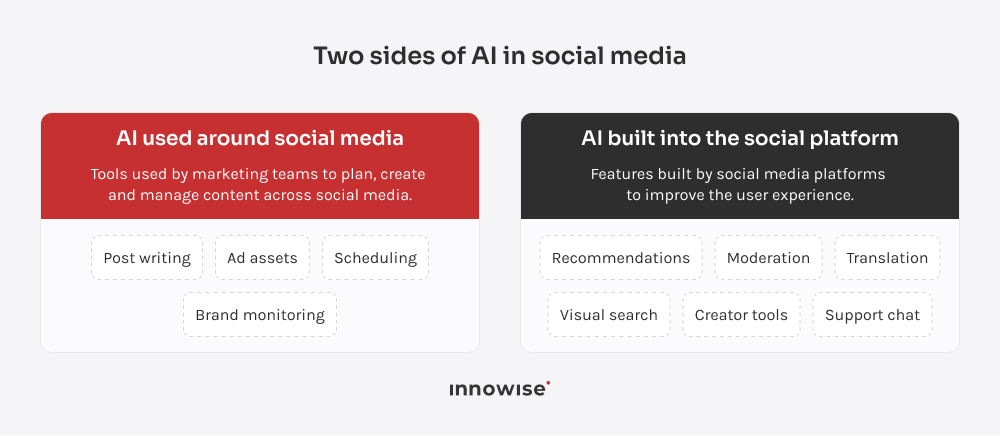
There are two sides to the topic:

  • One is AI used by marketing teams around social media: writing posts, scheduling campaigns, analyzing brand mentions, and producing advertising assets.
  • The other is AI built into the social platform itself.
Comparing AI used around social media with AI built into social platforms.

This article focuses on the second. So let’s look at some examples of AI in social media that are already doing useful work inside real products. 

7 most common applications of AI in social media platforms

So, how is AI used in social media in practice? Some features help users find better content. Some help creators make it. Others sort reports, read images, translate conversations, or spot patterns that would take humans forever to catch manually. Let’s look at the 7 most common use cases.

Social platforms generate a ridiculous amount of behavioral data: views, likes, skips, shares, searches, reports, purchases, and sudden spikes in activity.

Models can use those signals to spot patterns early. That might mean detecting unusual account behavior, identifying a topic that is gaining traction, or flagging a conversation that could turn into a reputational issue.

Sprinklr Smart Alerts is one example. It monitors changes in metrics such as conversation volume and sentiment and can flag unusual activity before it grows into a bigger problem.

Personally, I find this kind of AI more interesting than a lot of flashy generative features. Nobody posts screenshots of anomaly detection on LinkedIn, but catching a problem two hours earlier can be far more useful than generating ten caption variants.


This is probably the AI feature users interact with most, even if they never think about it.

Recommendation systems decide what appears next in a feed, which creator gets discovered, and which video quietly steals another 20 minutes of your evening.

TikTok explains that its For You feed uses signals such as watch behavior, likes, shares, comments, follows, captions, sounds, and hashtags to rank videos for each user.

From a product point of view, recommendation is fascinating because “more engagement” is a dangerously easy target. If you only train for clicks and watch time, the system may become very good at giving people more of the same.

I would always track diversity, hides, reports, saves, meaningful replies, and creator discovery alongside raw engagement. Otherwise, you may improve one metric while making the feed worse.

This is the loudest part of the AI conversation, mostly because it is easy to see.

Generative AI in social media helps users create images, videos, captions, effects, backgrounds, stickers, and other media directly inside the product.

Instagram, for example, uses Meta’s Muse Image model for generative effects in Stories. Meta is also pushing AI further into the creator workflow through the Edits assistant, which helps creators during video production and editing.

This is one area where I think the best ideas are boring in a good way.

That direction makes sense. The fewer tools a creator has to jump between, the easier it is to go from idea to published post. The use of AI in social media makes the most sense when it disappears into the workflow and simply makes the product easier, faster, or more useful. Used carelessly, though, it can also produce mountains of low-effort AI slop, flood feeds with repetitive content, and hurt the very KPIs teams were hoping to improve.

A social app does not have to treat every image or video as a mysterious file with a filename attached.

Computer vision can identify objects, scenes, products, text, visual similarities, and possibly unsafe material.

Pinterest’s visual search is a good example. It uses visual-language models and multimodal embeddings to help users start with an image and discover related ideas without having to describe exactly what they are looking at.

I like this use case because it solves a very human problem: sometimes you know what you want when you see it, but you have absolutely no idea what to type into a search bar.

That makes visual recognition especially useful for fashion, travel, food, social commerce, dating, and any platform where users communicate heavily through visual content.

AI can also help platforms make sense of what people are saying.

Models can classify text by topic, intent, sentiment, urgency, toxicity, or language. That makes them useful for social listening, support routing, spam detection, trend analysis, and community monitoring.

Sprinklr’s sentiment analysis tools are one example. They analyze customer messages and social conversations to identify sentiment and changes in how people are reacting.

This is also one of the areas where I would be careful with confident-looking dashboards. Sentiment scores can look beautifully precise while missing sarcasm, slang, jokes, quotes, or local context.

So for sensitive decisions, especially moderation, I would treat sentiment as one signal among several rather than as the final answer.

Chat inside social apps is becoming much more than messaging between two people.

AI assistants can help users find communities, answer product questions, summarize long threads, translate conversations, or help creators respond to followers.

Meta’s creator AIs on Instagram are one example: creators can configure AI versions of themselves to answer common DMs and Story replies.

My bias here is simple: give the assistant a job.

A bot that helps a user find the right community, explains account settings, or summarizes a 400-message discussion has a clear reason to exist. A giant “Ask AI” button with no obvious purpose usually feels like product furniture.

Moderation is one of the less glamorous uses of AI, but probably one of the most important.

Models can scan text, images, video, audio, account behavior, and reports, then assign risk scores or send suspicious content for review.

YouTube explains that its moderation systems combine machine-learning systems with human review to identify and handle possible policy violations.

I would be very cautious about anyone promising fully automated moderation. Social context gets messy fast. Jokes, reclaimed language, news footage, satire, harassment, and coordinated abuse do not fit neatly into one classifier.

AI is excellent at helping teams sort and prioritize huge volumes of content. Human judgment still earns its salary on the difficult cases.

If you want to zoom out a little, my colleague Dmitry collected practical AI use cases across industries.

Have an AI feature in mind?

Let’s see what it would take to add it to your app.

Are there any benefits of AI in social media?

Sure. Here are the benefits I would pay the most attention to.

  • Better recommendations
  • Faster content creation
  • Safer communities
  • Faster support
  • Better user insights
  • Smarter advertising

More relevant content and stronger engagement

A good feed saves users from doing the sorting themselves.

When recommendations work well, people find creators, communities, products, and conversations that match their interests faster. That can lead to more saves, replies, follows, shares, and repeat visits.

There is hard evidence behind that. Meta reported that ranking improvements on Facebook in Q4 2025 produced a 7% increase in views of organic feed and video posts, while changes on Threads drove a 20% increase in time spent.

I would still watch one thing very closely here: repetition. A feed can learn someone’s taste so aggressively that three interests suddenly become their entire personality.

That is why I would track content variety, hides, reports, creator discovery, and return rate alongside watch time and clicks.

Faster content production

Creating social content involves a surprising amount of tiny work: resizing images, writing captions, removing backgrounds, generating subtitles, finding clips, translating text, and making several versions of the same asset.

AI can take chunks of that work off the creator’s plate.

According to Meta’s 2026 performance update, content made in Edits accounted for nearly 10% of daily Reels views, while daily active users generating media in Meta AI had tripled year over year in Q4 2025.

That tells me something important: creator AI is becoming part of normal production workflows.

For platforms, easier creation can mean more active creators and more fresh content entering the system.

Safer communities and greater trust

At scale, moderation teams face a simple math problem: too much content, too little human attention.

AI can scan posts, comments, images, video, audio, reports, and account behavior, then push the highest-risk cases to reviewers first.

As mentioned earlier YouTube combines machine-learning systems with trained human reviewers to detect and assess possible policy violations. Its transparency reporting also shows the scale of content removals across categories such as spam, scams, violent content, and child safety.

I see this as one of the strongest business cases for AI in social products. A flashy creation feature may get the launch announcement. Better moderation can quietly protect the whole community every day.

The useful metrics here are moderation speed, missed violations, false positives, appeal outcomes, and reviewer workload.

Faster support at scale

Social platforms receive thousands of repetitive questions:

  • Why can’t I log in?
  • Where did my draft go?
  • How do I change this setting?
  • Why was my post removed?

A well-designed assistant can answer routine questions immediately and pass more difficult cases to a support agent with the conversation context attached.

In 2026, Meta expanded AI-based support across Facebook and Instagram for account issues such as password recovery and profile settings.

The volume behind social support is huge too. Meta says there are more than one billion active conversation threads with businesses every day across WhatsApp, Messenger, and Instagram.

I would measure resolution rate, escalation rate, repeat contact rate, response time, and user satisfaction. A chatbot that answers quickly and sends people in circles is just a faster way to annoy them.

Better decisions from user insights

Social platforms collect huge volumes of behavioral and content signals every day.

AI can help product teams spot recurring complaints, sudden topic growth, abandoned features, unusual account activity, emerging communities, and changes in how users behave.

TikTok describes signals such as watch completion, likes, shares, comments, follows, captions, sounds, and hashtags as inputs used to rank content in the For You feed.

For product teams, those same event streams can help explain where people are getting value, where they are dropping off, and which behaviors are changing.

This is the point where analytics becomes useful to me: you can move from “something looks different this week” to a specific pattern worth investigating.

More relevant advertising

Advertising systems can use signals from content, context, user behavior, and campaign performance to improve which ads appear to which users.

Meta reported several gains from its ad-ranking systems in Q4 2025, including a 3.5% increase in ad clicks on Facebook, more than a 1% increase in conversions on Instagram, and another model that raised conversion rates by 3% across Instagram Feed, Stories, and Reels.

Those percentages may look small on paper. At social-platform scale, they are anything but small.

There is also a line teams need to watch carefully. Relevance can become creepy very quickly when users feel that the platform knows more than they expected.

I would treat privacy controls, frequency limits, age restrictions, and clear ad settings as part of the product design from day one.

And the downside?

Well, at this point the post is starting to sound a little like an AI ad.

Fair enough. If you’re looking at AI in social media pros and cons, the upside is strong, but the list of risks is not exactly short either. A few I would keep in view:

Here’s the short version:

Cons Why it matters Practical safeguard
Repetitive recommendations A feed can keep serving the same topics, creators, or formats until discovery starts shrinking. Track diversity, hides, reports, and creator exposure alongside engagement metrics.
Moderation errors Models can miss harmful content, misread context, or flag harmless posts. Send uncertain and high-risk cases to human reviewers and provide an appeals process.
Synthetic content overload Cheap generation can fill the platform with spam, low-effort posts, and misleading media. Add quality filters, rate limits, provenance checks, and clearer labels where needed.
Privacy and security risks AI features may process messages, media, behavioral data, and other sensitive information. Limit data collection, restrict access, define retention rules, and give users clear controls.
Bias Ranking and moderation systems can treat creators, languages, communities, or content types unevenly. Test results across user groups and monitor exposure and error patterns over time.
Cost and maintenance Model calls, video processing, storage, monitoring, and human review can become expensive fast. Start with a narrow use case and track operating cost from day one.
Loss of trust Users get suspicious when they do not understand why something was recommended, removed, altered, or generated. Explain key AI actions, give users control where possible, and make generated content identifiable when appropriate.

So yes, the benefits of AI in social media are real. The trade-offs are too. Good product teams plan for both from the start.

How to integrate AI into a social media app

Adding AI to a social app usually works best when the team starts small, solves one clear problem, and measures the result before expanding. I would structure the work like this:

01
Prioritize the use case and define success metrics

Pick one problem worth solving first, such as feed relevance, moderation speed, translation, or creator assistance. Then decide how you will judge success: engagement, resolution rate, moderation accuracy, cost per request, or another metric tied to the feature.

02
Assess data and app architecture

Check what data the feature needs, where that data lives, how clean it is, and whether the current backend can support extra model calls, storage, and processing. This is also the right moment to review privacy, permissions, and retention rules.

03
Choose the AI solution and plan the integration

Decide whether the feature needs a third-party API, an open model hosted by your team, or a model trained for your own product. Then map how it connects to the app: API layer, databases, queues, moderation rules, analytics, and fallback logic. Our guide on how to integrate AI into an app goes deeper into this part. If you’re starting from zero, our guide on how to build an AI app covers the broader development process.

04
Pilot and test the feature

Release it to a limited group first. Test normal behavior, edge cases, abuse scenarios, different languages, slow connections, and failure states. In my experience, this stage usually finds the things the demo politely forgot to mention.

05
Monitor results and improve the feature

Track quality, usage, response time, user complaints, model cost, and errors after launch. AI features need regular tuning because user behavior changes, models change, and new edge cases appear surprisingly fast.

arrow-icon. arrow-icon.
01 Prioritize the use case and define success metrics

Pick one problem worth solving first, such as feed relevance, moderation speed, translation, or creator assistance. Then decide how you will judge success: engagement, resolution rate, moderation accuracy, cost per request, or another metric tied to the feature.

arrow-icon. arrow-icon.
02 Assess data and app architecture

Check what data the feature needs, where that data lives, how clean it is, and whether the current backend can support extra model calls, storage, and processing. This is also the right moment to review privacy, permissions, and retention rules.

arrow-icon. arrow-icon.
03 Choose the AI solution and plan the integration

Decide whether the feature needs a third-party API, an open model hosted by your team, or a model trained for your own product. Then map how it connects to the app: API layer, databases, queues, moderation rules, analytics, and fallback logic. Our guide on how to integrate AI into an app goes deeper into this part. If you’re starting from zero, our guide on how to build an AI app covers the broader development process.

arrow-icon. arrow-icon.
04 Pilot and test the feature

Release it to a limited group first. Test normal behavior, edge cases, abuse scenarios, different languages, slow connections, and failure states. In my experience, this stage usually finds the things the demo politely forgot to mention.

arrow-icon. arrow-icon.
05 Monitor results and improve the feature

Track quality, usage, response time, user complaints, model cost, and errors after launch. AI features need regular tuning because user behavior changes, models change, and new edge cases appear surprisingly fast.

Too many AI ideas, no clue which one is worth building first?

One curious social media AI project from our portfolio

I have one very cool example from our own practice.

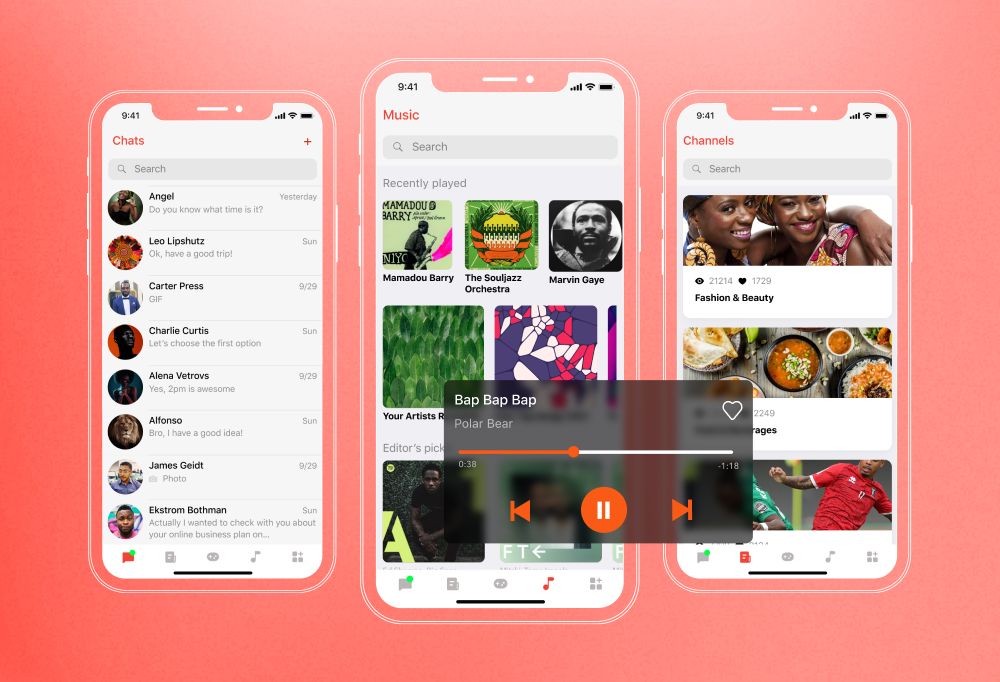
For a social networking app aimed at users across Asia and Europe, our client wanted people to communicate without language getting in the way. So the Innowise team added automatic language detection and real-time machine translation directly into the chat experience. Incoming text is processed by a machine translation engine and shown in a language the recipient understands.

The nice part here is that users do not need to open another tool, copy a message, translate it, and come back. Translation sits inside the conversation where it belongs.

The result: the app supports communication across 23 languages, including local dialects.

But you’d better read the full social networking app development case study for more details.

If you have a similar idea, or something more unusual in mind, send it my way through the form.

The future of AI in social media

Predicting the future of social media is almost a comedy genre. Make a confident five-year forecast today and there is a decent chance somebody will quote it back to you for entertainment in 2029.

So I’d rather look at what platforms are already building, testing, and rolling out. Those signals tell us much more about where AI in social media is heading.

A few directions look especially interesting to me.

Caption generators were the warm-up.

The more interesting shift is toward assistants that understand the creator’s work, content, and audience. Edits is one example we’ve already touched on. What matters more here is the direction: creator assistants are starting to cover more of the workflow, from the first idea to editing, repurposing, translation, and performance analysis.

I expect these assistants to take on more of the annoying little jobs around creation: finding clips, preparing variations, translating content, answering questions about performance, and suggesting edits while the creator is still working.

That feels much more useful than another empty text box asking, “What would you like to generate?”

This one deserves more attention.

Automatic dubbing, translation, voice generation, and lip-sync technology are getting good enough to sit directly inside social products.

YouTube’s automatic dubbing already lets creators make videos available in other languages, while Meta has been expanding AI translation for Reels and other video content.

For global social platforms, the consequences are pretty big. Language has always divided audiences into separate pockets. AI translation makes those walls much thinner.

A creator in Brazil can reach someone in Germany without recording the same video twice. A community app can connect people who cannot speak to each other directly. We have already seen this work in our own project with communication across 23 languages.

Sometimes you know exactly what you want and still have no idea what to type.

That is why I’m watching multimodal search closely.

As I said before, Pinterest is already combining visual-language models and multimodal embeddings so users can start their search from an image and refine what they are looking for.

I expect social search to combine more inputs over time: an image, a spoken question, a sentence, a video frame, previous interactions, maybe all of them together.

For fashion, food, travel, shopping, design, and hobby communities, that can make discovery much more natural.

Chatbots answer questions. Agents can do things.

That difference is starting to matter.

We are already seeing assistants that can research, remember tasks, work with content, and take several steps toward a goal. Inside a social app, that could mean finding a community, summarizing a long discussion, planning something with friends, managing creator tasks, or helping a user sort through hundreds of notifications.

This is probably the trend I’m most curious about, because it changes the role of AI inside the interface.

It also gives product teams many new ways to annoy users, so restraint will be valuable. Nobody needs an AI agent enthusiastically rearranging their social life without being asked.

We’re working in this direction too: Innowise develops AI agents that can handle multi-step tasks, work with business data, and connect to existing systems.

Generative AI is creeping closer to the moment content is captured.

Instagram already offers generative visual effects in Stories, and TikTok has introduced tools that can turn still images into video for Stories.

The next few years should bring more real-time editing: changing backgrounds, replacing objects, modifying scenes, generating visual elements, translating speech, and altering video while it is being recorded.

At some point, the line between “camera” and “editor” may become rather fuzzy.

And here comes the less fun part.

As synthetic images, voices, videos, virtual creators, and generated comments become easier to produce, platforms have to give users more context about what they are seeing.

That means labels, provenance metadata, generation history, clearer controls, and better explanations of how AI affects feeds and content.

Meta, for example, already applies labels to some AI-generated or altered media and participates in work around standards such as C2PA.

I think this will become one of the defining product questions around social AI: how much can we generate, modify, recommend, and translate before users start wondering what on the screen they can trust?

And that question is going to stick around much longer than the current AI feature race.

Building social platforms with AI at Innowise

We’ve spent quite a bit of time on both sides of this story: building social products and building AI systems. That combination matters when the job is adding AI to a real app with real users, existing architecture, moderation rules, traffic spikes, and a budget that somebody will eventually ask about.

Innowise has delivered 40+ social media apps and has 70+ AI experts in-house, so our teams can work across the whole product: feeds, messaging, media, backend services, model integration, computer vision, NLP, recommendation logic, and post-launch monitoring.

Depending on the product, that can mean adding translation to an existing chat, building recommendation or moderation features, bringing generative tools into a creator workflow, or designing the AI part of a new platform from the very start.

You can read more about our social media app development and AI development services.

If you already have an idea in mind, bring us the platform, the AI feature you want to add, and the integration requirements. We can help work out what should sit behind it and how to get it into production without turning the architecture into spaghetti.

See how we put AI to work

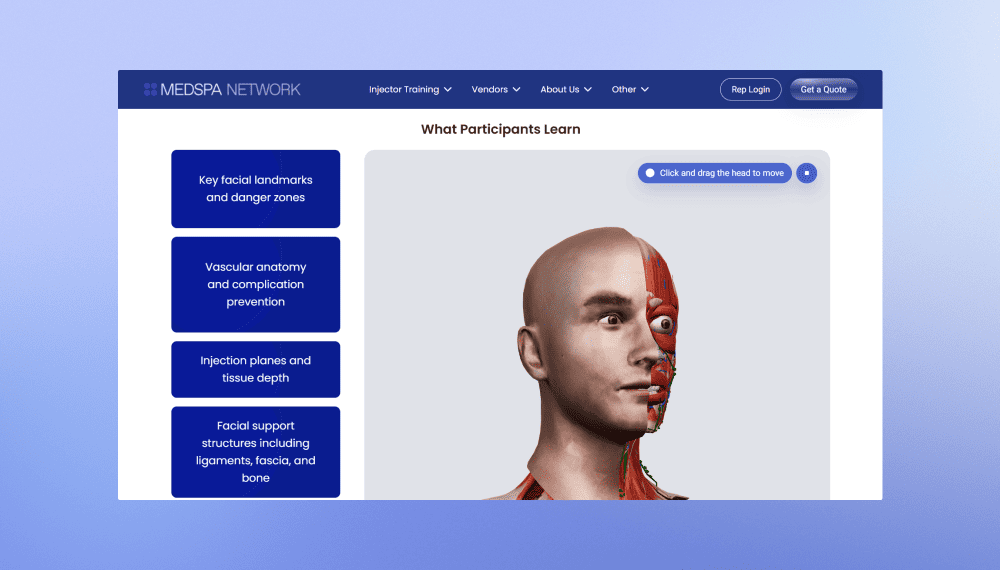
MedSpa Network website redesign and rebuild
Innowise rebuilt MedSpa Network’s website on WordPress, giving its team control over day-to-day content updates.
2 months from kickoff to launch
3-5 leads per week up from 1 per month
View case study
Client review

View case study
Client review logo. Client review


MedSpa Network website redesign and rebuild.
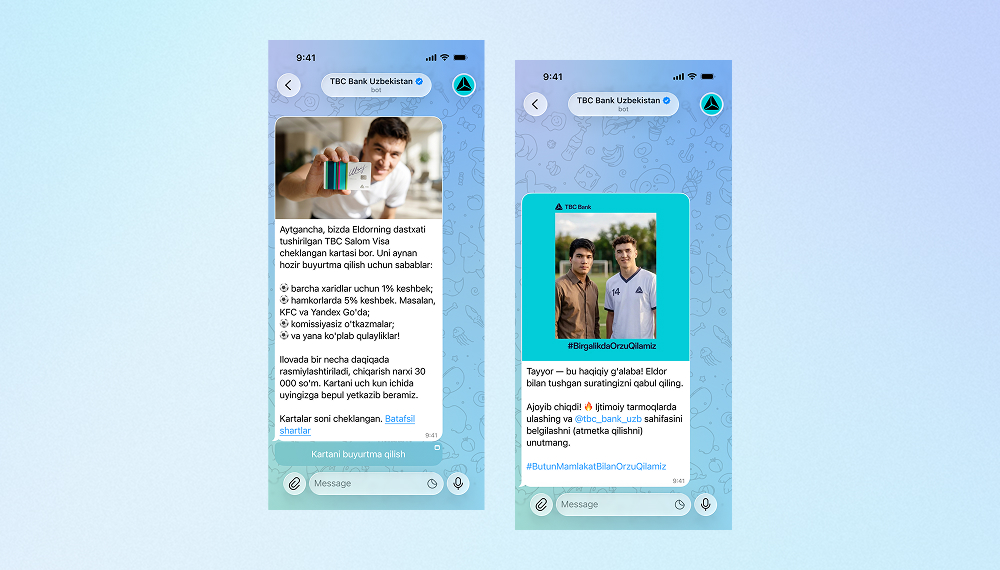
AI bot for TBC Bank marketing campaign
Innowise built a bilingual Telegram bot that generates AI selfies with TBC Bank's football-star brand ambassador.
3,000 users engaged
2 languages supported
View case study
Client review
View case study
Client review logo. Client review
AI Telegram bot..
Defining the product strategy for Bitlendex’s bitcoin lending platform
Innowise conducted a discovery phase for Bitlendex, helping the client transform an early-stage product concept into a validated business model and clearly defined MVP.
1 month for a full discovery phase
Financial advisory system for Bonnfinanz
Innowise helped Bonnfinanz to build a web-based advisory and administration system that supports mobile working and direct interaction with the client.
EV charging platform with flexible billing
Innowise helped modernize SMART/LAB’s e-mobility platform by enhancing its billing, payment, transaction management, and reporting capabilities.
>50% faster billing and payment processing
FinXP’s cloud-native DevOps transformation
Innowise helped FinXP modernize its financial services infrastructure by migrating legacy PHP-based APIs and applications to a cloud-native architecture.
11 apps moved to Azure App Service
100% Infrastructure as Code
Technical SEO for e-commerce platform
Innowise addressed critical technical SEO and performance issues across Officine 08’s e-commerce platform.
<500 ms server response time
5 months to complete the project
View case study
Client review
View case study
Client review logo. Client review
Technical SEO for e-commerce platform.
Continuous development of a fragrance subscription platform
Innowise helped Scentbird expand its subscription platform to support new shopping experiences and international growth.
4 years of continuous support
View case study
Client review
View case study
Client review logo. Client review
Continuous development of a fragrance subscription platform.
01 / 01
Close popup icon

Conclusion

AI fits social media almost too well: endless content, endless signals, endless tiny decisions happening every second.

The useful part is choosing where it deserves a seat at the table. Some features genuinely make the product better. Some just make the roadmap look trendy.

My advice is very simple: build the ones users would miss if you removed them. And if you need help figuring out which ones those are, we at Innowise are ready to help.

FAQ

Yes. In many cases, you can add AI feature by feature without rebuilding the whole product.

Translation can be added to messaging, moderation models can sit before a reviewer queue, and recommendation services can be introduced gradually. The scope depends on the existing architecture, available data, traffic, and the feature you want to add.

It depends on where the platform operates and what the feature does.

For EU products, teams may need to consider the GDPR, Digital Services Act, and AI Act. The AI Act’s Article 50 transparency rules have applied since August 2, 2026 and cover areas such as informing users when they interact with certain AI systems and marking some generated or manipulated content.

If children may use the platform, additional rules can apply. In the US, for example, COPPA governs how certain online services collect and use personal information from children under 13.

This is one of those areas where I would get legal people involved early rather than invite them to the launch party two days before release.

For some very clear cases, yes. I would be cautious about removing humans from the process entirely.

Context, sarcasm, news footage, slang, harassment, and borderline content can still trip models up. A sensible setup uses AI to detect, score, and prioritize content, while human reviewers handle uncertain or high-impact decisions.

There is no single answer.

It depends on local copyright law, the amount of human creative input, the platform’s terms, and the model provider’s terms.

In the US, the Copyright Office says AI-generated material can receive copyright protection when there is sufficient human authorship, while simply entering prompts may not be enough.

For a social platform, ownership rules should be clear before users start publishing generated media at scale.

In many cases, yes, especially when realistic synthetic media could be mistaken for something authentic.

In the EU, Article 50 of the AI Act includes transparency requirements for certain AI interactions, deepfakes, and generated or manipulated content.

I would also think beyond the visible “AI-generated” badge. Provenance metadata and machine-readable markers can help platforms keep track of where content came from after it gets copied, edited, and reposted.

Start with the job the feature is supposed to do.

A recommendation system might track saves, meaningful replies, hides, reports, and return rate. Translation might track cross-language conversations. Moderation might track detection quality, review time, false positives, and appeals.

Then add the boring numbers that become very exciting when the bill arrives: latency, failure rate, model usage, and cost per request.

There is no useful fixed price because the scope can vary wildly.

Adding one AI feature through an existing model API is a very different project from building a social platform with recommendation, moderation, multimodal search, and generative media from scratch.

The biggest cost drivers are usually feature scope, traffic, data infrastructure, model choice, media processing, safety requirements, and whether the models are external, self-hosted, fine-tuned, or trained for the product.

My preferred way to estimate it is simple: define the feature, expected usage, quality target, and architecture first. Then the number starts meaning something.

Show more Show less

Table of contents

Ready to add AI?

    Contact us

    Book a call or fill out the form below and we’ll get back to you once we’ve processed your request.

    Send us a voice message
    Attach documents
    Upload file

    You can attach 1 file up to 2MB. Valid file formats: pdf, jpg, jpeg, png.

    By clicking Send, you consent to Innowise processing your personal data per our Privacy Policy to provide you with relevant information. By submitting your phone number, you agree that we may contact you via voice calls, SMS, and messaging apps. Calling, message, and data rates may apply.

    You can also send us your request
    to contact@innowise.com
    What happens next?
    1

    Once we’ve received and processed your request, we’ll get back to you to detail your project needs and sign an NDA to ensure confidentiality.

    2

    After examining your wants, needs, and expectations, our team will devise a project proposal with the scope of work, team size, time, and cost estimates.

    3

    We’ll arrange a meeting with you to discuss the offer and nail down the details.

    4

    Finally, we’ll sign a contract and start working on your project right away.

    More services we cover

    arrow