How to build a mobile banking app: key features, steps & trends

Oct 12, 2026 20 min read
Head of Mobile Development
Verified expert
Every article at Innowise is created by authors with real-world experience. They understand the topic beyond theory and bring insight from real projects.
9+ years of experience
Verified expert
9+ years of experience
Pavel drives the delivery of high-performance mobile apps across iOS and Android. With a background in native engineering, he ensures that cross-platform and native products scale smoothly and provide a flawless user experience.
Expertise
Cross-platform apps iOS & Android Product delivery
Let's talk

Key takeaways

  • Decide whether you really need a new app. Sometimes a redesign is enough. Sometimes the deeper problem is the architecture, old integrations, or a codebase that has become too expensive to change.
  • Start with the customer jobs that matter most. Account access, payments, card controls, support, and clear transaction states should work well before you add extras.
  • Bring security and compliance in early. Authentication, KYC/AML, payment rules, data handling, and fraud controls will shape both the product and the technical setup.
  • Treat integrations as part of the core scope. Core banking, card processors, payment systems, KYC providers, fraud tools, open banking APIs, and CRM platforms can make or break the project.
  • Estimate the whole banking system, not just the mobile screens. Backend work, legacy systems, testing, migration, security reviews, and third-party dependencies usually decide the real cost and timeline.
Summarize article with AI

When was the last time your banking app irritated you? Mine is probably yesterday. 

Now imagine being the bank that built that thing. The product people complain about, avoid when they can, and open only because they have no better option. Not a great reality to own.

If you want to build a banking app people can trust and use without swearing at their phone, there is a long checklist ahead: product scope, UX, security, architecture, integrations, testing, compliance, cost, etc. The first item on that checklist is simpler: read this mobile banking app development guide before you start making expensive decisions.

At Innowise, we work with banks on mobile products from early product planning through development, integrations, testing, and launch, so this guide is built around the decisions that usually matter most in practice.

Mobile banking market overview

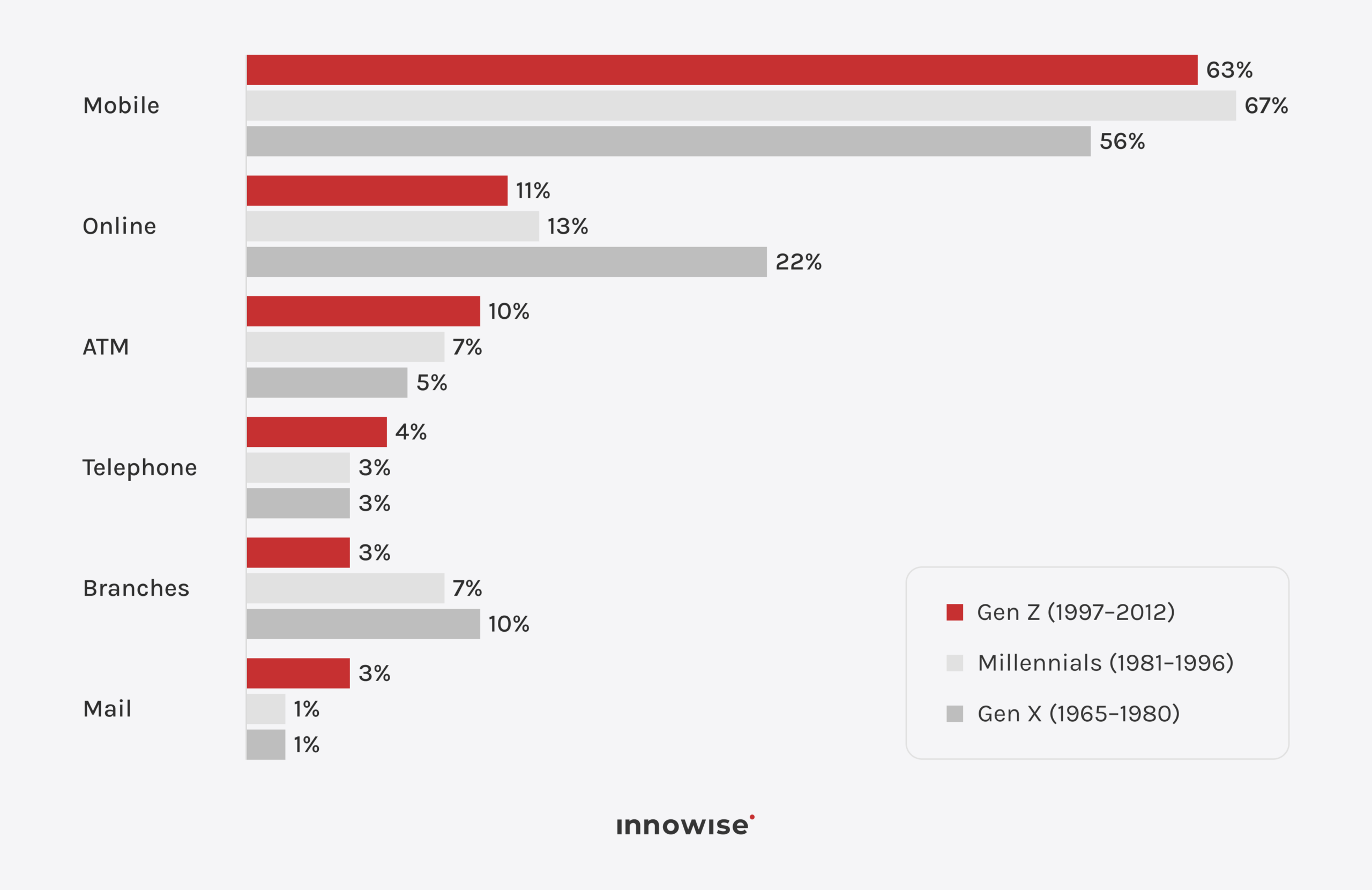
Mobile banking is already the main banking channel for many customers. In the US, 54% of consumers said mobile apps were their preferred way to manage bank accounts in 2025, compared with 22% for online banking and 9% for branches. Among Millennials, that figure reached 67%.

The UK tells a similar story. 75% of UK adults used mobile banking in 2024, according to UK Finance, and mobile overtook desktop banking as the most common way to access an account. Across the EU, 67.2% of people aged 16–74 used internet banking in 2024, up from 54.6% in 2019.

The business case goes beyond customer preference. McKinsey reports that banks with stronger mobile channels can handle more than 80% of routine customer interactions in the app and see substantially more customer activity and mobile sales than average performers.

So, does every bank need an app? Not literally every one. But if mobile is already where your customers expect to check balances, move money, manage cards, and get help, a weak app becomes a very visible business problem.

At Innowise, we usually start by looking at the product model, existing systems, and integration needs before recommending a custom build or another approach.

Types of mobile banking apps

Mobile banking apps fall into a few broad types, mostly based on who uses them and what they need to do with their money. A retail customer checking a balance has very different needs from a CFO approving a payment batch or a private banking client reviewing investments. Here are the main categories and what each one is built for.

TypeUse casesKey featuresExamples
Retail banking appEveryday personal bankingAccounts, transfers, bills, cards, supportChase, Bank of America
Neobank or digital banking appMobile-first everyday bankingDigital onboarding, payments, budgeting, FX, multi-currency accountsRevolut, Chime, N26
Business or corporate banking appCompany finances and payment operationsMulti-user access, approvals, bulk payments, account controlsHSBCnet, CitiDirect
Private banking or wealth appInvestments and wealth managementPortfolio views, investments, research, advisor accessUBS, Morgan Stanley

There are plenty of hybrids.

A retail bank might add investment tools. A neobank can move into business accounts. A business banking app may offer cards, expenses, and cash-flow tools. The categories help with planning, but your actual product model matters more than the label.

Key mobile banking application features

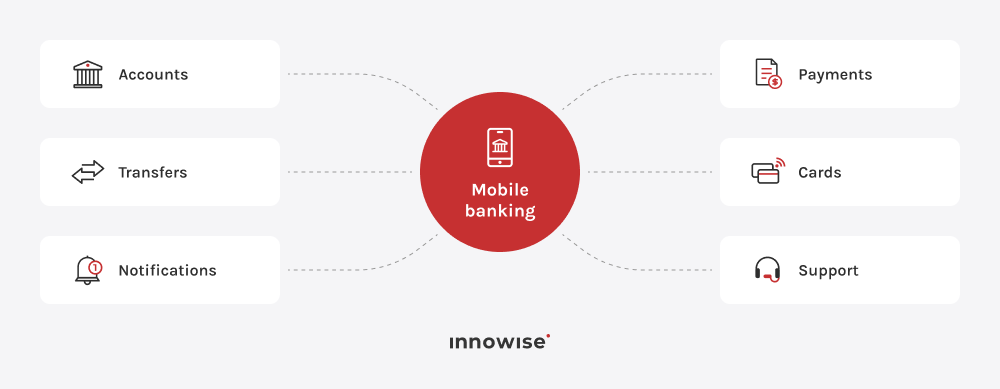
A banking app needs to help customers understand their money, move it, control access to it, and get help when something goes wrong.

That is the core.

Everything else earns its place after that.

Core mobile banking features

Core features cover the everyday banking tasks customers expect to handle quickly and safely from their phones.

Account management

Open the app and the customer should quickly understand what is happening with their accounts. Typical functionality includes:

  • current and available balances
  • account details
  • transaction history
  • pending transactions
  • filters and search
  • account statements
  • downloadable documents where relevant.

Transaction history deserves more thought than it usually gets. Customers do not see raw processor codes or merchant strings as “data.” They see a payment they do not recognize and immediately wonder whether somebody stole their card.

Readable merchant names, clear pending states, understandable dates, fees, and payment statuses can save a lot of confusion.

Payments and transfers

Few banking flows matter more than moving money. A customer needs to know who gets the money, how much leaves the account, what it costs, and when it arrives.

Common features include:

  • transfers between owned accounts
  • local and international bank transfers
  • P2P payments
  • bill payments
  • saved beneficiaries
  • recurring payments
  • transfer limits
  • payment receipts
  • payment tracking
  • cancellation where the payment method allows it.

Failure states matter just as much. A payment may be rejected, delayed, duplicated, held for checks, or accepted by one system while another system does not receive the expected response. The app needs language for all of that.

Card management

Card controls should make urgent actions immediate. A customer lost their card at dinner? They should be able to freeze it. Noticed a strange transaction? They want recent activity right there.

Common features include:

  • view card details where permitted
  • freeze and unfreeze
  • change spending limits
  • manage online or international use
  • PIN controls
  • report a lost or stolen card
  • order a replacement
  • connect cards to supported digital wallets
  • view card transactions
  • start a dispute or contact support.

Customer experience

A banking app also needs to handle the boring things well:

  • digital onboarding
  • profile management
  • notification settings
  • secure messaging
  • support chat
  • service requests
  • document upload
  • branch or ATM search where relevant
  • accessibility settings
  • consent and privacy controls.

Do not try to make every bank service equally visible.

Customers usually have a handful of common jobs and a long tail of occasional ones. Your navigation should reflect that.

Interactive demo: see mobile banking core features in action

Wondering what all of this can look like in an actual product? Here is one example.

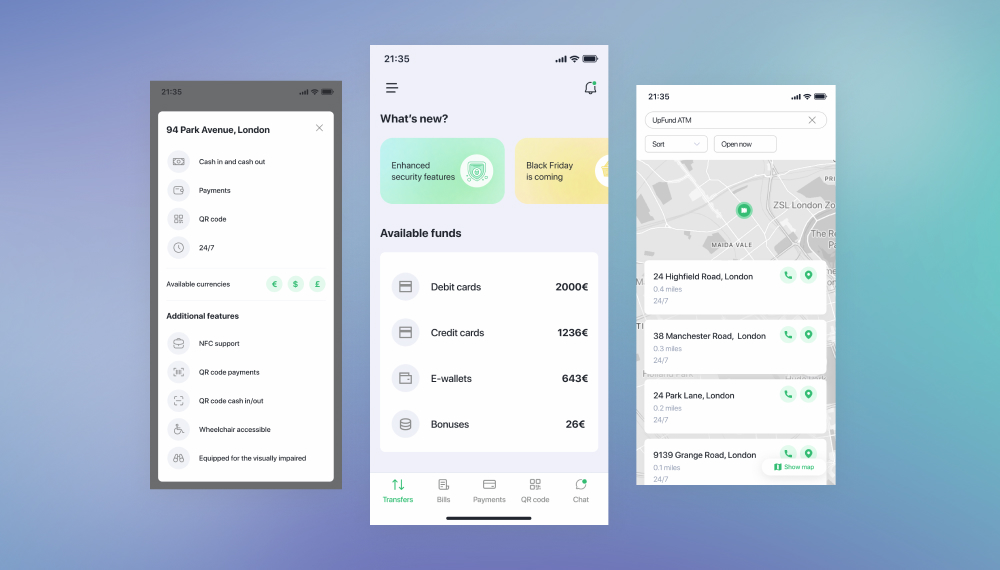
This mobile banking demo is one example of how we at Innowise may structure core banking flows in a mobile product. It shows one way payments, cards, spending views, credit products, notifications, and security settings can sit together in a real interface.

Click around. It is much easier to judge banking UX when you can move through it.

Want this for your bank?

See how the right features, integrations, and UX can come together in your product.

Advanced mobile banking app features and 2026 trends

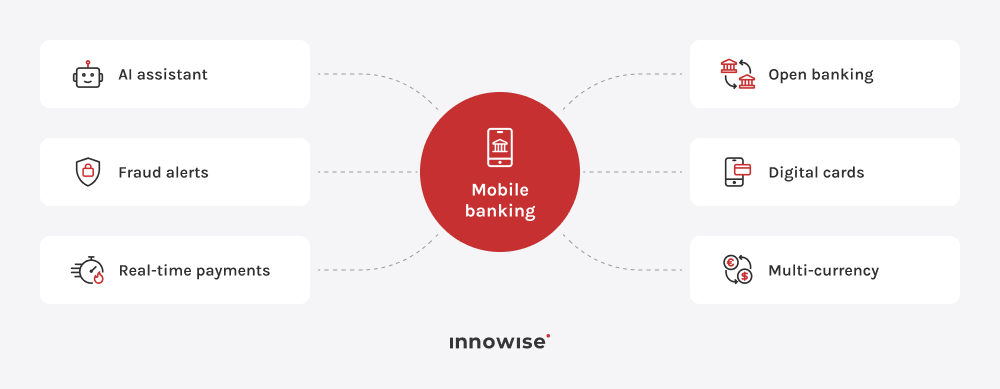
Advanced features take the app beyond everyday banking, adding faster payments, deeper financial tools, stronger controls, and new ways to interact with services.

Banking apps in 2026 are taking on more of the customer journey. Tasks that once meant a call, a branch visit, or another service can now happen inside the app. 

That opens up some genuinely useful possibilities. And, if handled badly, plenty of new ways to annoy people. 

  • AI financial assistants. AI assistants can answer account questions, explain transactions, help users find features, and guide them through common service requests. Their scope should be clearly defined, especially around sensitive financial actions and support handoffs.
  • Money guidance and spending insights. Banking apps can use account and transaction data to show recurring charges, upcoming bills, spending patterns, savings progress, or periods when cash may run low. The value comes from making that information easy to understand and act on.
  • Fraud detection and security controls. Modern banking apps can flag unusual activity, ask for extra verification when needed, and give users a fast way to review or report suspicious transactions. These controls often work alongside device checks, authentication rules, and transaction monitoring.
  • Real-time payments. Real-time payments let customers send and receive money within seconds where the local payment infrastructure supports it. The app should show clear payment status, recipient details, fees, and confirmation throughout the process.
  • Open banking and account aggregation. Open banking can let customers connect accounts from other banks and see more of their finances in one place. It can also support payment initiation and other services, depending on the market and available APIs.
  • Instant digital cards and advanced card controls. Digital cards can be issued directly in the app, sometimes before the physical card arrives. Customers may also be able to manage limits, online payments, international use, wallet connections, and other card settings.
  • Embedded finance. Embedded finance brings banking services into third-party products and platforms. For banks, this can mean exposing accounts, cards, payments, or lending services through APIs while keeping parts of the customer journey inside the banking app.
  • Multi-currency and cross-border banking. Multi-currency features let customers hold, exchange, and transfer money in different currencies. Clear exchange rates, fees, settlement times, and final received amounts matter most here.
  • Voice-enabled banking. Voice features can help users navigate the app, check basic account information, or access selected services. They are especially useful for accessibility and simple hands-free interactions.
  • Personal financial management. Personal finance tools can include budgeting, spending categories, recurring payment tracking, savings goals, and cash-flow views. Their job is simple: help users understand what is happening with their money and what may need attention.

Banking projects we’ve delivered

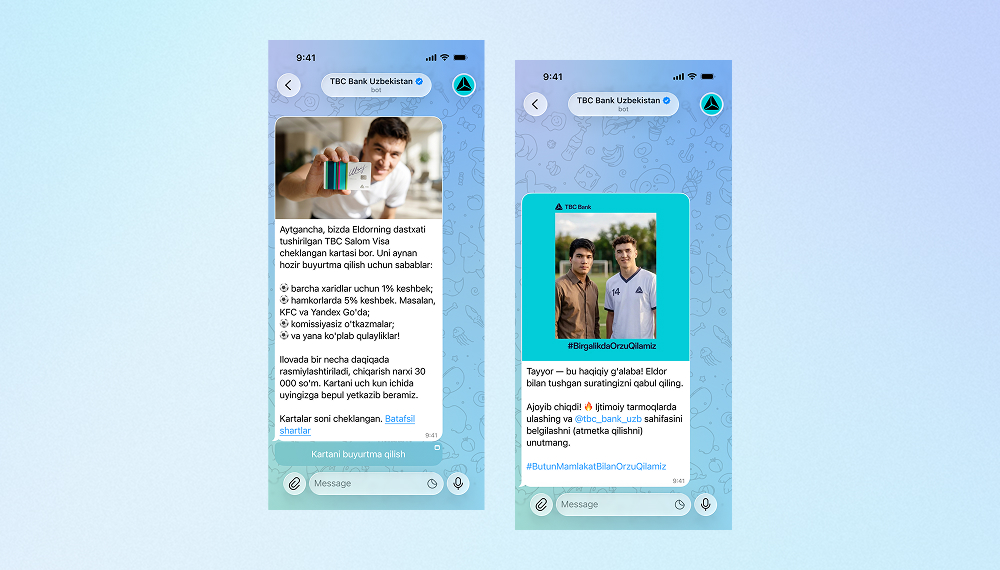
AI bot for TBC Bank marketing campaign
Innowise built a bilingual Telegram bot that generates AI selfies with TBC Bank's football-star brand ambassador.
3,000 users engaged
2 languages supported
View case study
Client review
View case study
Client review logo. Client review
AI Telegram bot..
Banking data management repository development
We developed a centralized repository to store, process, and secure large amounts of data related to corporate clients, accounts, and transactions.
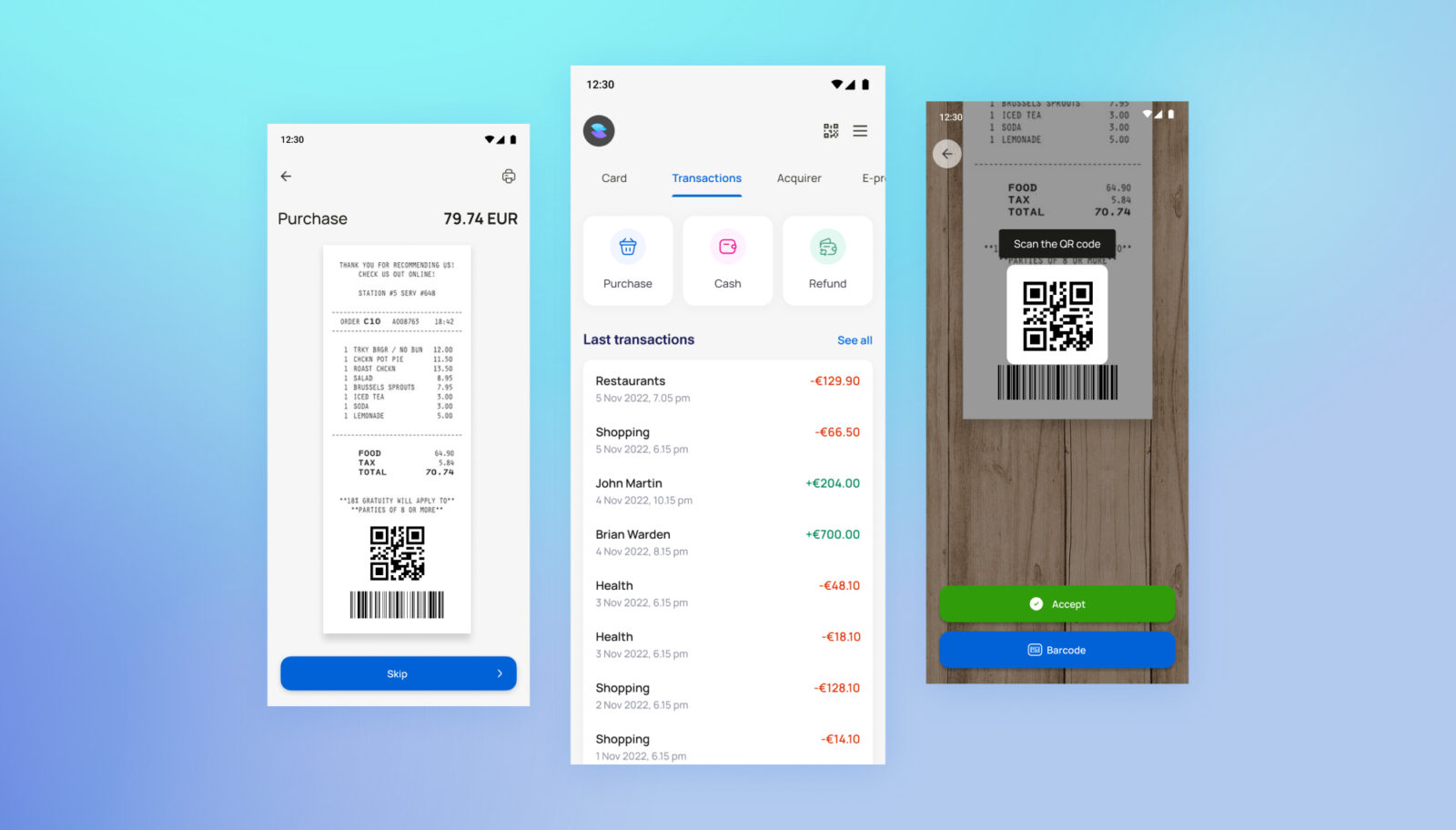
Refactoring and enhancing Android-based app for POS terminal
Innowise optimized POS terminal software, enhancing its functionality, resolving identified bugs, and unifying the codebase.
100% adherence to the EMV standard
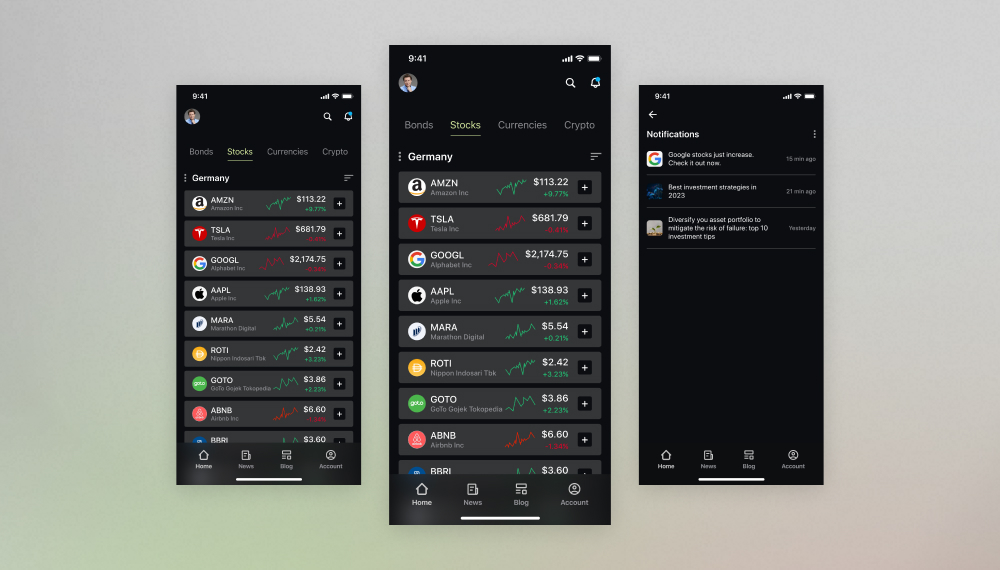
Omnichannel investment platform development
We built a feature-rich financial application to govern bank deposits, stock investments, asset portfolios, pension savings, and more under one roof.
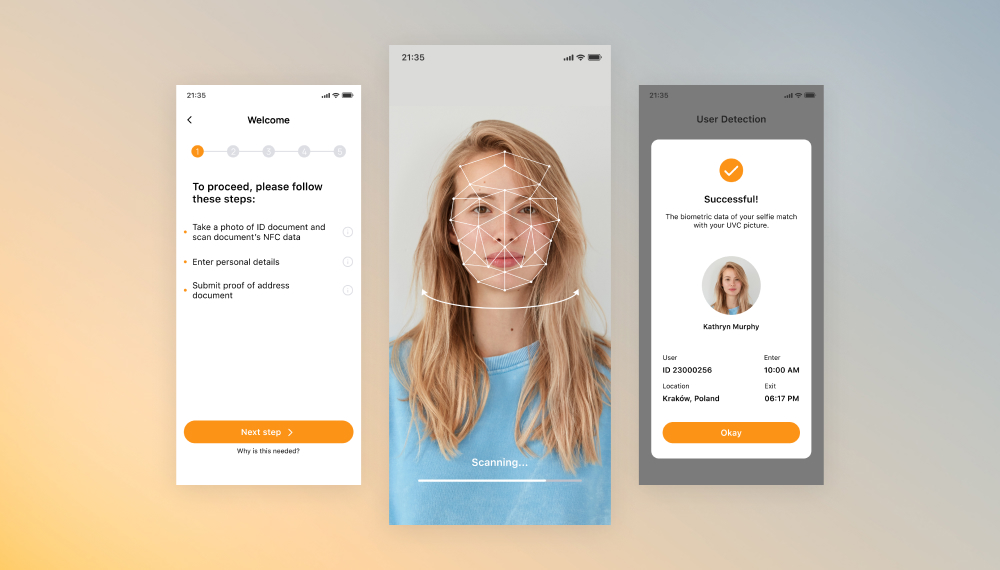
Development of KYC solution for mobile applications
We upgraded the customer identity and access management software for iOS and Android for seamless cross-platform use and biometric verification.
Bank-centric mobile app optimization
We built software for card issuing machines that provides deposits/withdrawals through QR codes and ensures ATMs’ integration with Google Maps.
Banking web app development for money transfers
Innowise developed a complex SaaS platform from scratch that allows for money transfers and tracking analytics.
25-30 validations for each type of transaction
Open banking platform development
Innowise has developed an open banking platform and provided API aggregation services.
100% PSD2 Regulatory Technical Standards compliance
01 / 01
Close popup icon

How to create a mobile banking app: step-by-step process

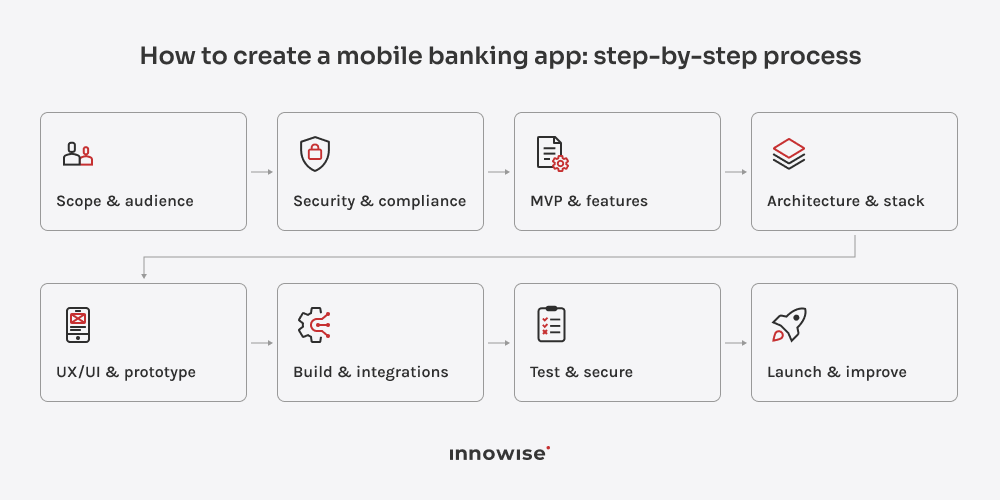
To build a mobile banking app, start with the product and operating constraints, then move into features, architecture, UX, engineering, integrations, testing, and launch.

The order matters.

Step 1: Define the product scope and target audience

The bank already knows its customers, markets, and products. Here, the job is to define exactly what the app should cover and who will use which parts of it.

Set the scope around real banking journeys:

  • which customer segments will use the app
  • which products and services should be available in mobile
  • which journeys belong in the first release
  • which user roles need different access or permissions
  • which countries, currencies, and payment methods are in scope
  • which systems and providers the app needs to connect to.

This gives the team a clear product boundary before feature planning starts. It also helps separate must-have banking flows from ideas that can wait for later releases.

Step 2: Assess regulatory and security requirements

If you’re working out how to build a secure mobile banking app, bring security, compliance, legal, and risk teams into the project early enough to influence the design. You will usually need to work through areas such as:

  • KYC/AML checks and customer verification
  • MFA and biometrics
  • encryption
  • secure handling of financial information
  • device security
  • fraud controls
  • payment rules
  • privacy and consent
  • audit requirements
  • data location requirements
  • third-party provider controls

The exact list depends on the country, licenses, product type, payment methods, and data involved. Take a US retail bank issuing debit cards: KYC/AML, card requirements, fraud controls, and customer authentication will shape much of the product. Now take an EU bank offering instant SEPA transfers. The payment has to reach the recipient within 10 seconds, while payee verification and other compliance checks still have to fit around that flow.

That is why these requirements should be translated into product rules early. “Strong authentication,” for example, needs to define when biometrics are enough, when an extra check is required, and what happens on a new device or after failed login attempts.

Step 3: Define the MVP and feature set

An MVP for banking still needs to work like a banking product. There is no point releasing a “minimal” transfer flow if transaction states are confusing or recovery from failure has not been worked out.

For a retail banking app, the first release may include:

  • onboarding and sign-in
  • account overview
  • transaction history
  • transfers
  • basic card controls
  • notifications
  • profile and security settings
  • support

A corporate banking MVP will look different. Roles, approvals, payment batches, and account permissions may come before half the consumer features people usually associate with mobile banking.

For a neobank, digital onboarding, funding, cards, and payments may define the whole first experience.

The trick is to choose a coherent slice of banking. A random collection of “easy” features is not an MVP.

If you want to get the first release right from the start, Innowise’s MVP development services can help define the scope, test the concept, and turn it into a build-ready product plan.

Step 4: Design the architecture and choose the tech stack

A common mobile banking architecture, in a very simplified form, looks like this:

mobile app → API and integration layer → backend services → data and core banking systems

The API and backend layers handle authentication, permissions, transaction logic, data access, and connections to banking systems and third-party providers. This separation becomes especially useful when the app needs to work with older banking infrastructure.

A typical stack may include:

LayerTechnologies
MobileSwift, Kotlin, Flutter, React Native
BackendJava, .NET, Node.js, Go
DatabasesPostgreSQL, MySQL, NoSQL where appropriate
APIsREST, GraphQL where appropriate
CloudAWS, Azure, GCP
InfrastructureDocker, Kubernetes, CI/CD

Choose the stack around your existing infrastructure, security requirements, integrations, transaction volume, and team expertise. Our guide to the best tech stack for mobile app development covers this decision in more detail.

For the mobile layer, you will also need to choose between native and cross-platform development. Native gives you more direct access to platform-specific capabilities, while cross-platform lets teams share more code between iOS and Android. See our native vs cross-platform app development guide for the trade-offs.

Step 5: Design the UX/UI and prototype

A big part of how to build a mobile banking app well is designing it around difficult journeys from the start. Seriously.

Prototype the moments where banking gets messy: failed verification, pending transfers, account recovery, unavailable services, or reversed payments. These cases tell you much more about the quality of the UX than a polished dashboard.

Map the full journey, including failure states, before development starts. Innowise’s mobile app design services can help turn those flows into tested prototypes and production-ready interfaces.

Step 6: Develop the app, backend, and integrations

This is where the mobile app, backend, banking systems, and third-party providers have to work as one product.

The main integrations usually include:

IntegrationPurpose
Core banking system and ledgerAccounts, balances, and transactions
Payment and card platformsTransfers, bills, card issuing, and controls
KYC/AML providersIdentity verification and compliance checks
Credit, fraud, and risk servicesRisk checks, fraud detection, and credit decisions
Open banking APIs and digital walletsExternal accounts and payment options
CRM, support, and communication toolsSupport, notifications, and customer communication

Design integrations with failure in mind. Providers time out, responses arrive late, and requests can be duplicated. Define retries, duplicate protection, timeouts, reconciliation, status mapping, and customer messages before those cases reach production.

Step 7: Test functionality, performance, and security

For banking apps, testing should follow the money and the data through the full transaction.

For a transfer, verify the amount, beneficiary, fees, limits, transaction record, notification, audit trail, and duplicate-request handling.

A solid test plan should cover:

  • unit and API testing
  • end-to-end banking journeys
  • device and OS coverage
  • load and poor-network conditions
  • permissions and authentication
  • security and penetration testing
  • transaction reconciliation
  • provider failures
  • app upgrades and backward compatibility.

Pay special attention to unstable connections. A dropped network halfway through a transfer should never leave the customer guessing whether the money moved.

Innowise’s mobile app testing services cover functional, performance, compatibility, usability, and security testing.

Step 8: Launch, monitor, and continuously improve

Use staged releases, feature flags, or limited customer groups so you can react quickly if something goes wrong.

Before launch, define the signals you will watch and who owns each incident: crashes, failed payments, login issues, slow services, provider outages, onboarding drop-offs, app store reviews, and support spikes.

After release, use real behavior to shape the roadmap. Repeated support issues, abandoned flows, slow screens, and actions users retry several times usually point to the next thing worth fixing.

Plan your banking app right

Get clear on the MVP, integrations, security, and delivery approach before development starts

Development challenges and practical solutions

The hardest parts of mobile banking development usually sit between systems, regulations, and teams.

ChallengeWhy it mattersPractical solution
Legacy system integrationOld APIs, inconsistent data formats, and thin documentation can slow delivery and create errorsAssess systems early, introduce APIs or middleware where useful, test connections separately, migrate gradually
Security and usabilityHeavy authentication can frustrate users, while weak controls increase riskUse biometrics, risk-based checks, step-up verification, and usability testing
Transaction accuracyFailures can create duplicates, delays, incomplete states, or confusing transaction recordsUse idempotency, validation, reconciliation, audit records, and recovery logic
Performance and availabilityHigh traffic or third-party outages can block important journeysLoad test, plan capacity, monitor services, use caching where appropriate, prepare failover paths
Ongoing maintenanceOS changes, vulnerabilities, regulation, and product growth keep the work movingMaintain regression coverage, release processes, security patching, monitoring, and a clear maintenance plan

One more challenge is ownership. Assign a clear owner to each major journey, from account opening and transfers to card replacement and disputes, so someone is responsible for the full customer outcome.

Mobile banking app development cost

The cost of mobile banking app development depends less on the number of screens and more on what the app has to connect to, process, secure, and support. Backend scope, integrations, compliance requirements, and existing banking infrastructure usually have the biggest impact.

Project scopeWhat it typically involvesDevelopment effort
PrototypeKey journeys, UI, clickable flows, limited backend workLower
App using existing banking systemsMobile app, APIs, authentication, existing core and payment connectionsModerate
App with new backend servicesMobile app, backend development, multiple integrations, security and operational toolsHigh
Full banking platformMobile, backend domains, complex integrations, infrastructure, compliance, operational toolingVery high

The estimate grows quickly once the project adds new payment or card connections, KYC/AML providers, fraud systems, data migration, complex security requirements, or extensive backend work. For an accurate budget, scope these dependencies before estimating the mobile development itself.

See what your banking app will cost

Build your mobile banking app with Innowise

Innowise covers the full banking app build: product discovery, UX/UI, mobile and backend development, integrations, QA, deployment, and post-launch support. That means fewer handoffs between separate vendors and one team working across the app, payments, identity, cards, APIs, infrastructure, and testing.

We can also assess an existing banking product before development starts, including architecture, code quality, security gaps, backend dependencies, performance, and migration constraints. You can review our certifications when checking security and delivery requirements for your project.

Final thoughts

Mobile banking will keep moving toward faster payments, broader account access, stronger security, and more services inside the app.

So build for change. The app should be able to add new providers, support new payment methods, meet new requirements, and expand without forcing a major rebuild every few years.

FAQ

Mobile banking app development covers the app itself and everything needed to make banking services work through it: backend services, APIs, authentication, payments, cards, identity checks, integrations, security, and testing. If you’re wondering how to make a mobile banking app, Innowise can cover the full development cycle, from product planning to launch and support.


It depends on the scope behind the interface. Backend development, legacy systems, integrations, KYC/AML, payments, cards, fraud controls, security, migration, and testing can all change the estimate significantly. At Innowise, we scope these dependencies first and then estimate the project around the actual work involved.

The timeline depends on the feature set, architecture, integrations, compliance work, and existing infrastructure. A bank with well-documented APIs and established services can move much faster than one that needs extensive backend and integration work.

Yes, where the bank’s licenses, jurisdiction, compliance setup, custody model, and risk policy allow it. The app can support crypto balances, exchange, transfers, or third-party services, but the underlying custody, security, transaction monitoring, and regulatory setup need to be addressed first.

Current trends in mobile banking include AI assistants, real-time payments, account aggregation, digital cards, stronger fraud controls, embedded finance, multi-currency banking, and richer money management tools. Pick the features that solve a real customer need.

Security should cover authentication, encryption, data storage, APIs, transaction controls, fraud checks, infrastructure, testing, monitoring, and recovery. At Innowise, these requirements are considered from the architecture and design stages rather than added near release.

Start with the Chime or Revolut features that make sense for your audience, such as onboarding, cards, FX, payments, or savings. Then define the licenses, banking partners, payment rails, backend systems, and providers required to support them.

Look for banking experience, strong mobile and backend expertise, security practices, integration skills, and the ability to work with your existing systems. And ask whether your current app actually needs rebuilding. At Innowise, we would first look at the product, architecture, integrations, and technical constraints before recommending the scope of the project.

Show more Show less

Table of contents

    Contact us

    Book a call or fill out the form below and we’ll get back to you once we’ve processed your request.

    Send us a voice message
    Attach documents
    Upload file

    You can attach 1 file up to 2MB. Valid file formats: pdf, jpg, jpeg, png.

    By clicking Send, you consent to Innowise processing your personal data per our Privacy Policy to provide you with relevant information. By submitting your phone number, you agree that we may contact you via voice calls, SMS, and messaging apps. Calling, message, and data rates may apply.

    You can also send us your request
    to contact@innowise.com
    What happens next?
    1

    Once we’ve received and processed your request, we’ll get back to you to detail your project needs and sign an NDA to ensure confidentiality.

    2

    After examining your wants, needs, and expectations, our team will devise a project proposal with the scope of work, team size, time, and cost estimates.

    3

    We’ll arrange a meeting with you to discuss the offer and nail down the details.

    4

    Finally, we’ll sign a contract and start working on your project right away.

    More services we cover

    arrow