AI in education: applications, use cases, and implementation

Oct 23, 2026 20 min read
AI in education.
Head of Big Data, AI/ML/DS Departments
Verified expert
Every article at Innowise is created by authors with real-world experience. They understand the topic beyond theory and bring insight from real projects.
11+ years of experience
Verified expert
11+ years of experience
Philip builds data infrastructures that provide clarity. He focuses on the "why" behind the data, architecting systems that process massive volumes into actionable insights while ensuring the technical vision remains sharp and purposeful.
Expertise
Big data AI & ML Python
Let's talk

Key takeaways

  • AI in education is demanding because schools face teacher shortages, heavy workloads, and growing demand for personalized learning.
  • AI works well only when schools have reliable data, connected systems, clear access rules, and people who can review important AI outputs.
  • The main barriers are strict student data rules, wrong or biased AI answers, overreliance on AI, and a lack of clear internal policies for how it should be used.
Summarize article with AI
Current trends in the AI education market show rapid development, though adoption in this sphere is not yet mature. A UNESCO survey of higher education institutions found that while nine in ten respondents use AI in their professional work, more than half still feel uncertain about its use in teaching or research or have little to no understanding of the technology.Even so, shortage of teachers, work overload, and high demand for personalized learning are pushing education providers to increase AI use and edtech companies to integrate AI features into their solutions. And here, some interesting questions arise. In which cases is it reasonable to invest in AI, and why? What is required for successful implementation of AI into education? Which technologies and integrations are needed, what does implementation cost, and what aspects of data privacy, security, and AI risks must be considered? I’ll cover each below.
$57.2B projected global AI in education market size by 2033
86% of educational organizations report using generative AI
44M primary and secondary teachers needed by 2030

Top AI applications in education

AI can help students during class, automate teachers’ work, or identify students who may be falling behind in a school or university. Here are some AI use cases in education.

  • AI tutors
  • AI instructors
  • Chatbots for kids
  • Grading & feedback
  • Teacher task automation
  • Outcome prediction
  • AI admin assistants
  • Language learning
  • Accessible learning
  • Analytics & planning

AI tutors and adaptive learning

AI tutors give students one-to-one support when they need it. They explain difficult topics, answer follow-up questions, provide hints, and recommend extra exercises.

Adaptive learning takes this further by adjusting the experience to each student’s progress. For example, if a learner keeps making mistakes with fractions, the system can offer a simpler explanation and more practice before moving on to the next topic.

AI tutors and adaptive learning.

AI avatars and virtual instructors

AI avatars give a digital teacher a face, voice, and sometimes gestures. Virtual instructors behind the avatars present lessons, explain topics, show how something works, and talk to students during a course.

They can also follow a set curriculum, answer questions using approved learning materials, and switch between languages. AI avatars and virtual instructors work well for self-paced courses, remote learning, and training simulations.

AI avatars and virtual instructors.

AI chatbots for children

AI chatbots help children learn in a simple way through conversation, using text or voice. A child may ask a question on the topic studied at school, receive an explanation in easier language, ask a clarifying question, or request an additional example.

The chatbot can also give hints instead of ready answers, conduct quizzes, help with reading or math exercises, practice vocabulary, and remind students about pending tasks.

AI chatbots for children.

Automated grading and assessment

AI grading systems check tests, written answers, essays, and oral assignments. For questions with one correct answer, they compare the response with an answer key. For open-ended tasks, they use predefined grading criteria to review the content, logic, completeness, grammar, vocabulary, or pronunciation.

The system can assign a score, point out mistakes, explain what needs correction, and give written feedback. The results can also be saved in an LMS or another learning platform for future analysis.

Automated grading and assessment.

Teacher task automation

AI tools help teachers prepare lesson plans, homework worksheets, and other materials, saving them up to five hours a week. Teachers can set the topic, grade level, learning goal, or difficulty, and the system creates drafts based on these inputs.

It can also rewrite the same content for different skill levels, simplify complex explanations, generate questions, prepare feedback, and draft student progress reports or messages for parents.

Teacher task automation.

Learning outcome prediction

AI systems analyze grades, test results, attendance, submitted assignments, LMS activity, and learning progress to detect patterns in student performance. Based on this data, they predict outcomes such as the chance of passing a course, reaching a learning goal, missing a deadline, or struggling with a certain topic.

The system can then show these predictions as risk scores, alerts, or progress forecasts. These signals should help educators decide where to look more closely and when to offer support, rather than automatically determine a student’s path or outcome, as false positives and biased predictions are still possible.

Learning outcome prediction.

Administrative AI assistants and automation

AI assistants process common administrative requests from students, parents, and staff. These tools answer questions about admissions, course registration, schedules, exams, payments, deadlines, and documents.

When connected to internal systems, they can also check application status, retrieve student records, update information, register users for courses, send reminders, and pass more complex requests to the right department.

Administrative AI assistants and automation.

AI for language learning

AI can recognize speech, check pronunciation, correct grammar and word choice, explain mistakes, and read text aloud with natural pronunciation. It can also create dialogs and role-play exercises for different situations.

For example, a learner can practice a conversation in Spanish, say their answers out loud, and get feedback on pronunciation and grammar.

AI for language learning.

AI for accessibility and special education

AI makes educational content more accessible for students with diverse abilities. AI can simplify complex texts, describe images, convert materials into different formats, and support students who have difficulty speaking or writing.

For students with dyslexia and other learning difficulties, AI can make content easier to understand.

AI for accessibility and special education.

Institutional analytics and resource planning

AI analyzes data across an educational organization — enrollment, attendance, course demand, staff workload, classroom use, budget, student retention, and more — to detect patterns and predict future needs.

Institutional analytics and resource planning.

Have an education process that AI could improve?

Benefits of AI in education

For students

Students receive more personalized learning, faster feedback, and extra support when they struggle with a topic. They can practice at their own pace and get help outside regular class hours. AI also makes learning more accessible for people with different physical, sensory, or learning needs with captions, text-to-speech, speech recognition, and adapted content.

Educators spend less time on routine tasks such as lesson preparation, grading, feedback, and reporting. AI also gives them a better view of student progress, learning gaps, and areas where extra support may be needed.

AI makes it easier for parents to follow their child’s progress, attendance, missed assignments, and areas that may need more attention. It can bring this information together, highlight important changes, and send updates or reminders about schoolwork, deadlines, and upcoming events.

AI helps education providers handle routine admin work, answer common questions faster, and plan staff, schedules, budgets, and course capacity. It also makes it easier to see changes in enrollment, retention, and course demand.

AI technologies used in education

Natural language processing Natural language processing.
Speech technologies Speech technologies.
Digital humans & AI avatars Digital humans & AI avatars.
Predictive analytics Predictive analytics.

Real-word AI in education examples

  • Innowise
  • Peru’s Schools
  • Aš Primary School
  • Macquarie University
  • BCE schools
  • Nigerian Schools
  • National Youth Theatre

Custom LMS with AI-assisted assessments

Our engineers developed an internal LMS for employee training. It uses AI to generate test questions from course content and also includes learning paths, progress tracking, certifications, and analytics.

  • 40% faster onboarding
  • 30% lower training costs
Learn more about the project Right arrow icon.

AI across Peru’s public school system

Since 2025, the World Bank Group has been testing AI across Peru’s public schools. The initiative includes an AI math tutor and career coach for students, AI training for teachers, AI-based classroom observations, and AI support for school principals.

  • Higher AI adoption among 1,270 teachers across 390 schools after training.
  • Better prompts and more critical evaluation of AI outputs.
  • AI classroom assessments comparable to those of trained human observers.
  • Less administrative work for school principals.

AI for teaching, admin work, and multilingual support

Primary School of Aš in Czechia uses Microsoft 365 Copilot for teaching, school administration, and support for students and parents from different language backgrounds. Copilot helps teachers plan lessons, create quizzes and assignments, adjust materials for different skill levels, and find other ways to explain difficult topics. It also translates school documents and facilitates communication with pupils and their families that don’t speak Czech.

  • 3x faster lesson preparation
  • Up to 60% less time spent reviewing complex administrative documents
  • Better communication with multilingual students and their families

AI assistant for student support

Macquarie University uses Virtual Peer — an AI-powered chatbot — to answer administrative questions and help students understand course content. The assistant is now used across 24 university units.

  • 15,000 students supported
  • 70% fewer routine academic emails
  • Up to 10% improvement in student performance

AI for more independent learning

Brisbane Catholic Education rolled out Microsoft Copilot Chat for students aged 13+ and educators. Students use it to develop ideas, understand assignments, and reflect on their progress, while teachers use AI for lesson planning, research, and routine admin tasks.

  • 275% increase in students taking ownership of their learning
  • 12,500 educators and support staff participated in the rollout
  • Up to 9.5 hours saved per week on admin and lesson planning

AI tutoring for English learning

First-year high school students in Nigeria used Microsoft Copilot during English lessons. Teachers introduced English topics from the school curriculum, and students used AI to ask questions, get examples, and practice what they had learned.

  • 0.31 standard deviation improvement in English, AI knowledge, and digital skills
  • 6 weeks of AI tutoring produced learning gains comparable to 1.5–2 years of typical progress
  • Stronger learning gains than 80% of rigorously evaluated education programs

AI for creative training and improvisation

National Youth Theatre in the UK uses Microsoft Copilot in workshops and improv exercises. AI suggests new scenes, character backgrounds, plot twists, and other prompts that performers react to in real time.

  • Over 80% of pilot participants felt more confident expressing their ideas with new technologies

Innowise

Our engineers developed an internal LMS for employee training. It uses AI to generate test questions from course content and also includes learning paths, progress tracking, certifications, and analytics.

  • 40% faster onboarding
  • 30% lower training costs
Learn more about the project Right arrow icon.

Peru’s Schools

Since 2025, the World Bank Group has been testing AI across Peru’s public schools. The initiative includes an AI math tutor and career coach for students, AI training for teachers, AI-based classroom observations, and AI support for school principals.

  • Higher AI adoption among 1,270 teachers across 390 schools after training.
  • Better prompts and more critical evaluation of AI outputs.
  • AI classroom assessments comparable to those of trained human observers.
  • Less administrative work for school principals.

Aš Primary School

Primary School of Aš in Czechia uses Microsoft 365 Copilot for teaching, school administration, and support for students and parents from different language backgrounds. Copilot helps teachers plan lessons, create quizzes and assignments, adjust materials for different skill levels, and find other ways to explain difficult topics. It also translates school documents and facilitates communication with pupils and their families that don’t speak Czech.

  • 3x faster lesson preparation
  • Up to 60% less time spent reviewing complex administrative documents
  • Better communication with multilingual students and their families

Macquarie University

Macquarie University uses Virtual Peer — an AI-powered chatbot — to answer administrative questions and help students understand course content. The assistant is now used across 24 university units.

  • 15,000 students supported
  • 70% fewer routine academic emails
  • Up to 10% improvement in student performance

BCE schools

Brisbane Catholic Education rolled out Microsoft Copilot Chat for students aged 13+ and educators. Students use it to develop ideas, understand assignments, and reflect on their progress, while teachers use AI for lesson planning, research, and routine admin tasks.

  • 275% increase in students taking ownership of their learning
  • 12,500 educators and support staff participated in the rollout
  • Up to 9.5 hours saved per week on admin and lesson planning

Nigerian Schools

First-year high school students in Nigeria used Microsoft Copilot during English lessons. Teachers introduced English topics from the school curriculum, and students used AI to ask questions, get examples, and practice what they had learned.

  • 0.31 standard deviation improvement in English, AI knowledge, and digital skills
  • 6 weeks of AI tutoring produced learning gains comparable to 1.5–2 years of typical progress
  • Stronger learning gains than 80% of rigorously evaluated education programs

National Youth Theatre

National Youth Theatre in the UK uses Microsoft Copilot in workshops and improv exercises. AI suggests new scenes, character backgrounds, plot twists, and other prompts that performers react to in real time.

  • Over 80% of pilot participants felt more confident expressing their ideas with new technologies

AI implementation strategy

The same uses of AI in education can work very differently from one setting to another. After years of working on AI projects, we’ve built the implementation process that lets us address the main project questions step by step.

01

Assess needs and identify use cases

Finding how AI could be useful in learning, teaching, or admin work.

Defining who will use it, what data is available, and what outcome is expected.

02

Prioritize the use cases

Comparing use cases by value, effort, risks, and available data.

Choosing which ones to start with first.

03

Prepare data and architecture

Checking what data is available, where it comes from, and who can access it.

Planning how the AI solution will connect with existing systems and where the data will be stored.

04

Design and develop the solution

Defining what the solution should do and how people will use it.

Developing the AI features and user interface.

05

Integrate and test

Connecting the solution to existing systems and data sources.

Testing integrations, AI outputs, security, and performance.

06

Launch and train users

Rolling out the solution to a pilot group or all users.

Showing teachers, staff, or students how to use it and what rules to follow.

07

Monitor and improve

Tracking usage, AI response quality, costs, and results over time.

Updating data, prompts, rules, and features based on feedback and performance review.

arrow-icon.arrow-icon.
01

Assess needs and identify use cases

Finding how AI could be useful in learning, teaching, or admin work.

Defining who will use it, what data is available, and what outcome is expected.

arrow-icon.arrow-icon.
02

Prioritize the use cases

Comparing use cases by value, effort, risks, and available data.

Choosing which ones to start with first.

arrow-icon.arrow-icon.
03

Prepare data and architecture

Checking what data is available, where it comes from, and who can access it.

Planning how the AI solution will connect with existing systems and where the data will be stored.

arrow-icon.arrow-icon.
04

Design and develop the solution

Defining what the solution should do and how people will use it.

Developing the AI features and user interface.

arrow-icon.arrow-icon.
05

Integrate and test

Connecting the solution to existing systems and data sources.

Testing integrations, AI outputs, security, and performance.

arrow-icon.arrow-icon.
06

Launch and train users

Rolling out the solution to a pilot group or all users.

Showing teachers, staff, or students how to use it and what rules to follow.

arrow-icon.arrow-icon.
07

Monitor and improve

Tracking usage, AI response quality, costs, and results over time.

Updating data, prompts, rules, and features based on feedback and performance review.

AI solution development costs for education

A simple AI solution for education usually costs between $15000 and $20000+. But this is just an approximate estimate. The final price depends on the solution’s functionality, the type of data used, integration needs, and whether you use pre-existing solutions or custom models.
If you need an AI tutor integrated with LMS or SIS systems, voice functionality, an AI avatar, and custom learning logic, the numbers will be higher. Student data protection and compliance requirements may also increase the cost.

Need a more accurate number? Send us your requirements, and we’ll estimate the project

Challenges of AI in education and how to address them

At Innowise, I’ve learned that the quality of the AI model is only one part of a successful education project. Data, integrations, user adoption, and measurable outcomes can have just as much impact on the final result. Below are the challenges I see most often when taking an AI solution from concept to day-to-day use.

Poor and fragmented data

Student records, grades, attendance, course activity, and other information are often stored in separate systems. Missing data, duplicates, and different formats can make AI results less accurate.

How we address it: We first identify which data the AI actually needs, then clean and structure it and connect the required sources. In case your data resides on several systems, or you’re unsure whether it is ready for AI, our consultants can assess it and recommend the next steps.

Legacy system integration

Education providers often rely on old LMS, SIS, and internal systems that were not designed to work with modern AI tools. This can make data exchange and AI integration more difficult.

How we address it: We review current systems, assess what can connect through APIs, and build custom integrations when standard options aren’t enough. If the existing system can’t support the new AI features, we may recommend modernizing or replacing the parts that create the main limitations.

Lack of AI expertise and AI literacy

Teachers and staff may have little experience with AI tools and may not know how to write effective prompts, verify AI outputs, or understand where the technology can make mistakes.

How we address it: We train teachers and other education staff to use AI, check its outputs, and understand where human judgment is still

User adoption and change management

Even useful AI applications in education may be hard to adopt if they add extra steps or don’t fit how teachers and staff work.

How we address it: We first study how teachers and staff work and where AI should fit into their daily tasks. Then, we test the solution with a small group of future users, collect feedback, and adjust it before a wider rollout.

Generative AI misuse and academic integrity

Students may use generative AI to complete assignments, write essays, or answer questions without doing the work themselves. This can make it harder for educators to assess what a student actually knows.

How we address it: We work with education providers to define acceptable AI use and reflect these rules in the solution. This may include limiting AI to hints and explanations, tracking how built-in AI is used, and adding plagiarism checks.

Measuring educational impact and ROI

It is easy to track how often an AI tool is used, but high usage does not always mean the AI solution works well. Education providers still need to see whether students learn better, teachers spend less time on routine work, or fewer students fall behind.

How we address it: We define success metrics with our client before launch and compare the results after rollout. Depending on the project, we may track grades, course completion, student progress, teacher workload, or support requests.

Responsible AI, data privacy, and security

Many of the challenges above are common to AI projects in other industries too. In education, however, AI becomes part of how students learn and interact with educational content.

Data security

AI systems in education may process highly personal student data, including identity details, health or disability information, behavioral records, and learning history. If this data is exposed or used beyond its original purpose, the school may lose control of sensitive student information. Privacy requirements are even stricter when minors are involved, as their data often requires additional consent and safeguards.

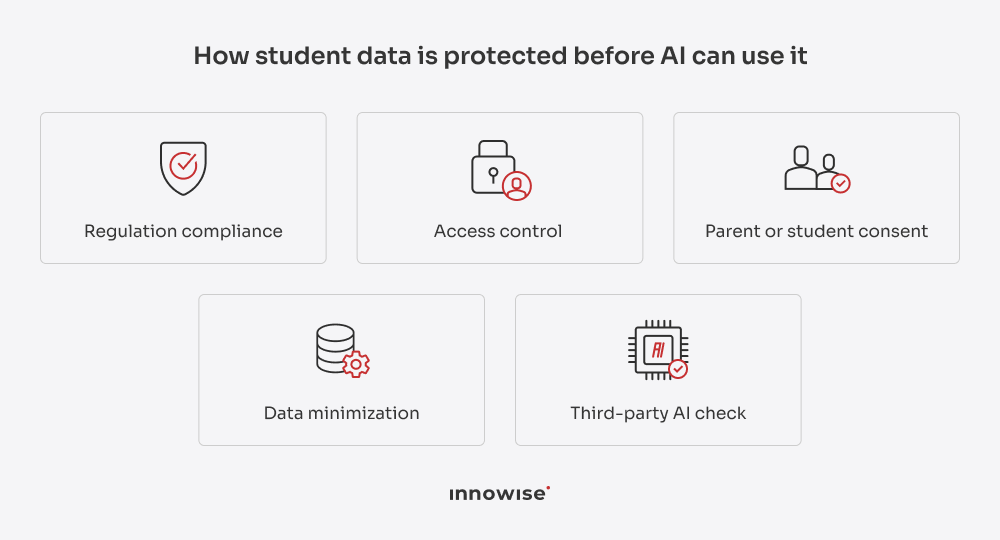
What do we do to protect data?


1) Comply with the regulations that apply to the project, such as FERPA and COPPA in the U.S. and GDPR in the EU. When AI is used by students with disabilities, frameworks like IDEA, Section 504, and ADA come into play. Local education and AI rules matter too, since requirements vary by market.

2) Define when parent or student consent is required and build these consent steps into the solution.

3) Follow a data minimization approach, so the AI gets only the student data it needs for a specific task rather than access to the full student record.

4) Set permissions based on user roles, so teachers, administrators, students, and other users only have access to the information relevant to them.

5) Check third-party AI services carefully, including what data they receive, where it is processed, and whether they keep prompts or outputs.

AI responsibility

AI may give a wrong answer when it lacks context, the data is incomplete, or it can’t access the right learning materials. In these cases, it may still produce an answer that sounds correct. If students trust it, they may learn wrong information, misunderstand a topic, or repeat the same mistake in future tasks.

And if the data used to train or support the AI contains bias, some groups of students may receive less accurate feedback, assessments, or recommendations. This can affect their grades, access to support, or learning path.

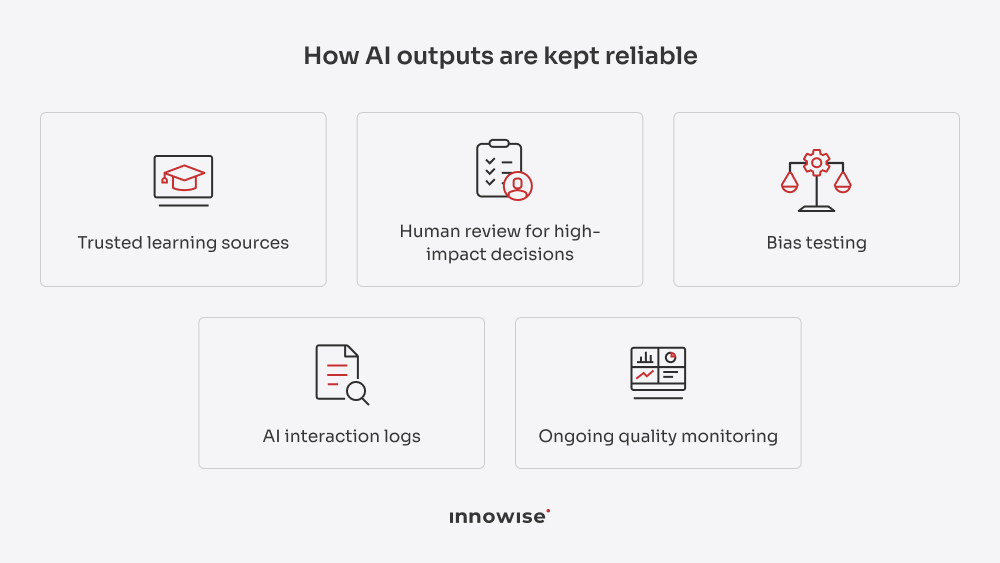
What do we do to keep AI outputs reliable?

  1. Use trusted sources, such as approved course materials, school policies, and internal knowledge bases, to guide AI answers.


  2. Build in human review for high-impact AI outputs, especially when they may affect grades, student support, or learning recommendations.


  3. Test the AI for bias, including whether it gives different results to different groups of students.


  4. Add audit logs for AI interactions, so teams can review what the AI was asked, what it answered, and what information it used.


  5. Monitor the AI after launch to catch changes in answer quality, errors, or other problems over time.

Develop secure, reliable AI for education

Our AI development services for education

  • AI consulting
  • Custom AI solution development
  • Generative AI development
  • AI agent development
  • AI chatbot development
  • AI avatar development
  • AI integration
  • Data engineering for AI
  • AI testing
  • AI support and modernization

AI consulting

Our consultants help choose the right use cases, whether it is an AI tutor, automated grading, student support, teacher automation, or learning analytics, and plan how to introduce them.

See our services Right arrow icon.
AI consulting.

Custom AI solution development

We develop AI solutions around your tasks, workflows, and objectives. This can be AI tutors, adaptive learning systems, grading tools, student support solutions, learning analytics, and other custom education products.

See our services Right arrow icon.
Custom AI solution development.

Generative AI development

Our team creates GenAI tools that explain topics, prepare learning materials, generate exercises, give feedback, and support teachers with lesson preparation.

See our services Right arrow icon.
Generative AI development.

AI agent development

We build AI agents that can handle multi-step tasks such as preparing course materials, checking student progress, answering administrative requests, or working across several education systems.

See our services Right arrow icon.
AI agent development.

AI chatbot development

Innowise’s developers develop learning assistants for students and children, as well as chatbots for admissions, course information, parent communication, and administrative support.

See our services Right arrow icon.
AI chatbot development.

AI avatar development

AI avatar development covers virtual instructors that can present lessons, explain topics, answer student questions, run learning activities, and speak different languages.

AI avatar development.

AI integration

Our integration services include adding AI tutors, grading tools, assistants, analytics, and other AI features to existing LMS, SIS, learning portals, and education apps.

AI integration.

Data engineering for AI

Our data engineers prepare grades, attendance, course activity, learning history, and other data for adaptive learning, student progress analysis, outcome prediction, and analytics.

Data engineering for AI.

AI testing

We test AI solutions for answer quality, hallucinations, bias, safety, and correct behavior with different users.

AI testing.

AI support and modernization

Innowise’s team improves existing AI tools as usage grows, new models appear, or requirements change.

AI support and modernization.

AI consulting

Our consultants help choose the right use cases, whether it is an AI tutor, automated grading, student support, teacher automation, or learning analytics, and plan how to introduce them.

See our services Right arrow icon.
AI consulting.

Custom AI solution development

We develop AI solutions around your tasks, workflows, and objectives. This can be AI tutors, adaptive learning systems, grading tools, student support solutions, learning analytics, and other custom education products.

See our services Right arrow icon.
Custom AI solution development.

Generative AI development

Our team creates GenAI tools that explain topics, prepare learning materials, generate exercises, give feedback, and support teachers with lesson preparation.

See our services Right arrow icon.
Generative AI development.

AI agent development

We build AI agents that can handle multi-step tasks such as preparing course materials, checking student progress, answering administrative requests, or working across several education systems.

See our services Right arrow icon.
AI agent development.

AI chatbot development

Innowise’s developers develop learning assistants for students and children, as well as chatbots for admissions, course information, parent communication, and administrative support.

See our services Right arrow icon.
AI chatbot development.

AI avatar development

AI avatar development covers virtual instructors that can present lessons, explain topics, answer student questions, run learning activities, and speak different languages.

AI avatar development.

AI integration

Our integration services include adding AI tutors, grading tools, assistants, analytics, and other AI features to existing LMS, SIS, learning portals, and education apps.

AI integration.

Data engineering for AI

Our data engineers prepare grades, attendance, course activity, learning history, and other data for adaptive learning, student progress analysis, outcome prediction, and analytics.

Data engineering for AI.

AI testing

We test AI solutions for answer quality, hallucinations, bias, safety, and correct behavior with different users.

AI testing.

AI support and modernization

Innowise’s team improves existing AI tools as usage grows, new models appear, or requirements change.

AI support and modernization.

Why choose Innowise for AI in education

What I see inside Innowise is that much of the expertise we need is already in place. My colleagues and I have worked on projects with generative AI, LLMs, predictive analytics, computer vision, automation, and education software. So we usually don’t start from zero; we always have someone who’s already dealt with a similar technical problem.

I’d say the team is our biggest advantage. We have 3,500+ specialists in-house across AI, data, software development, QA, DevOps, design, and other areas. That gives us a lot of flexibility: we can put a team together quickly, add new expertise within a couple of days, or change the team setup as the project grows, without bringing in another vendor.

If you’re thinking about using AI in your education product or processes, whether to support students, reduce teachers’ workload, or automate routine tasks, we’re here.

See our AI success stories

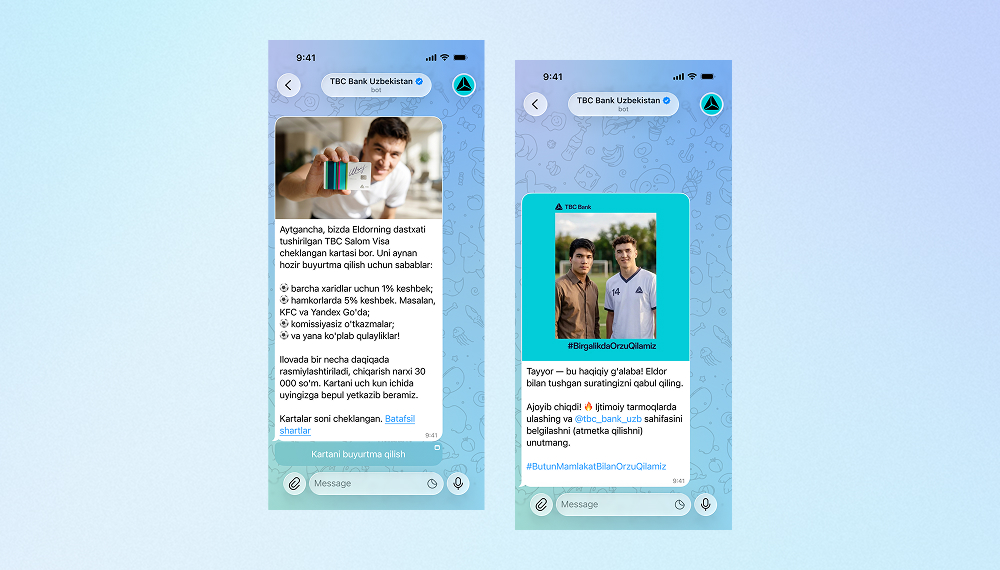
AI bot for TBC Bank marketing campaign
Innowise built a bilingual Telegram bot that generates AI selfies with TBC Bank's football-star brand ambassador.
3,000 users engaged
2 languages supported
View case study
Client review
View case study
Client review logo. Client review
AI Telegram bot..
Breast cancer detection software development
Innowise implemented a federated learning framework that enabled 3 clinics to collaboratively train a breast cancer detection model.
<68.6% improvement in segmentation AP
10,500 mammography images in an imaging repository
AI-powered end-to-end compliance ecosystem development
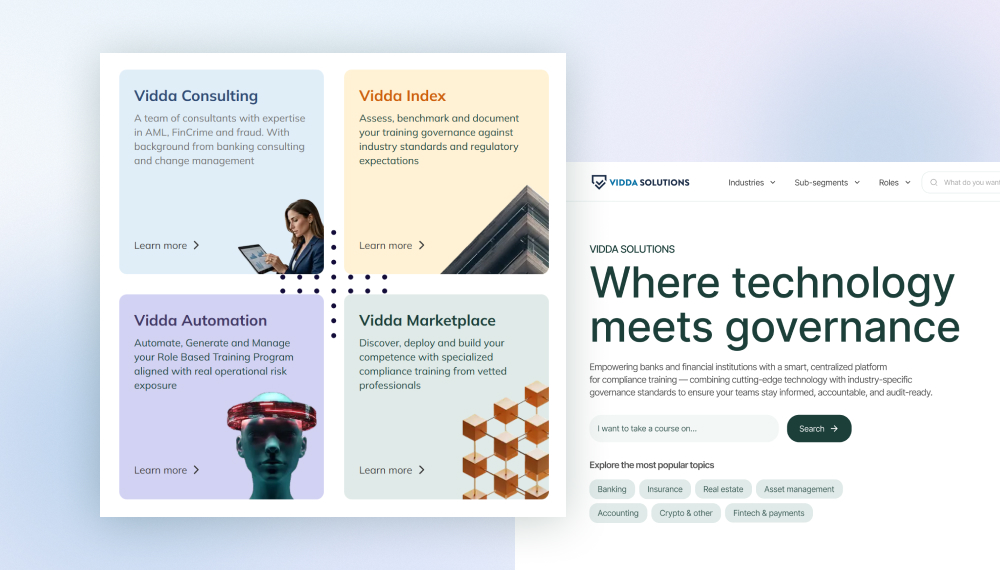
Innowise delivered an intelligent platform for compliance assessment and training in highly regulated sectors, like finance, insurance, etc.
8 months from concept to launch
100% GDPR and DORA rcompliance
View case study
Client review
View case study
Client review logo. Client review
Mobile medical advisor..
AI-assisted contract transformation platform development
We’ve built a contract management parsing module that uses AI for field classification and semantic content analysis.
10s to produce a parsed structure
100% DORA / NIS2 ready
View case study
Client review
View case study
Client review logo. Client review
AI-assisted contract transformation platform (DORA / NIS2 ready)..
Building a unified AI FinTech OS for fiat and crypto
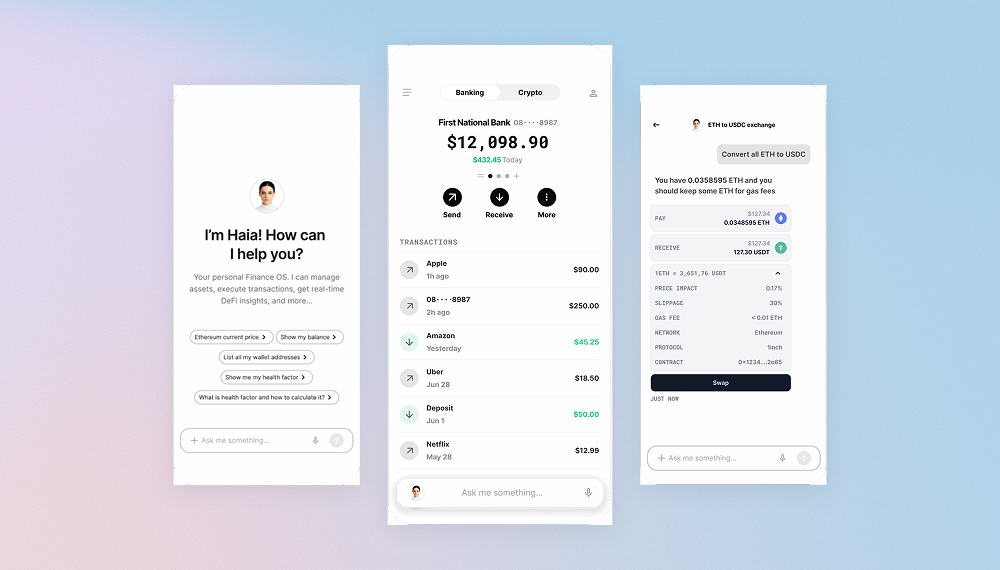
We helped build Haia, a modular AI finance OS that connects banks, crypto wallets, and investments, enabling secure, cross-chain operations.
25% more efficient LP via Superform integration
70 crypto app interfaces replaced with one
View case study
Client review
View case study
Client review logo. Client review
Haia: finance AI assistant.
AI dermatologist skin scanner app development
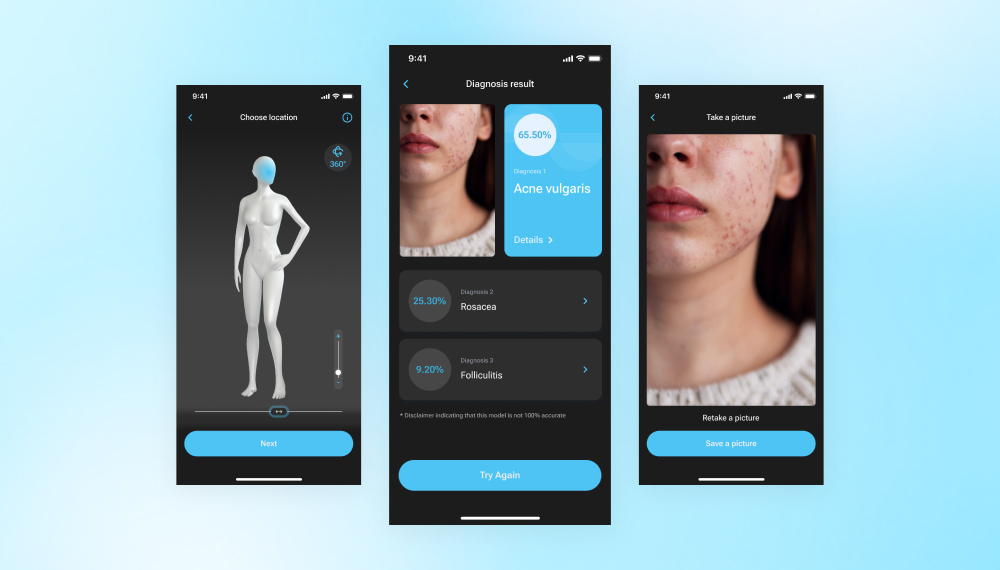
An AI app we built uses deep learning and image recognition to quickly assess skin conditions, giving preliminary diagnoses based on photos.
30 dermatological conditions supported
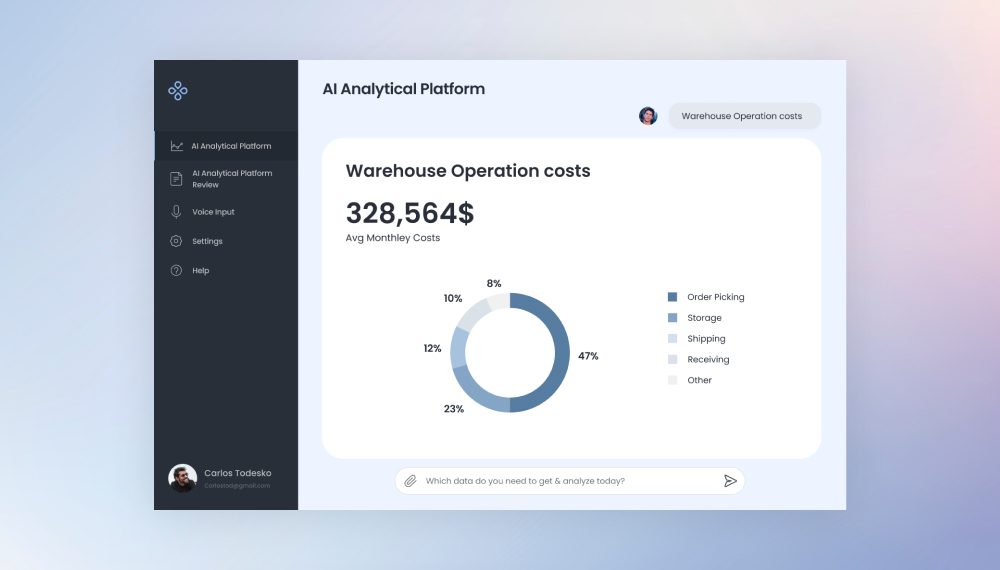
Building an analytical platform to improve decision-making
We developed an LLM-based analytical platform that can analyze the company’s internal data and generate responses to questions based on that info.
AI medical advice app development
Innowise has developed a cross-platform mobile app to provide travellers with medical advice and help find nearby medical facility locations.
100% GDPR compliance
01 / 01
Close popup icon

FAQ

AI in education means using AI tools to support students, teachers, and education providers. It can help explain topics, check assignments, answer questions, track student progress, and handle routine admin work.

Common uses of AI in education include AI tutors, adaptive learning, automated grading, lesson planning, student support chatbots, language learning, progress tracking, and routine admin tasks.

The main benefits of AI use cases in education are more personalized learning, faster feedback, less routine work for teachers, better student support, and easier access to learning for people with different needs.

AI is already used in K–12 schools, universities, and training programs worldwide, although adoption still varies from one organization to another. Some AI in education examples include Macquarie University’s Virtual Peer for student support, Microsoft Copilot at Primary School of Aš for teaching and translation, and AI tutoring with Copilot for high school students in Nigeria.

The main risks are student data privacy, incorrect or biased AI answers, and students relying too much on AI instead of thinking through tasks themselves. Schools and universities also need clear rules for how AI can be used, when a person should review its work, and how to meet requirements such as FERPA, GDPR, and COPPA.

Schools and universities usually get better results when they start with the problem that causes the most trouble. If teacher workload is the main issue, they may focus on grading or lesson preparation. If students need more support, AI tutors or chatbots may make more sense. Once the right AI use case in education is clear, the next step is to check the data, systems, privacy requirements, and how the solution will fit into daily work before rolling it out more widely. An experienced development partner can help with that.

The future of AI in education will likely be about making AI a regular part of learning and everyday work. The market is expected to grow from $8.3 billion in 2025 to $57.2 billion by 2033, with personalized learning and AI tutoring among the main growth areas. Teachers will remain central, and schools will need to invest in AI training, clear rules, and responsible use. Adoption will vary because many institutions still face small budgets, legacy systems, privacy requirements, academic integrity concerns, and a lack of AI skills.

The initial investment required to create a simple AI system for education could range between $15,000 and $20,000+. The ultimate price will depend on several factors, including the scope of the work, AI capabilities, data pre-processing, integration with LMS or SIS platforms, use of custom models, voice and avatar features, and security requirements.

Show all

Table of contents

    Contact us
    Book a call or fill out the form below and we’ll get back to you once we’ve processed your request.

    Send us a voice message
    Attach documents
    Upload file

    You can attach 1 file up to 2MB. Valid file formats: pdf, jpg, jpeg, png.

    By clicking Send, you consent to Innowise processing your personal data per our Privacy Policy to provide you with relevant information. By submitting your phone number, you agree that we may contact you via voice calls, SMS, and messaging apps. Calling, message, and data rates may apply.

    You can also send us your request

    to contact@innowise.com
    What happens next?

    1

    Once we’ve received and processed your request, we’ll get back to you to detail your project needs and sign an NDA to ensure confidentiality.

    2

    After examining your wants, needs, and expectations, our team will devise a project proposal with the scope of work, team size, time, and cost estimates.

    3

    We’ll arrange a meeting with you to discuss the offer and nail down the details.

    4

    Finally, we’ll sign a contract and start working on your project right away.

    More services we cover

    arrow