Top financial analysis software in 2026

May 14, 2026 9 min read
Summarize article with AI

Key takeaways

  • Financial analysis software helps collect and process data, making it easier to analyze finances, visualize trends, and plan budgets.
  • There is no one-size-fits-all solution, so it’s important to choose a tool that meets the specific needs of your business.
  • Such type of software is widely used by finance teams and decision-makers to support better, faster business decisions.
  • Pay extra attention to platforms that offer real-time data processing, forecasting, budgeting tools, and AI integration.

I’ve dedicated over 15 years of my life to fintech, tracking trends and consulting business owners, investors, and banking leaders. This year alone, several of my clients have asked the same questions: how can we spot risks earlier, understand why cash flow gaps keep happening, and make strategic planning more predictable?

And they’re not alone. A 2024 Gartner survey found that 59% of accountants make multiple errors every month. This shows how easily manual reporting can lead to wrong decisions. Convenience matters too, but in finance, accuracy and control always win.

Automating financial processes is relatively simple in 2026. But to do so, there are a few things you should know:

  • What exactly is financial analysis software?
  • What features matter most?
  • Which options are on the market now, and how do they differ?

In this article, I’ll walk you through these questions and help you choose the solution that best fits you, your business, or your needs.

What is financial analysis software?

Financial analysis software is a tool that helps businesses and individuals collect and process data, automate reporting, and forecast future performance. You get near-instant financial analysis that might otherwise take weeks or even months. In addition, it helps monitor performance, manage budgets, visualize data, and automate most workflows that would otherwise consume significant time and effort for both teams and individuals.

How businesses use financial analysis software

Financial analysis software is not just for business owners. Accountants, CFOs, financial analysts, auditors, and other finance professionals rely on it to get rid of manual, time-consuming work and focus on more valuable tasks. 

Imagine how much easier things could get if you streamlined even a few of these areas:

  • reporting and repetitive tasks
  • KPI tracking
  • planning and budgeting
  • revenue and expense forecasting
  • cash flow management
  • cost control

Key features to look for in financial analysis software

The functionality of such software can vary, ranging from broad to highly specialized. Overall, for those working with financial data, several key features stand out as essential:

Financial reporting

Financial reports are essential for any fintech company, but preparing them often takes significant time and effort. Financial software can automate most of this work, including the generation of balance sheets, income statements, and cash flow reports.

Real-time financial visibility

This irreplaceable feature lets companies combine financial data from various sources, giving them a full picture of what’s going on in their business. Direct integrations with CRM, ERP, and accounting platforms improve data accuracy and consistency, and keep insights up-to-date.

Flexibility and customization

Technology is evolving rapidly, and businesses need tools that can adapt to changing needs. That’s why financial analysis software should be flexible enough to meet your specific requirements. It should scale with business growth and allow teams to customize modeling logic for unique operations when needed.

Forecasting and budgeting

Financial analytics software should include functionality for creating detailed budgets and accurate financial forecasts. Manual spreadsheets are increasingly replaced by automated solutions that help companies respond more quickly to changing market conditions. With these financial analytics tools, companies can build forward-looking financial plans and prepare for different market scenarios.

Data visualization

If visualizing matters to you, you should pay attention to this feature as well. I personally prefer financial analysis software that comes with some visualization tools since graphical data is easier for most people to digest, allowing them to spot trends and repetitive patterns.

Not sure which tool is right for you?

Let our experts help you find the best fit.

Top 10 best financial analysis software in 2026

While selecting these tools, I focused on practical impact: how well they handle forecasting and scenario planning, how easily they integrate with existing systems, how reliable their reporting is, and whether they truly reduce manual work and errors.

Now, let’s take a look at the ones that I find best for fintech in 2026.

Cube

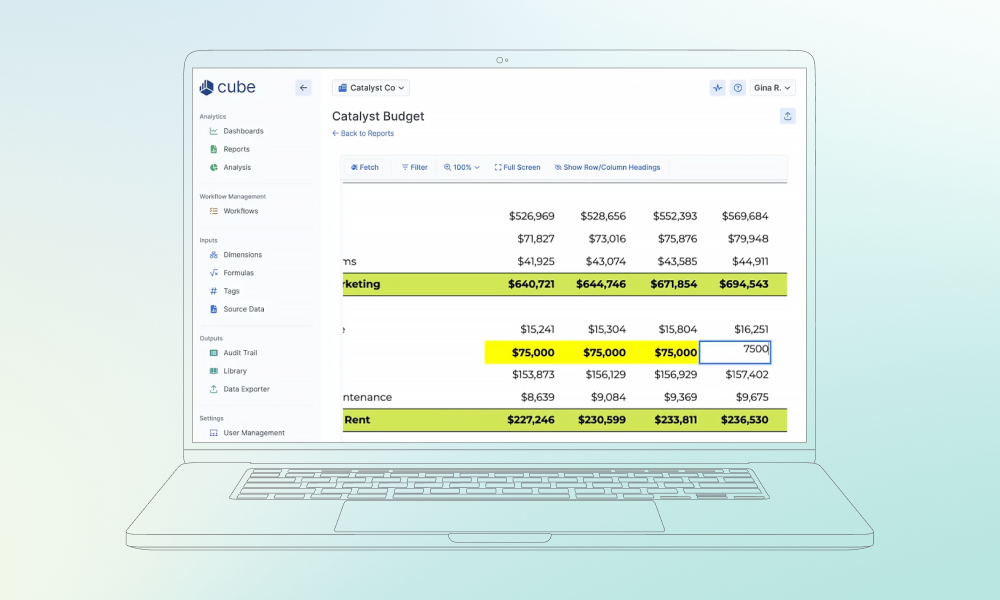
As a fintech expert, I’ve tried many FP&A tools, and Cube is for sure worth considering. It’s a full-featured software for financial analysis that works directly within familiar spreadsheets like Excel and Google Sheets. This makes it easier to automate routine tasks and reduce errors without changing the workflow finance teams already rely on.

I noticed that Cube simplifies data consolidation, reporting, and variance analysis, helping teams save time. Its centralized data and model storage also make it easier to keep financial data consistent and accessible across the organization.

One feature I found particularly worth highlighting is the built-in Agentic AI. It provides instant answers, builds forecasts, explains variances, and connects data across different systems. You can interact with the AI Analyst directly in Slack, Teams, or Cube’s workspace, which keeps the workflow efficient.

My verdict

Cube strikes a good balance between automating routine tasks, implementing AI, and preserving the workflows teams are used to. It works well for finance teams that rely on Excel or Google Sheets and want to simplify forecasting, budgeting, and reporting. However, it may not be the best fit for very small startups with limited budgets or for large companies with complex, multi-entity FP&A needs.

Spreadsheet-based budget management tool featuring columns for data analysis and a sidebar for workflow management.

Most teams don’t fail because they lack financial tools, but because they choose ones that don’t match how they actually work. Even small differences in integrations, setup complexity, or reporting logic can change how useful a platform really is in day-to-day decision making. That is why tool selection should always start with business needs, not feature lists.

Dzianis Kryvitski

Delivery Manager in FinTech

Oracle Essbase

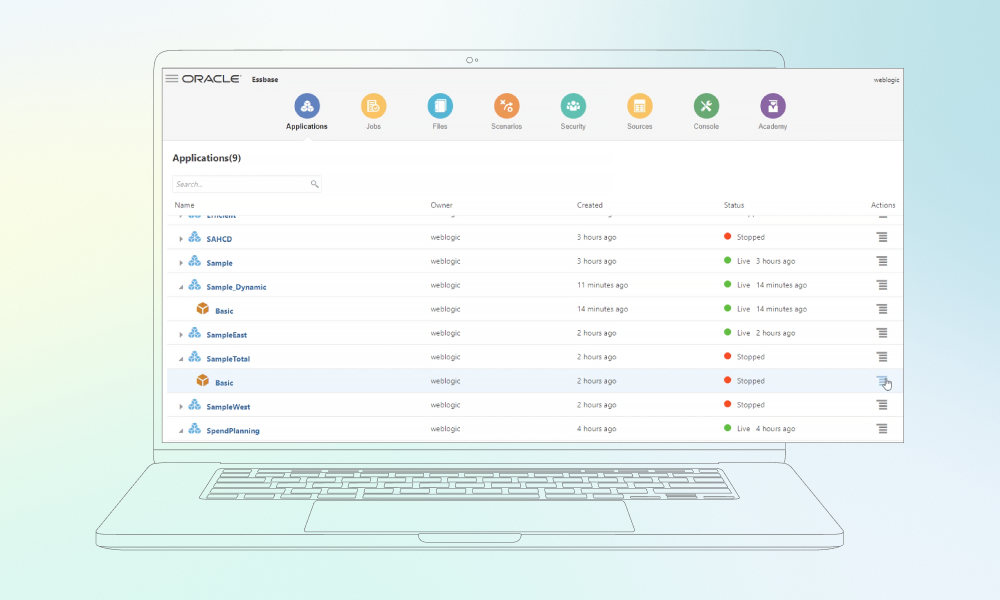
Oracle Essbase is a solid choice for handling large, complex datasets. The platform is built for detailed analysis and reporting when your financial or operational data comes from multiple sources. One thing I find particularly useful is its integration with other Oracle BI tools, along with Smart View, which lets users build reports, pivot tables, and charts directly in Excel. This means teams can work in spreadsheets while also setting up models to simulate different business scenarios. 

Key functions include what-if analysis for modeling different outcomes, sandboxing and workflow management for approvals, and automation through REST API, Java API, MaxL, or CLI. Another advantage is that you don’t have to leave Excel behind: Smart View and Cube Designer allow you to keep working as usual, with Essbase handling the analysis in the background.

My verdict

Oracle Essbase is a powerful platform, but it’s not the easiest tool to start with. Setup can be tricky, patches may take time, and some calculations require technical knowledge. It’s best suited for finance and analytics teams that need to work with complex data across multiple systems. For small teams or startups looking for something easier to learn, it may be better to consider other options.

Oracle Essbase featuring application controls and system navigation icons.

QuickBooks

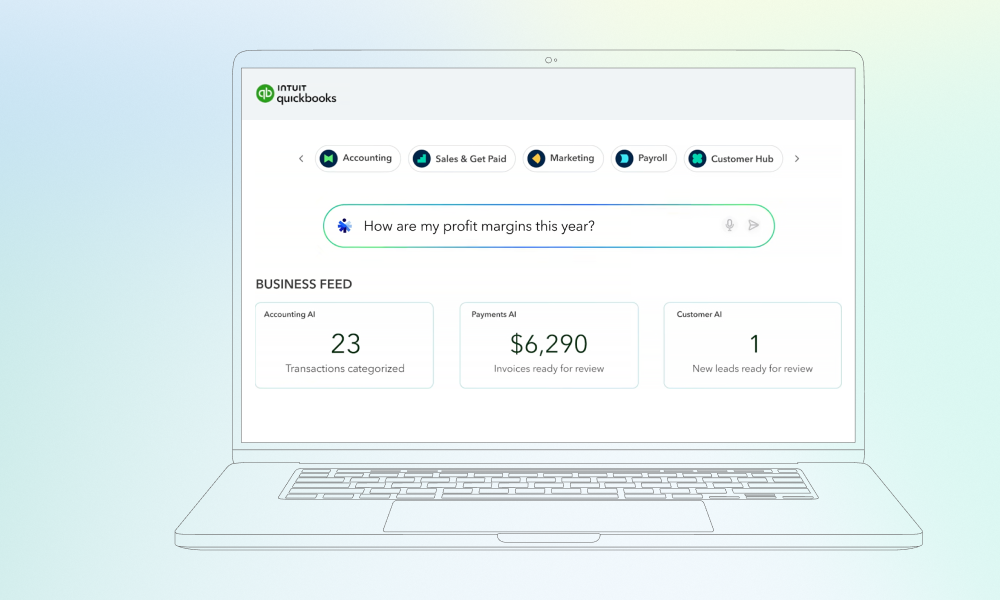
QuickBooks is a little different from the other options covered here, as it’s primarily accounting software. However, it includes core functions like invoicing, expense tracking, and financial reporting. It also helps teams manage cash flows and keep an eye on overall financial performance. I’d even say QuickBooks is one of the more user-friendly options for small and medium businesses in 2026

It comes in online and desktop versions and connects with payment processors, e-commerce platforms, and other apps. This flexibility makes it useful not only for day-to-day bookkeeping but also for cash planning and monitoring project expenses.

While using QuickBooks, I found it fairly easy to track hours, billable work, and project costs, as well as run P&L statements and balance sheets. I should mention that some features, including advanced integrations, require higher-tier plans, although the platform remains easy to adopt. My favorite part about QuickBooks is that it gets the job done without overcomplicating things.

My verdict

The platform is a strong fit for small teams or growing businesses that need solid accounting and cash management in an easy-to-use system. It’s not designed for large, multi-entity organizations with complex FP&A needs, but for its target audience, it remains a reliable and flexible option.

QuickBooks dashboard featuring an AI search bar for profit margin queries and automated business feed updates.

NetSuite

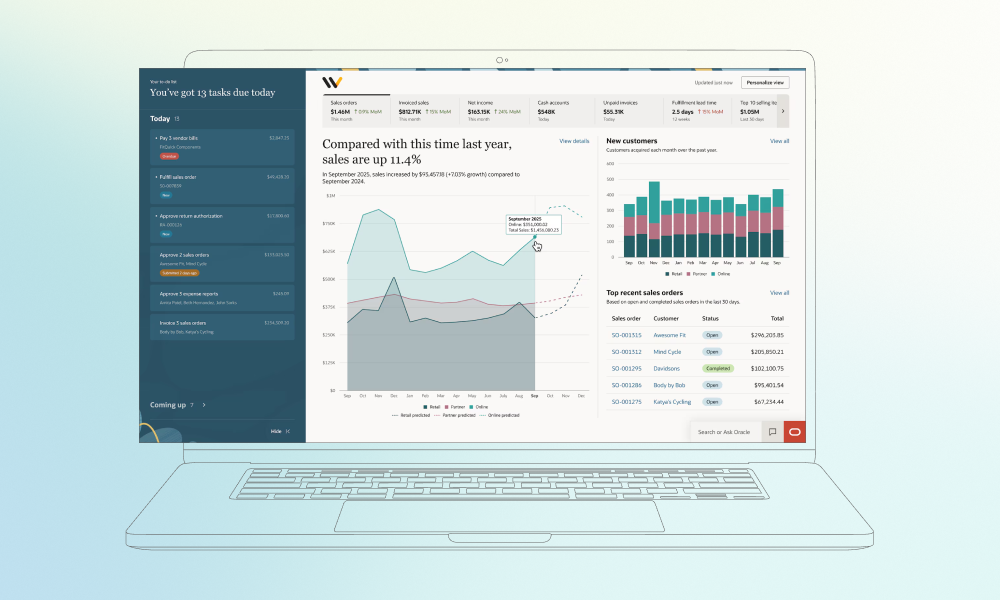
NetSuite is a cloud-based ERP that goes beyond accounting, with features for CRM, inventory, e-commerce, and other modules. What I liked most is that it brings all of these functions together in one place, while giving teams real-time visibility into cash flow, orders, and project performance.

Built-in business intelligence also stood out to me, since it made forecasting and scenario planning easier than expected d. You can track supply chains, manufacturing, and payroll in one place, and quickly get the reports you need without digging through spreadsheets. NetSuite grows with your business, allowing you to manage different departments and locations. As a result, it becomes much easier to work with international teams and manage larger organizations.

For sure, there are some downsides. Setting up and customizing the system isn’t always straightforward and can take time, and advanced reporting may require third-party tools. 

My verdict

NetSuite is a powerful and versatile platform, which makes it perfect for mid-size to large businesses that need a single platform for finance, operations, and reporting. For smaller teams or companies, NetSuite may be more complex and expensive than necessary.

NetSuite analytics interface comparing year-over-year sales growth with a task management sidebar for teams.

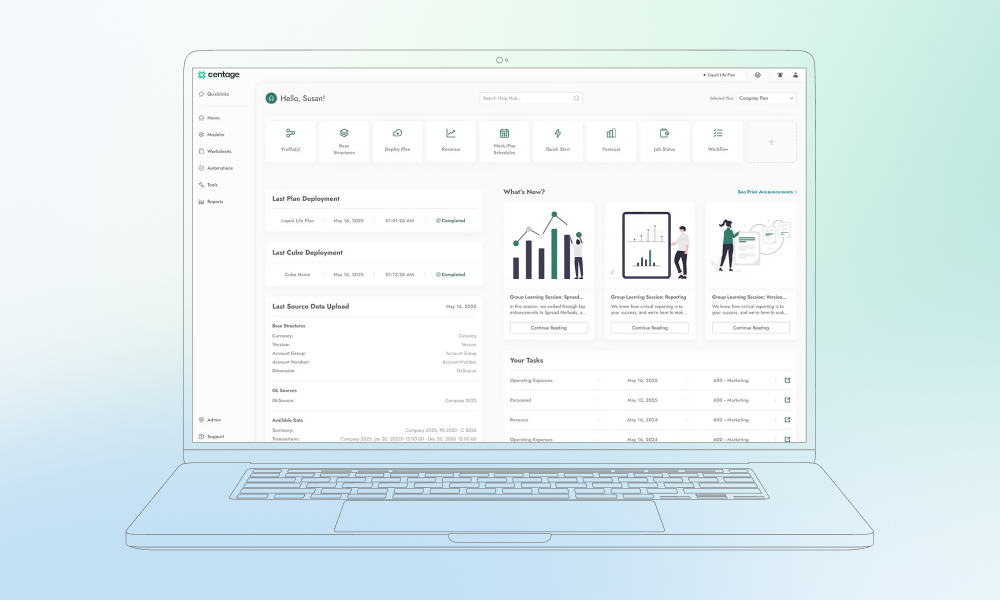
Centage Planning Maestro

Centage Planning Maestro is a budgeting and forecasting tool designed to support financial management. One of my clients used it for several months, and during our review of the software, we both liked how it keeps balance sheets and cash flow in sync, and keeps the chart of accounts consistent across the business.

I found the rolling forecasts very practical: they update automatically when headcount or payroll changes. I also value software that supports scenario planning, since it helps teams check how different situations could play out. Consolidated reporting is another useful feature that allows users to view P&L statements and balance sheets for every entity in one place.

On the downside, updates can take time to appear within the system, and some features may feel slower compared to Excel. 

My verdict 

Centage works best for small to mid-size businesses that need detailed, driver-based budgeting and forecasting without excessive complexity. It may feel a bit slow for teams that need to move fast or for businesses that are used to working primarily in Excel.

Centage dashboard for financial planning showing plan deployment status, revenue forecasting tools, and task lists.

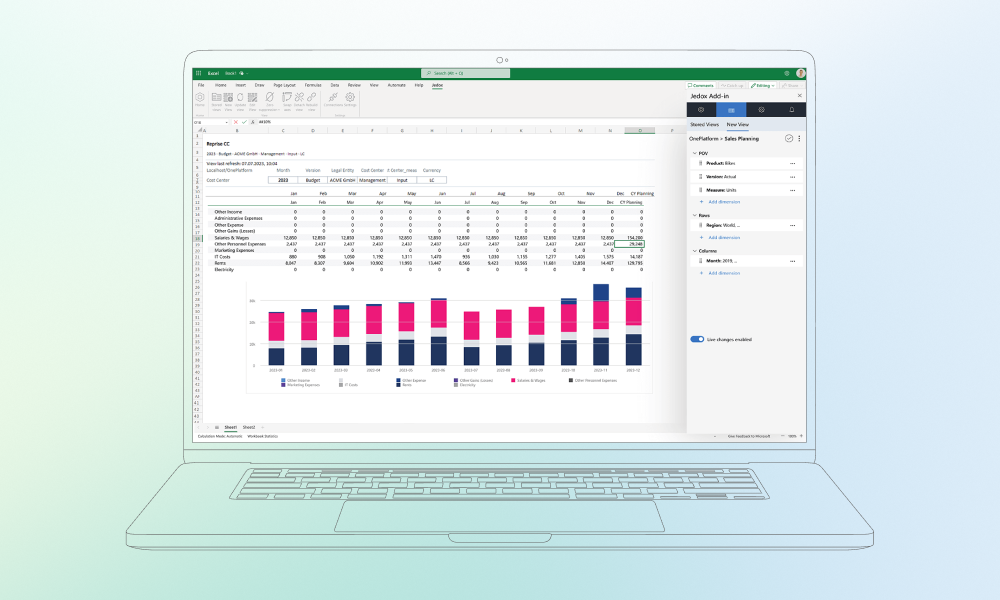
Jedox

Jedox is another major player in performance management, with a strong focus on budgeting, planning, and forecasting. It allows teams to model complex scenarios, connect operational and financial KPIs, and get a clear picture of their business without losing sight of details.

During testing, I found the scenario planning, driver-based planning, and rolling forecasts especially practical and easy to use. It also includes integrated business planning, which makes it easier to test outcomes and coordinate across teams. In addition, it supports ESG reporting and financial consolidation, so you get a unified view of performance.

Simply put, JedoxAI helps turn data into useful insights, supports more reliable forecasting, and speeds up decision-making. You can build models, set business rules, and run ad hoc analysis using drag-and-drop dashboards or natural language queries.

For smaller teams or anyone used to working mostly in Excel, Jedox can feel overly complex at first because there’s a lot to set up, including models, scenarios, and rules. The interface may also take some getting used to.

My verdict

Jedox is best for medium to large organizations with complex FP&A needs that require flexible modeling, integrated planning, and AI insights. Smaller teams may want to consider other solutions that are quicker to implement.

Jedox Excel Add-in interface showing a sales planning spreadsheet, stacked bar chart, and data modeling sidebar.

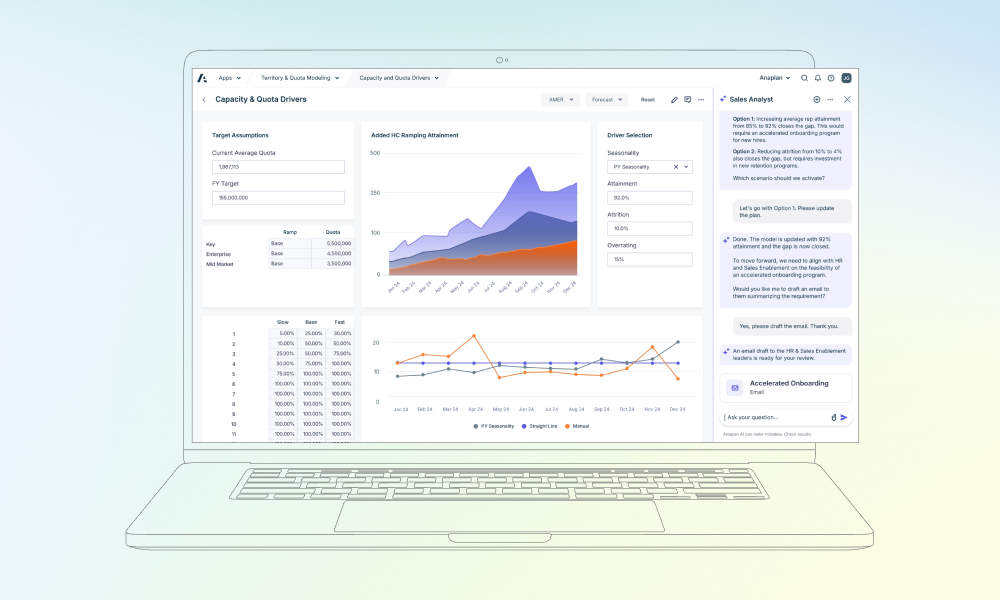
Anaplan

For teams dealing with multi-department planning, Anaplan can be a game-changer because it makes complex scenario building and testing easier than using spreadsheets alone. The platform lets teams connect data from finance, sales, HR, and supply chain, build detailed models, and get a clearer view of your business. It also handles what-if scenarios and complex planning, so you can see how changes in one area affect the rest of the business.

Anaplan supports real-time collaboration, allowing multiple users to work on the same plans at once. Data management tools help keep numbers accurate and accessible, while built-in workflow and version control make it easier to stay organized.

One drawback is that there’s a lot to get the hang of if you’re not familiar with its modeling system. On top of that, producing highly detailed reports can be tricky because of workspace limits.

My verdict

Anaplan is a good match t for medium to large teams that need to plan across multiple departments and coordinate efforts in one place. It’s especially useful if you want to test different scenarios, keep plans connected, and collaborate with teams in real time.

Anaplan sales dashboard with predictive analytics and an AI sidebar drafting stakeholder emails for onboarding.

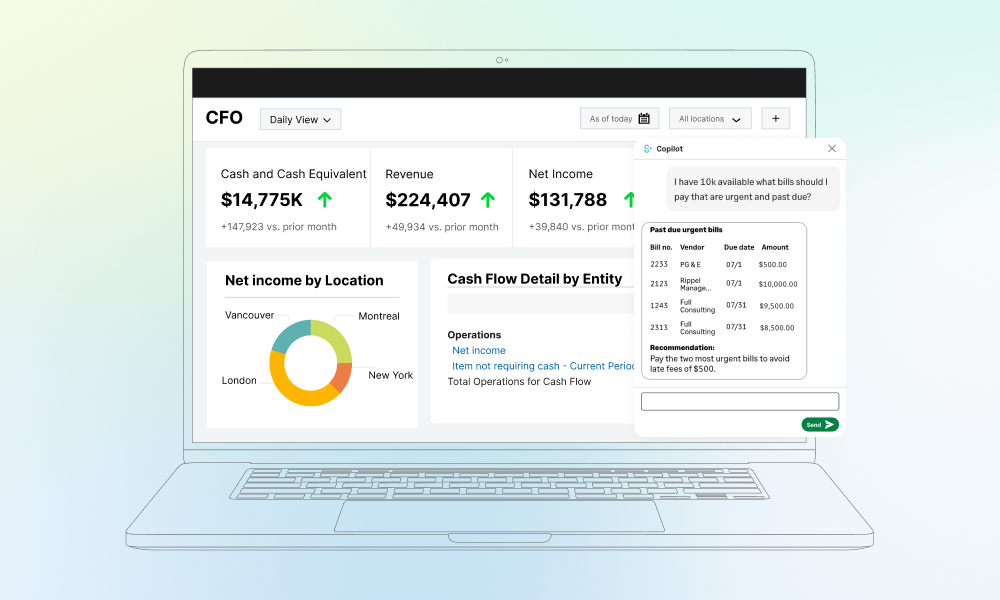
Sage Intacct

If your goal is to take accounting and financial reporting under control, Sage Intacct is worth considering. This financial management software helps teams manage core tasks such as tracking accounts receivable and payable, budgeting, reporting, and cash flow forecasting.

What really stood out for me were Sage Intacct’s dashboards and reporting tools that help keep track of key metrics in real time. This gives teams better visibility into changing financial data and simplifies the creation of custom reports for deeper analysis. You also get practical features such as vendor management and customizable invoices that can be easily adjusted to match branding or other requirements.

That said, there are a few downsides. Even though the interface is easy to customize, it feels somewhat outdated. Setting up permissions for new team members can be a headache. Some tasks take longer than expected, so teams need to be ready for some extra work.

My verdict

Sage Intacct is a solid option for small to mid-size companies that want stronger accounting and reporting capabilities. However, if you’re after a more modern interface or more intuitive workflows, then you might want to look at other alternatives.

CFO dashboard showing revenue metrics with an AI Copilot recommending which urgent past-due bills to pay first.

Workday Adaptive Planning

If your team needs a platform for budgeting, forecasting, and reporting in one place, Workday Adaptive Planning is definitely worth considering. It helps automate financial processes, supports real-time collaboration, and gives teams visibility into updates as they happen.

I liked how it brings finance, HR, sales, and operations together: you can run rolling forecasts, test scenarios, and align workforce planning without switching back and forth between spreadsheets. It also integrates with ERP, CRM, and Salesforce automation systems, keeping everything in one centralized platform.

Downsides? Certain formulas and calculations can be complex, so you might need support from users who know the system well. In addition, its Excel functionality is more limited than working directly in spreadsheets.

My verdict

Workday Adaptive Planning helps keep teams aligned without slowing anyone down. You can test what-if scenarios, track rolling forecasts, and see changes in real time, making planning more flexible and easier to manage. However, small teams or heavy Excel users might prefer a different solution.

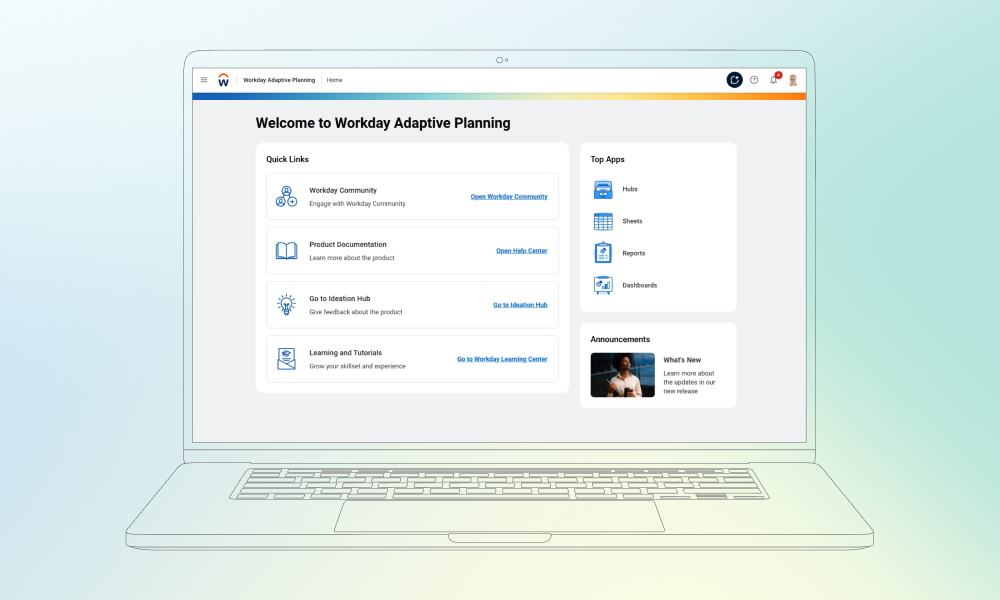
Workday Adaptive Planning home screen featuring quick links to community support, documentation, and training tools.

Ditch the manual work. Find smarter finance software.

Final thoughts

As you can see, most of the financial analysis tools I described today offer quite similar features, such as forecasting, reporting, and data analysis. However, the real differences are in the details: pricing models, implementation complexity, integration options, and how well each tool fits specific team workflows. These factors can significantly affect results if the software is chosen without a clear understanding of business needs.

That is why it is important to evaluate tools carefully and look beyond feature lists. The right choice is not about having the most functions, but about finding the solution that actually fits your processes and scales with your goals. If you’re still unsure which financial software fits your team, workflow, or growth plans, Innowise can help you assess your needs and choose software that truly supports better financial planning and decision-making.

Chief Delivery Officer & Head of Competence Center

Siarhei specializes in navigating high-stakes regulatory environments and complex delivery hurdles. He transforms abstract business requirements into secure, scalable architectures, ensuring that every project is technically sound and future-proofed against market shifts.

Table of contents

    Contact us

    Book a call or fill out the form below and we’ll get back to you once we’ve processed your request.

    Send us a voice message
    Attach documents
    Upload file

    You can attach 1 file up to 2MB. Valid file formats: pdf, jpg, jpeg, png.

    By clicking Send, you consent to Innowise processing your personal data per our Privacy Policy to provide you with relevant information. By submitting your phone number, you agree that we may contact you via voice calls, SMS, and messaging apps. Calling, message, and data rates may apply.

    You can also send us your request
    to contact@innowise.com
    What happens next?
    1

    Once we’ve received and processed your request, we’ll get back to you to detail your project needs and sign an NDA to ensure confidentiality.

    2

    After examining your wants, needs, and expectations, our team will devise a project proposal with the scope of work, team size, time, and cost estimates.

    3

    We’ll arrange a meeting with you to discuss the offer and nail down the details.

    4

    Finally, we’ll sign a contract and start working on your project right away.

    More services we cover

    arrow