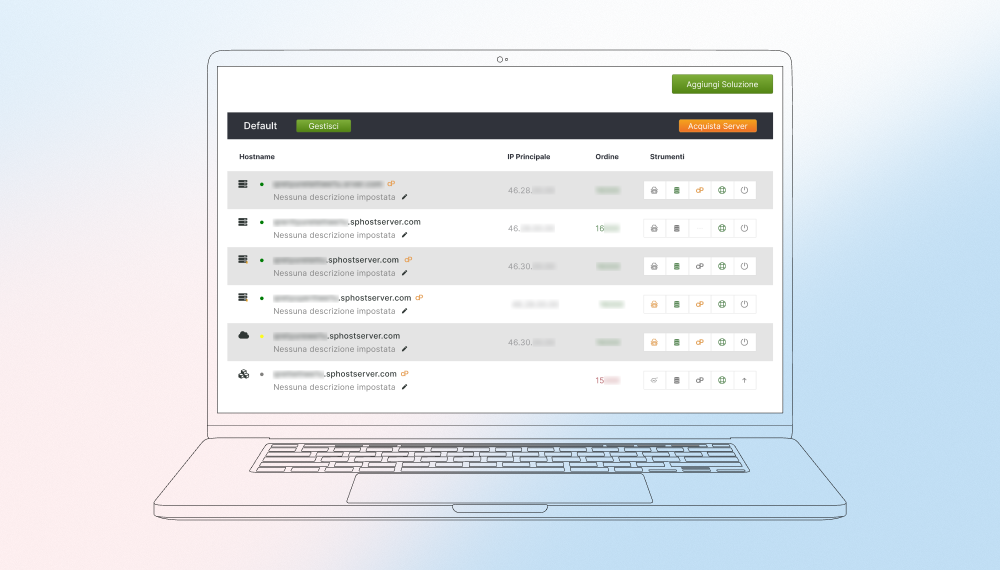






Customer portal for managing hosting, VPS, and cloud services

Innowise helped Serverplan build a self-service customer portal for managing hosting products, orders, transactions, subscriptions, and account settings via the existing Core API and middleware.

Unified hub for hosting & account management

Smoother workflows via Core API & middleware integration

Customer profile and account authentication in a self-service hosting management portal
Industry Information technology
Employees 50+
Region Italy
Services Web development, back-end development, integration
Client since 2024

Client overview

Summarize article with AI

Serverplan is an Italian hosting and cloud services provider. It offers shared hosting, VPS, dedicated servers, cloud solutions, and domain-related services for businesses that need reliable infrastructure and ongoing technical support. The company has been operating since 2002 and is based in Cassino, Italy.

Challenge

  • Serverplan needed a new customer portal that would let users manage all their hosting services in one place. The portal had to support everyday tasks like managing products, placing and tracking orders, checking transactions, viewing invoices, handling subscriptions, choosing payment methods, and updating account settings.
  • The goal was also to make the portal easier to use for customers who manage different types of services, such as hosting, domains, VPS, and dedicated servers. The portal needed to support these tasks so users could manage their services more easily and find billing and service information quickly.
  • Another challenge was fitting a lot of functionality into one portal without making the user experience feel split up. The new customer area had to bring together product management, orders, billing, subscriptions, and account settings while still feeling straightforward for people using it day to day.
  • On the technical side, the portal needed to use the same Core API as the Order Wizard Serverplan’s flow for ordering hosting-related services. This meant the frontend could not use the backend data directly. The team had to add a middleware layer to prepare the data for the user interface.
  • The portal also brought together many different sections in one place: service management, orders, transactions, invoices, subscriptions, payment methods, and account settings, including 2FA and activity logs. Each of these areas had its own logic, so the team had to make sure they worked together without breaking the overall structure of the portal.
  • The product itself was built as a set of separate functional modules. As development moved forward, the team had to keep the user experience and data flow consistent across all of them so the portal would feel like one cohesive system.

Solution we delivered

Solution design

Our team took care of the frontend part of Octopus and connected it to the backend to build a new customer area for Serverplan users.

The portal used the same Core API as the Order Wizard project. Simply put, the backend already contained the logic and data needed for the platform, but that data could not go straight into the interface in a user-friendly way. That is why the solution also included a middleware layer that reshaped the API data for the frontend.

The portal itself was planned as a set of modules covering the main things users needed to do: open the dashboard, configure products, manage projects and orders, review transaction history, access invoices, work with prepaid credit and subscriptions, choose payment methods, and update account settings. This setup followed the existing domain structure and gave the customer area a logical shape as the project evolved.

Key functionality delivered

Dashboard and customer area

The Octopus dashboard brought the main account and service details into one place. Users could open one screen and quickly check activated orders, orders still in setup, due dates, payments, and invoices. Our team built the frontend for this part of the portal and connected it to the backend so these flows could work inside the new customer area. For Serverplan’s users, that meant less time spent looking for routine account and service information.

Product and order management

This part of the portal pulled product configuration and order management into one place, covering domains, shared hosting, reseller hosting, Powermail, PEC, dedicated servers, and VPS. It also included specific tools for managing packages and order lists by product type, along with project management features for creating custom scopes and grouping related objects. So instead of bouncing between disconnected sections and trying to keep track of everything manually, users could handle different products and related actions in the same customer area with a lot less hassle.

Billing, transactions, and prepaid credit

Octopus also featured transaction history, access to issued invoices, and prepaid credit management with top-ups, transaction history, usage limits, and notifications. These features formed the billing side of the new customer area and gave users a clearer view of their financial operations without extra back-and-forth. For Serverplan, this added a more complete account experience around payments and day-to-day billing tasks.

Subscriptions and payment methods

The portal also covered subscription management for automatic renewal of orders with modification and cancellation options. Users could manage electronic payment methods too, such as credit cards and PayPal. So rather than splitting recurring service actions from payment-related tasks, Serverplan could bring them together inside the same customer area and make those flows easier to handle.

Account settings and access control

The account section brought together personal details, billing contacts, access settings, 2FA, and an activity log, so users could manage the core account setup from one place. As part of the wider portal work, Innowise helped bring these account flows into the same customer area as service-related actions, which made the portal more cohesive in day-to-day use.

Delivery approach

Innowise managed the project using Agile, which suited a portal build like this, where requirements can shift as new sections take shape. Instead of trying to map out every detail from day one, the team moved in iterations and worked through the scope step by step.

To make that manageable, the portal was divided into modules based on the existing domain structure. This gave the team a clearer way to work on different parts of the customer area in parallel while keeping the overall system organized.

The delivery then moved through development and testing phases, with milestones in place to track progress and keep the rollout aligned with the broader portal timeline. So the process stayed flexible where it needed to be, but still structured enough to keep the work moving steadily.

Quote icon

The tricky part was that the backend already had its own structure, and it didn’t map cleanly to what users expect to see in a customer portal. We had to shape that data through the middleware and reflect it in the frontend in a way that made everyday actions like managing services or checking invoices straightforward.

Dmitry Coolgun
Dmitry Coolgun Delivery Manager

Technologies

Vue 3

Vue 3

Mezzi

Mezzi

PHP

PHP

JavaScript

JavaScript

HTML

HTML

CSS/SCSS

CSS/SCSS

Bootstrap

Bootstrap

Team

Icon 1
Project Manager
Icon 3
PHP Developers
Innowise team

Results

Project duration
February 2024 – December 2024

This solution closed both sides of the challenge at once. Serverplan now has one portal for service, billing, and account tasks, where users can check orders, review invoices, manage subscriptions, update payment methods, and handle account settings without moving between separate sections. That makes everyday service management feel more direct and less scattered. 

Under the hood, the portal still works with Serverplan’s existing backend through the Core API and middleware layer, so the new customer experience fits into the company’s current technical setup rather than replacing it.

Table of contents

PHP expertise for hosting portals

    Contact us

    Book a call or fill out the form below and we’ll get back to you once we’ve processed your request.

    Send us a voice message
    Attach documents
    Upload file

    You can attach 1 file up to 2MB. Valid file formats: pdf, jpg, jpeg, png.

    By clicking Send, you consent to Innowise processing your personal data per our Privacy Policy to provide you with relevant information. By submitting your phone number, you agree that we may contact you via voice calls, SMS, and messaging apps. Calling, message, and data rates may apply.

    You can also send us your request
    to contact@innowise.com
    What happens next?
    1

    Once we’ve received and processed your request, we’ll get back to you to detail your project needs and sign an NDA to ensure confidentiality.

    2

    After examining your wants, needs, and expectations, our team will devise a project proposal with the scope of work, team size, time, and cost estimates.

    3

    We’ll arrange a meeting with you to discuss the offer and nail down the details.

    4

    Finally, we’ll sign a contract and start working on your project right away.

    arrow