Advancing sacred geometry tattoo design app on iOS

A niche iOS drawing app for sacred geometry and tattoo sketching created for US tattoo artist Dillon Forte.

175%

engagement time increase

1,700%

more active users

Advancing sacred geometry tattoo design app on iOS
Industry Arts & culture
Employees < 10
Region USA
Services iOS development, UI/UX design, Quality assurance
Client since 2024

Client overview

Summarize article with AI

Forte Tattoos LLC is the studio of US tattoo artist Dillon Forte. His brand focuses on sacred geometry and highly detailed tattoo work, and this iOS app is part of his toolkit and product line for designing tattoo sketches and geometric patterns.

Challenge

When Innowise joined the project, the sacred geometry drawing app already had a strong creative idea behind it. The client wanted to finish and refine an iOS drawing tool that could support advanced symmetry, tattoo sketching, and geometric exploration — and be ready for long-term evolution in the App Store.

  • The unstable app that affected users and brand. The live app had numerous bugs and crashes, including critical logic issues in the shopping cart and canvas behavior. This damaged the user experience for paying users and created frustration for the client, who saw people complaining about instability and unsubscribing.
  • Need to extend a niche product, not just “keep lights on”. The client did not want a simple bug-fix project. His goal was to finish and launch a competitive iOS drawing app, add new sacred-geometry features, extend symmetry options, and improve 3D mapping while still keeping the app usable for everyday drawing.
  • Large number of existing bugs and crashes. The app contained many errors in core drawing and export logic, including crashes the team had to reproduce and investigate. Some critical bugs required deep changes in the rendering logic and could not be solved with small patches.
  • Performance problems in a heavy drawing engine. The current architecture struggled with complex symmetry and 3D operations. Performance constraints limited what could be rendered in real time, especially for advanced features like 17 orbifold symmetry groups and mapping patterns onto Platonic solids and spheres.
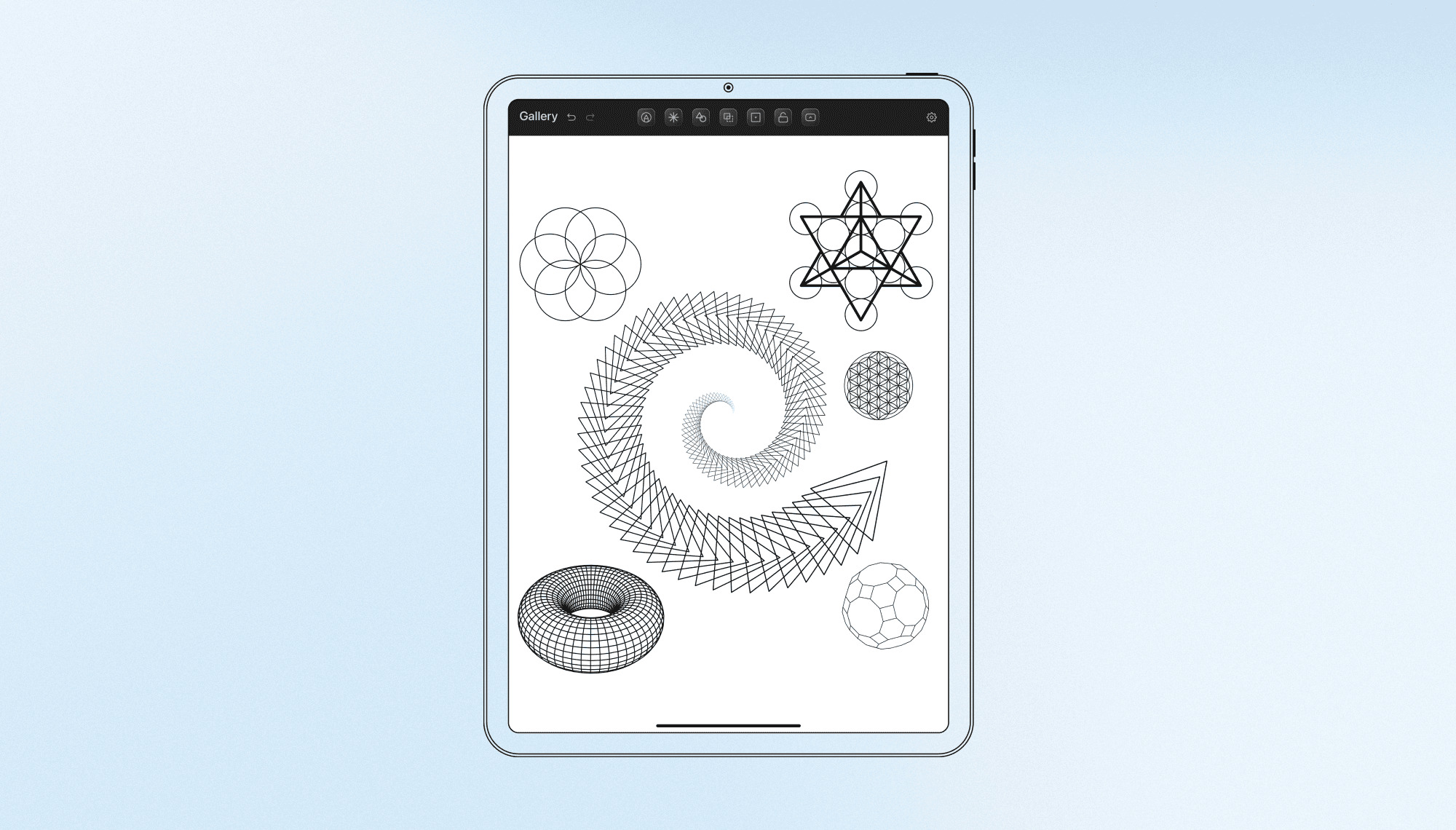
  • Highly specialized symmetry algorithms. The app supports:

    • radial symmetry (rotational and reflection)
    • orbifold / crystallographic groups such as p1, p2, pmm, p4m, p6
    • spiral symmetries like Golden Ratio and Fermat spirals

    These algorithms have almost no analogs in other drawing apps. That meant no reference implementation to compare against when debugging or testing.
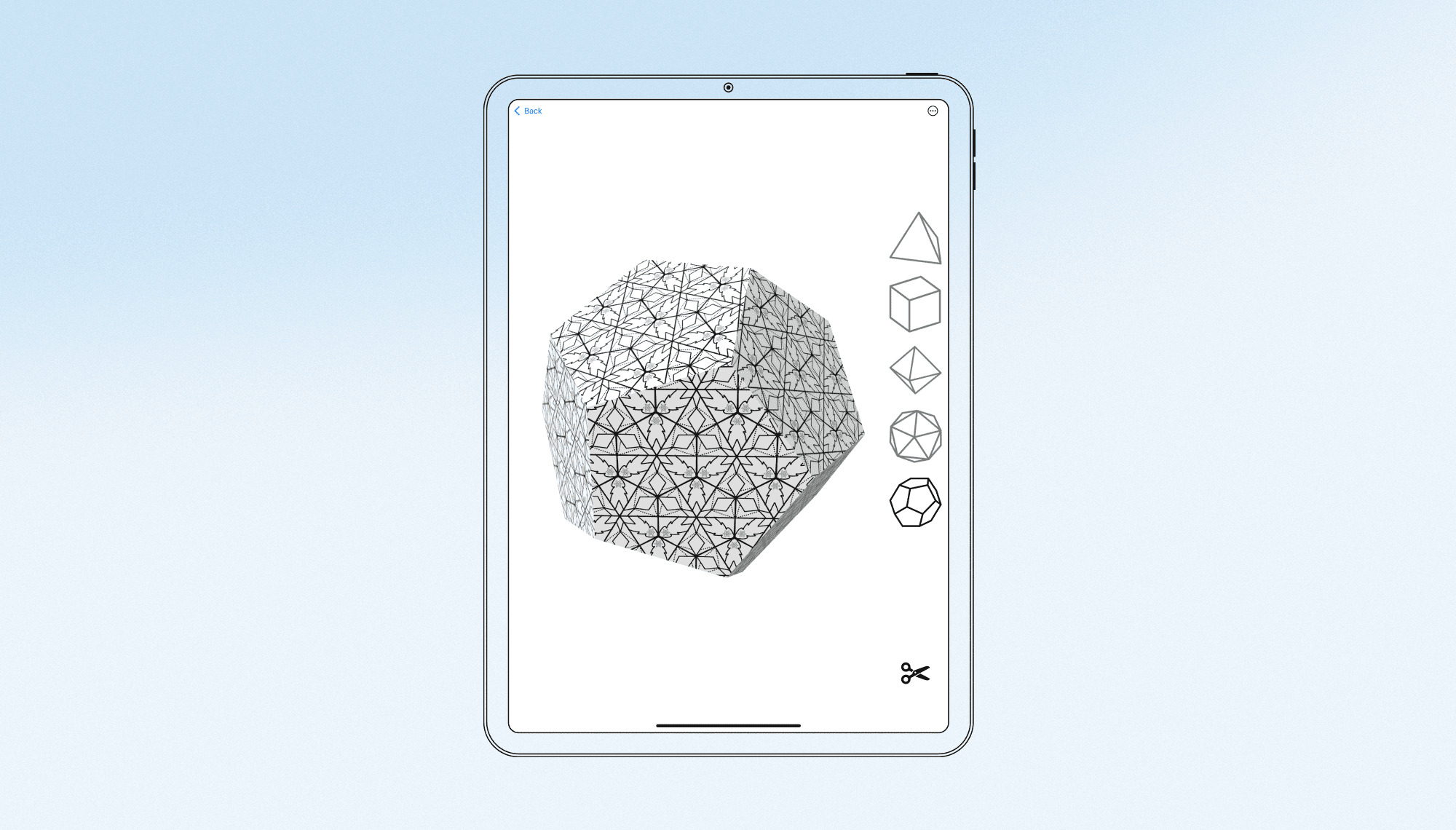
  • 3D mapping and texture behavior. The product maps 2D patterns onto Platonic solids and a sphere. This required handling shaders, texture projection, and export behavior. Even small visual defects (edges, seams, texture stretching) counted as product issues.

Strengthen your mobile product

Solution

Our team’s focus was to strengthen the foundation, expand the creative feature set, and build a testing approach that respects the mathematical nature of sacred geometry. Working closely with the client, we ensured the development process aligned with their creative vision and technical requirements, while adhering to their budget and workflow.

Product and workflow setup

The first step was to set up a streamlined delivery process that suited both the client’s artistic approach and the project’s constraints. This process was designed to ensure continuous feedback while remaining flexible enough to adapt to creative changes:

  • Development workflow: We organized development around Kanban with internal two-week cycles, ensuring predictable progress. The team used Jira for planning and tracking, keeping communication with the client outcome-focused. We provided regular TestFlight builds, structured release notes, and short demo videos to clearly demonstrate new features.
  • Client collaboration: To keep the client informed without overwhelming them with technical details, we held Google Meet sessions every two weeks. These sessions allowed us to walk through symmetry behavior, drawing improvements, and 3D updates together, gather feedback, and adjust priorities accordingly. This approach gave the client a clear view of how the app evolved without needing to manage the detailed technical aspects.

Strengthening the core app

Before we could introduce new symmetry and 3D features, it was essential to stabilize the core app. We began by focusing on making the everyday drawing experience more reliable and predictable. Our team worked on:

  • Canvas behavior: We reviewed and improved core canvas behavior, ensuring that tools, layers, and undo/redo functionality worked as expected during sketching sessions.
  • Export and restoration logic: We refined the export and restoration logic for drawings, focusing on scenarios involving line tools and complex patterns, which had previously caused issues.
  • Targeted refactoring: We performed targeted refactoring in key parts of the Swift, UIKit, and CoreGraphics codebase to create a stable foundation for future phases.

After the first App Store release, the team continued to focus on stabilization. We prepared new builds and sent them through TestFlight to incrementally improve stability and address edge cases discovered during real usage.

Evolving symmetry, tools, and 3D features

The heart of the app is its symmetry engine, which allows users to create intricate patterns in both 2D and 3D spaces. Here, the team worked closely with the client to refine and expand the creative capabilities:

  • Symmetry engine improvements: The symmetry engine was completely refined, incorporating all 17 orbifold groups with precise reflections, rotations, and glide reflections. Radial symmetry was expanded to support up to 360 rotations for more control over pattern placement. Nautilus Mode was introduced with Golden Ratio and Fermat spiral symmetries, adding automatic mirroring. Visual guidelines were also added to the canvas to help users better understand complex transformations.
  • Tool and UX updates: We adjusted the behavior of key drawing tools, such as pen, pencil, line, eraser, and fill, to work seamlessly with symmetry modes. This ensured that each stroke and fill was accurately duplicated, rotated, or mirrored across the pattern. We also added the “snap to center” functionality, making it easier for users to align shapes and strokes precisely in radial and orbifold layouts. The app’s interface and navigation were updated to make these advanced features easier to discover and use.
  • 3D mapping enhancements: The team worked on improving the mapping of 2D patterns onto 3D objects, including Platonic solids and spheres. We also refined texture import/export and mapping behavior so patterns could wrap onto 3D surfaces according to the client’s visual standards and performance requirements.

Together, these changes turned the app into a comprehensive creative tool: from drawing on a flat canvas to building complex symmetrical designs and then projecting them onto 3D objects.

QA approach tailored to sacred geometry

Because the product dealt with sacred geometry and tattoo design, both visual quality and mathematical precision were equally important. To ensure the app met these standards, we developed a QA process specifically around the mathematical rules governing the symmetry used in the app. That approach included:

  • Domain-focused preparation: The QA team studied the symmetry concepts used in the app (radial symmetry, orbifold groups, and spiral symmetries) to understand how drawings should behave when transformed.
  • Math-based and visual testing: Test cases were designed to test not just the functionality, but also the expected geometric rules. This included verifying where copies should appear, at what angles, and how patterns should align on both the canvas and 3D surfaces. We also performed pixel-level checks to ensure that fills didn't bleed over edges, anti-aliasing remained smooth, and exported patterns were consistent when viewed in external tools.

This combination of mobile QA, geometry knowledge, and regular TestFlight feedback from the client turned this project into a strong internal example of how to test mathematically driven visualization features in a creative app.

Technologies

Frontend

Swift, UIKit, Storyboard, CoreGraphics

Mobile

iOS SDK, Xcode, Git

QA

TestFlight

Team

Icon 2
iOS Developers
Icon 1
QA Engineer
Icon 1
Business Analyst
Icon 1
Project Manager
Innowise team

Results

Project duration

December 2023 – February 2026

The evolution of the sacred geometry drawing app strengthened both its creative power and its reliability as a professional tool for tattoo design and geometric art. Working side by side with the client, Innowise helped achieve several key outcomes:

  • Stabilized creative workflow: Core canvas behavior, drawing tools, and export flows were reviewed and improved, reducing critical bugs and crashes so artists can focus on sketching rather than recovering lost work. As a result, active users grew by 1,783%, engagement time increased by 175%, and new users grew by 1,576%.
  • Enhanced geometric capabilities: Extended symmetry groups, refined spiral symmetries (including Golden Ratio and Fermat), and improved 3D mapping onto Platonic solids and a sphere gave users more ways to build complex sacred geometry patterns in both 2D and 3D.
  • Higher visual and mathematical accuracy: A dedicated QA approach built around geometry and on-device testing helped align the rendered patterns with their underlying mathematical models, improving line quality, fills, and export consistency for professional use.
  • More intuitive drawing experience: Updates to tools, "snap to center" functionality, navigation, and interface behavior made advanced features easier to discover and use in day-to-day tattoo and design work.
  • Foundation for future releases: Refactoring of key parts of the Swift-based codebase and a structured delivery process (regular TestFlight builds, demos, and scoped phases) created a solid platform for ongoing feature development, performance improvements, and future App Store updates.

Table of contents

Strengthen your mobile product

    Contact us

    Book a call or fill out the form below and we’ll get back to you once we’ve processed your request.

    Send us a voice message
    Attach documents
    Upload file

    You can attach 1 file up to 2MB. Valid file formats: pdf, jpg, jpeg, png.

    By clicking Send, you consent to Innowise processing your personal data per our Privacy Policy to provide you with relevant information. By submitting your phone number, you agree that we may contact you via voice calls, SMS, and messaging apps. Calling, message, and data rates may apply.

    You can also send us your request
    to contact@innowise.com
    What happens next?
    1

    Once we’ve received and processed your request, we’ll get back to you to detail your project needs and sign an NDA to ensure confidentiality.

    2

    After examining your wants, needs, and expectations, our team will devise a project proposal with the scope of work, team size, time, and cost estimates.

    3

    We’ll arrange a meeting with you to discuss the offer and nail down the details.

    4

    Finally, we’ll sign a contract and start working on your project right away.

    arrow