The power of data mapping in healthcare: benefits, use cases & future trends. As the healthcare industry and its supporting technologies rapidly expand, an immense amount of data and information is generated. Statistics show that about 30% of the world's data volume is attributed to the healthcare industry, with a projected growth rate of nearly 36% by 2025. This indicates that the growth rate is far beyond that of other industries such as manufacturing, financial services, and media and entertainment.

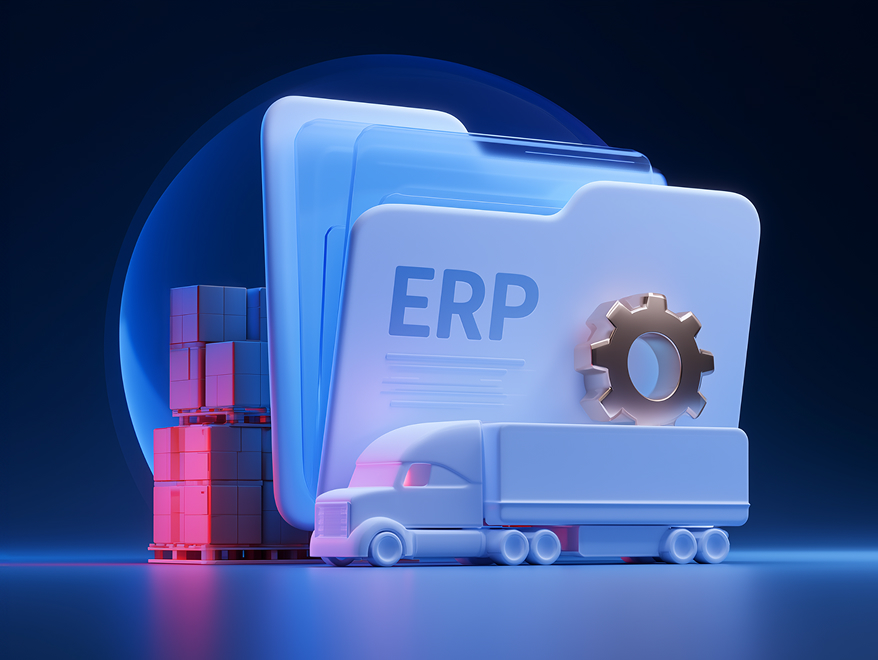
ERP for logistics: features, benefits, software, and implementation

Aug 14, 2026 10 min read
Summarize article with AI

Key takeaways

  • Logistics ERP puts finance, fleet, warehouse, and order data in one place.
  • ERP, TMS, and WMS are not the same system wearing different hats.
  • Custom builds earn their cost once off-the-shelf modules can’t keep up with a company’s routing logic, compliance rules, or multi-entity structure. 
  • Cost and timeline depend mainly on company size, data migration complexity, and how much customization the rollout needs.

ERP for the logistics industry connects fleet, warehouse, finance, and supply chain data, so freight forwarders, 3PLs, and carriers can stop running global operations on a spreadsheet named “MASTER_FINAL_v3.xlsx.” 

This guide covers what logistics ERP actually does, how it differs from a TMS or WMS, which features earn their keep, how the leading platforms stack up, how much implementation really costs, and how Innowise builds and integrates these systems for logistics companies.

What is ERP for logistics?

ERP software for the logistics industry links the systems a logistics company runs on: accounting, procurement, HR, fleet, warehouse, and order management. Thus, everyone works off the same numbers. 

Picture a fairly ordinary Tuesday without an ERP system in the house: dispatch says the truck left at 9 a.m., the warehouse system says the same truck is still being loaded, and finance has already generated an invoice for a delivery that, strictly speaking, has not happened yet. Nobody did anything wrong. The systems just never agreed to be friends. A shared data layer is what turns a shipment quote, a demand forecast, or a month-end close from an argument between departments into an actual answer.

Logistics ERP vs general ERP

General-purpose ERP platforms are built to serve everyone, from law firms to furniture factories, which is exactly why, out of the box, they have no idea what a lane rate is or why a reefer trailer needs different handling than a filing cabinet. Logistics-focused ERP software builds on that same finance and procurement core, then adds the pieces logistics companies actually need. These include fleet costing, freight rate management, multi-warehouse inventory, customs tracking, and carrier or EDI connections. Here is how ERP compares with the two systems it most often ends up sitting next to.

SystemPrimary purposeCore usersTypical dataWhen it is needed
ERPEnterprise-wide business managementFinance, operations, procurement, and management teamsFinancial, customer, supplier, inventory, and operational dataWhen the company needs centralized business control
TMSTransportation planning and executionDispatchers, carriers, fleet managers, and transportation teamsRoutes, loads, vehicles, freight rates, and delivery statusWhen the main priority is transportation optimization
WMSWarehouse execution and inventory controlWarehouse managers and operatorsStock, locations, bins, picking, packing, and receiving dataWhen the main priority is warehouse performance and inventory accuracy

Speaking from my experience, the lines blur. Plenty of logistics teams run a general ERP such as Microsoft Dynamics 365 or Odoo for finance, then bolt on a dedicated TMS and WMS and stitch it all together with APIs or EDI. Others skip the stitching entirely and pick ERP software built specifically for the logistics industry, with fleet and freight modules already included.

When does a logistics company need an ERP system?

A logistics company usually reaches for an ERP system once manual reconciliation and spreadsheet-based fleet tracking start eating more hours than they save. A fairly reliable sign: your finance team’s closing process still involves tabs literally named “FINAL,” “FINAL_v2,” and “FINAL_ACTUAL.” Other tells include:

  • Finance can’t close the books without stitching together data from three or more systems by hand, every single month, like clockwork.
  • Dispatchers and warehouse staff are working off inventory counts that quietly disagree with each other.
  • The company runs multiple warehouses, entities, or currencies and wants one report instead of five.
  • Compliance and customs paperwork lives in spreadsheets, which is a polite way of inviting an audit.
  • Growth plans include new markets, new service lines, or an acquisition that the current tools were never built to handle.

ERP is not always the answer, though, and it is worth resisting the urge to buy the biggest system on the market just because it exists. If the real problem is routing and dispatch, a standalone TMS gets there faster and cheaper. If it is purely a warehouse floor problem, such as picking accuracy or bin chaos, a WMS can fix that without the overhead of a full ERP rollout.

Not sure if your company needs ERP?

Core ERP features for the logistics industry

These features show up in most ERP software for logistics companies, whether it is off-the-shelf or built to order.

  • Fleet and asset management. Every vehicle’s costs, maintenance schedule, fuel use, and lease terms are tracked in one ledger instead of being scattered between a mechanic’s memory and a sticky note on a windshield.
  • Multi-warehouse inventory. Stock counts and reorder points stay synced across every site and entity, with no phone calls to “just go check” required.
  • Freight and rate management. Carrier contracts, fuel surcharges, and lane rates live in one place, so invoices actually match what was agreed, not what someone remembers agreeing to.
  • Order and shipment management. One record follows the order from booking to delivery instead of getting retyped and quietly reinterpreted at every handoff.
  • Finance and accounting. Multi-currency, multi-entity billing and reporting replace the six spreadsheets assembled the night before a board meeting.
  • Procurement and supplier management. Purchase orders, vendor performance, and spend on fuel and parts are tracked in one system rather than one inbox.
  • Compliance and documentation. Licenses, customs paperwork, hazardous materials certifications, and driver hours are recorded in one audit trail.
  • Reporting and analytics. Turns operational noise into dashboards for on-time delivery, cost per shipment, and warehouse throughput. No gut feelings are presented as facts.
  • Workforce management. Scheduling, certifications, and payroll for drivers and warehouse staff are managed from the same system as everything else.

How logistics ERP integrates with the technology ecosystem

ERP rarely runs a logistics operation solo, and it should not try to. It is the financial backbone, but transportation and warehouse execution usually happen in purpose-built systems that need to talk to it in real time, not send a memo once a week and hope for the best.

ERP and TMS integration

A TMS handles routing, load planning, carrier selection, and tracking, the minute-to-minute work of actually moving freight. Connect it to the ERP, and a completed delivery updates inventory, triggers invoicing, and feeds cost data into financial reports on its own. Skip that connection, and someone gets to retype shipment data by hand, usually via a spreadsheet macro someone built years ago that everyone is now too afraid to touch. Innowise’s ERP development team builds these TMS-to-ERP connections through APIs, middleware, or native connectors, depending on what is on each end.

ERP and EDI integration

EDI is how logistics companies trade standardized documents, such as purchase orders, ship notices, and invoices, with partners, carriers, and retailers, without anyone opening an email attachment named “invoice_scan_FINAL.pdf.” Standards such as ANSI X12 and UN/EDIFACT define the structure. Trust me, most large retail and manufacturing partners simply will not do business with a carrier that is not EDI compliant. Some will happily charge a compliance fee for a missing document, which is a fairly persuasive argument for automating it. Wire EDI into ERP, and an incoming purchase order populates the system directly, instead of someone transcribing it from a portal by hand.

Get an ERP fit assessment

Custom vs off-the-shelf ERP for logistics

Off-the-shelf ERP is the quality fast food of enterprise software: quick to order, fairly consistent, and good enough for many companies most of the time. It ships with the workflows a vendor decides the whole industry needs, updates on the vendor’s schedule, and costs less upfront because someone else already built it. Custom ERP is the opposite bet, slower and pricier to build, but shaped around how the company actually operates instead of how a product manager on another continent imagined logistics works. The honest tradeoff is speed against fit, not good against bad.

DimensionOff-the-shelf ERPCustom ERP
Upfront costLower. Licensing plus configuration and customizationHigher. You are paying for the blueprint, not just the build
Time to go liveA few weeks to a few monthsSeveral months to over a year
Fit with existing workflowsGood enough, with the occasional workaroundBuilt around internal workflows
Ongoing maintenanceVendor handles updates and patchesIn-house or partner-managed
Best forStandard logistics operations without unusual requirementsCompanies whose routing, compliance, or scale genuinely break generic modules

Best ERP systems for the logistics industry in 2026

Before ranking specific platforms, it helps to score them against the same yardstick. Start with logistics and supply chain functionality, TMS and WMS integration, multi-warehouse capability, scalability, and deployment options. Then evaluate customization depth, reporting and analytics, AI functionality, the strength of the implementation ecosystem, fit by company size, and total cost of ownership.

The comparison below reflects public vendor information as of July 2026. No platform wins outright, whatever the sales deck implies with great confidence. The right pick depends on company size, existing workflows, integration needs, and IT strategy, which is why most logistics companies bring in an ERP consulting partner before signing anything.

1. Microsoft Dynamics 365 Supply Chain Management: the Microsoft loyalist's pick

If the company already lives in Microsoft’s ecosystem, Dynamics 365 SCM meets it there, with AI agents for procurement and warehouse automation built in rather than bolted on. Our engineers hold Microsoft Dynamics 365 certifications and deliver Microsoft Dynamics 365 consulting services for implementation, customization, and optimization.

Pros

  • Built-in AI agents for procurement, warehouse automation and robotics support, and tight integration with Power BI and the rest of Microsoft's stack.

Cons

  • Costs climb quickly as users and modules are added, and the polished demo still hides a real implementation project underneath.

Pricing

Around $210 per user per month for the base tier, billed yearly.

Ideal for

Mid-sized to large logistics operations already running on Microsoft's stack.

2. Odoo: the build-your-own-adventure ERP

Odoo behaves less like an ERP and more like a box of building blocks, so a lean 3PL can start with Fleet and Inventory and add pieces only as it needs them. Innowise, an Odoo partner, offers dedicated Odoo development services to adapt the platform to unique workflows, integrations, and business requirements.

Pros

  • The Odoo Fleet app tracks vehicle repairs, leases, and costs out of the box, and pricing scales module by module instead of all at once.

Cons

  • Logistics-specific depth still needs configuration, and results depend heavily on the implementation partner doing that work.

Pricing

Scales per app and per user, making it one of the more approachable entry points on this list.

Ideal for

Small and mid-sized 3PLs that want to start lean and add modules as they grow.

3. SAP Business One: SAP without the SAP-sized invoice

This is what SAP built for companies that want the ecosystem and the name, minus the enterprise price tag that comes with its flagship product. Innowise is an SAP partner offering SAP implementation services to help businesses configure, customize, and integrate SAP solutions.

Pros

  • Financials, inventory, and CRM in a lighter footprint than S/4HANA, available on-premises or in the cloud.

Cons

  • Logistics-specific modules are thinner than dedicated freight platforms, and it is still SAP, meaning the implementation partner matters as much as the software.

Pricing

Disclosed on request, scoped to users, modules, and deployment type.

Ideal for

Smaller logistics companies that want SAP's ecosystem without enterprise-scale cost.

4. SAP S/4HANA: the one you outgrow into, not out of

This is the platform large, multi-country shippers reach for once “good enough” has stopped being good enough.

Pros

  • An in-memory database tracks materials across multi-country operations in real time, with genuinely strong predictive maintenance for fleet and warehouse assets.

Cons

  • Long deployment timelines and a serious cost commitment. Not something to pilot over a long weekend.

Pricing

Disclosed on demand, based on users, modules, and deployment type.

Ideal for

Large, multi-entity logistics and freight operations running complex international supply chains.

5. ServiceNow: not an ERP, and refreshingly honest about it

ServiceNow will not run a company’s general ledger, and it does not try to. What it does well is automate the procurement and supplier work that sits on top of whatever ERP is already in place. For organizations using ServiceNow alongside their ERP, Innowise brings certified expertise to ServiceNow implementation services that improve procurement workflows and system integrations.

Pros

  • Strong supplier lifecycle management and source-to-pay automation, layered cleanly over an existing financial system.

Cons

  • Does not replace core ERP finance and accounting, so it is a companion system rather than a candidate on its own.

Pricing

Available on request.

Ideal for

Logistics companies looking to automate procurement and supplier workflows on top of an existing ERP.

How to choose an ERP system for a logistics company

Choosing an ERP system comes down to matching the platform to how the business actually runs, not to whichever vendor’s demo looked the most impressive on a projector. Every demo looks flawless right up until someone asks about a multi-leg international shipment involving a currency conversion and a customs hold, and then the sales engineer suddenly needs to “circle back.” Build a shortlist around these questions instead:

  • Does the platform handle multi-warehouse, multi-entity, and multi-currency operations if the company needs them?
  • Can it integrate with the TMS, WMS, and EDI infrastructure the company already relies on, or plans to add?
  • Are the company’s processes standard enough for an off-the-shelf ERP, or would a custom solution built by a reliable vendor (like Innowise) better support your operations? 
  • Is deployment available as cloud, on-premises, or hybrid, matching the company’s IT strategy and data policies?
  • How much customization is realistically needed, and does the vendor or implementation partner have actual logistics experience, not just a logistics slide in their pitch deck?
  • What does the reporting and analytics layer show out of the box, versus what has to be built by hand?
  • Does the roadmap include AI features the company will genuinely use, such as demand forecasting or predictive maintenance, rather than features that exist mainly for the press release?
  • What is the total cost of ownership over three to five years, not just the number on the first quote?
  • Can the vendor or partner keep pace with the company’s growth plans, including new regions, warehouses, or service lines?

Score two or three finalists against this list with the people who will actually use the system, including finance, dispatch, and warehouse leads. It’s really important, so I’ll even repeat: people who will use the system, not IT working alone in a conference room. A platform that looks great on paper but fights daily workflows usually ends up so heavily customized it becomes a different, more expensive product than the one anyone originally bought. When the shortlist is close, the implementation partner matters more than the platform’s logo.

Logistics ERP implementation roadmap

Let’s look at the ERP implementation process we follow at Innowise. It typically includes the following key stages:

01
Discovery and process mapping

Our business analysts document current workflows, pain points, and integration points across finance, fleet, and warehouse teams, including the workarounds nobody wrote down.

02
Platform selection and fit-gap analysis

We help score shortlisted platforms against the company's requirements and flag if custom development is a better choice.

03
Solution design and data migration planning

Our experts define the target architecture and map out how existing data will be cleaned and migrated, since “we'll just import the spreadsheets” is not a migration plan. Custom ERP projects require careful decisions about databases, user roles, APIs, and system architecture before development begins.

04
Configuration, customization, and integration

We build out the ERP and connect it to the TMS, WMS, and EDI partners. In a custom ERP project, developers create tailored modules, workflows, and integrations based on the company's specific requirements.

05
Testing and QA

Our quality assurance specialists validate the system against real operational scenarios before anyone's paycheck depends on it working correctly.

06
Training and change management

We help prepare dispatch, warehouse, and finance teams to work in the new system when it goes live, not six weeks later, after everyone has quietly gone back to the old spreadsheet.

07
Go-live

We roll out in phases by site or business unit, or all at once, depending on risk tolerance and company size.

08
Post-launch support and optimization

Our team monitors adoption, fixes what breaks, and refines workflows once the system is in daily use, because week one is never the finish line.

arrow-iconarrow-icon
01 Discovery and process mapping

Our business analysts document current workflows, pain points, and integration points across finance, fleet, and warehouse teams, including the workarounds nobody wrote down.

arrow-iconarrow-icon
02 Platform selection and fit-gap analysis

We help score shortlisted platforms against the company's requirements and flag if custom development is a better choice.

arrow-iconarrow-icon
03 Solution design and data migration planning

Our experts define the target architecture and map out how existing data will be cleaned and migrated, since “we'll just import the spreadsheets” is not a migration plan. Custom ERP projects require careful decisions about databases, user roles, APIs, and system architecture before development begins.

arrow-iconarrow-icon
04 Configuration, customization, and integration

We build out the ERP and connect it to the TMS, WMS, and EDI partners. In a custom ERP project, developers create tailored modules, workflows, and integrations based on the company's specific requirements.

arrow-iconarrow-icon
05 Testing and QA

Our quality assurance specialists validate the system against real operational scenarios before anyone's paycheck depends on it working correctly.

arrow-iconarrow-icon
06 Training and change management

We help prepare dispatch, warehouse, and finance teams to work in the new system when it goes live, not six weeks later, after everyone has quietly gone back to the old spreadsheet.

arrow-iconarrow-icon
07 Go-live

We roll out in phases by site or business unit, or all at once, depending on risk tolerance and company size.

arrow-iconarrow-icon
08 Post-launch support and optimization

Our team monitors adoption, fixes what breaks, and refines workflows once the system is in daily use, because week one is never the finish line.

Get a logistics ERP roadmap and estimate

How much does logistics ERP cost?

ERP implementation costs vary widely. A handful of factors drive numbers up or down:

  • Company size and user count. These affect licensing, training, and rollout complexity.
  • Customization depth. Standard configurations may need around 100 consulting hours, while heavily customized deployments can exceed 700 hours.
  • Data migration complexity. Costs may range from roughly $5,000 for light migrations to $50,000 or more for heavy migrations spanning multiple legacy systems, some of which nobody remembers the login for.
  • Integrations. Connecting the ERP to TMS, WMS, and EDI infrastructure adds to the scope and cost.
  • Timeline. Panorama’s 2025 findings put the median project length at about nine months, down from fifteen months the prior year, largely thanks to a shift toward SaaS deployment.

Budget overruns are not some mysterious act of nature. Underestimated staffing, expanding scope, and unresolved technical or data issues account for most of them, according to Panorama and related industry research. In practice, a 20 to 25% contingency budget and standardizing processes before customizing the system go a long way toward staying off the list of cautionary conference talks. And a reliable vendor matters, of course.

AI capabilities in modern logistics ERP

AI has moved beyond an ERP add-on slide and into part of how the major platforms plan, forecast, and flag trouble before it happens. In logistics specifically, that shows up in a few concrete ways, as not just a chatbot with a friendly, faintly overenthusiastic name:

  • Demand and supply planning. AI-assisted forecasting factors in more signals than a human planner can track manually and flags outliers before they quietly distort a forecast for the next quarter.
  • Procurement agents. Platforms such as Microsoft Dynamics 365 now include AI agents that automate supplier communication and help buyers assess the impact of order changes, instead of a buyer discovering the impact three weeks later.
  • Predictive maintenance. Sensor and telematics data feeds AI models that flag fleet or warehouse equipment likely to fail, shifting maintenance from reactive, meaning a truck breaks down on a highway, to scheduled.
  • AI chatbots and assistants. Employees can ask an ERP-connected chatbot to generate a report or check a shipment status instead of clicking through five screens and a login prompt. In one Dynamics 365 rollout that layered Copilot and Power BI onto previously siloed systems, the business reported a 14% cut in call-handling time, according to Innowise’s coverage of ERP AI chatbots.

None of this replaces data discipline, and no AI feature can quietly fix bad inventory data behind the scenes. An AI forecast is only as good as the data feeding it, which is one more reason the unglamorous parts of ERP still matter more than any single AI feature on a roadmap slide.

Logistics companies usually come to us after they’ve outgrown a general-purpose ERP or a patchwork of spreadsheets. The technical build is rarely the hardest part. What actually decides whether a rollout succeeds is getting the fleet, warehouse, and finance data model right before anyone writes a line of customization.

Deputy Global Delivery Director

How Innowise helps implement ERP for logistics

Innowise brings together more than 3,500 IT professionals, including dedicated ERP and Java engineering teams. We are also partners with Microsoft, SAP, and Odoo and hold ISO 9001 and ISO 27001 certifications. For logistics companies, that means an implementation team that has already worked through the fleet, warehouse, and multi-entity data problems specific to the industry, instead of treating logistics as a generic checkbox on a capabilities page.

Odoo
Odoo Logo
SAP
SAP Activate Project Manager
4HANA 1709
4HANA 1809
4HANA Cloud Private Edition, Central Finance
4HANA Cloud Private Edition, Financial Accounting
4HANA-Sales-1909
4HANA Sourcing and Procurement
SAP Certified Associate Back-End Developer ABAP Cloud
SAP Certified Associate Backend Developer
SAP Certified Associate Data Analyst
SAP Certified Associate Data Engineer
SAP Certified Development Associate SAP Fiori
MS Dynamics 365
MB-500 Microsoft Dynamics 365
Dynamics 365 Finance and Operations Apps Developer
MB-300 Microsoft Dynamics 365 Core
ServiceNow
Certified Implementation Specialist ITSM
Certified System Administrator
Certified Application Developer

The bottom line

Every vendor in this article will insist its platform is the answer. It isn’t, at least not by itself. ERP succeeds or fails on whether someone mapped how freight, inventory, and money actually move through the business before a single screen got configured, not on which logo sits on the login page. Treat the system as infrastructure that has to keep working quietly in the background, not as a finish line to cross and forget. 

Companies that get this backward tend to find out in a board meeting, long after the sales team has moved on to the next deal. The safer bet is not the platform with the flashiest AI feature this year. It is the one flexible enough to make today’s routing exception feel like an ordinary Tuesday three years from now.

FAQ

A logistics ERP is an ERP system configured or built for logistics operations. It connects finance, procurement, fleet, warehouse, and order data into one platform, adding logistics-specific features like freight rate management and multi-warehouse inventory on top of standard ERP functions.

ERP manages the business as a whole, including finance, procurement, and reporting. A TMS handles transportation planning and execution, routing, carrier selection, and freight tracking. A WMS runs warehouse operations, including picking, packing, and inventory control. Many logistics companies run all three, connected together rather than left to guess what the others are doing.

At minimum, logistics ERP should include fleet and asset management, multi-warehouse inventory, freight and rate management, order and shipment management, finance and accounting, procurement, compliance and documentation tracking, and reporting and analytics.

None of them is universally the best, no matter what a vendor's homepage claims. Microsoft Dynamics 365 and SAP S/4HANA suit larger, complex operations, SAP Business One and Odoo suit smaller and mid-sized companies, and the right choice depends on company size, existing workflows, and integration needs.

Recent industry data puts the median ERP implementation timeline at about nine months, though projects can range from six to eighteen months depending on scope and customization.

Yes, ERP typically integrates with TMS and WMS platforms through APIs, middleware, or native connectors, so shipment and inventory updates in those systems flow automatically into financial and operational reporting.

Not automatically, and not by default. Off-the-shelf platforms are faster and cheaper to deploy and cover most standard requirements. Custom development earns its cost once a company's routing logic, compliance requirements, or multi-entity structure genuinely cannot be met through configuration alone.

It sharpens demand forecasting, powers procurement agents that automate supplier communication, enables predictive maintenance for fleet and warehouse equipment, and supports chatbots that let employees pull reports or check shipment status conversationally instead of hunting through five menus.

Yes, this is one of the main reasons companies move to ERP in the first place. Microsoft Dynamics 365, SAP S/4HANA, and Odoo all support multi-warehouse and multi-entity configurations, though the depth varies by platform and edition.

Prioritize strong multi-client and multi-warehouse support, flexible billing for different customer contracts, and easy integration with the TMS and EDI connections its shipper and carrier partners require.

Show more Show less

Lead of ERP Consultants

Kiryl knows SAP inside and out. He’s the go-to when a client needs not just implementation, but smart configuration that fits their unique processes — with a clear path from complexity to clarity.

Table of contents

    Contact us

    Book a call or fill out the form below and we’ll get back to you once we’ve processed your request.

    Send us a voice message
    Attach documents
    Upload file

    You can attach 1 file up to 2MB. Valid file formats: pdf, jpg, jpeg, png.

    By clicking Send, you consent to Innowise processing your personal data per our Privacy Policy to provide you with relevant information. By submitting your phone number, you agree that we may contact you via voice calls, SMS, and messaging apps. Calling, message, and data rates may apply.

    You can also send us your request
    to contact@innowise.com
    What happens next?
    1

    Once we’ve received and processed your request, we’ll get back to you to detail your project needs and sign an NDA to ensure confidentiality.

    2

    After examining your wants, needs, and expectations, our team will devise a project proposal with the scope of work, team size, time, and cost estimates.

    3

    We’ll arrange a meeting with you to discuss the offer and nail down the details.

    4

    Finally, we’ll sign a contract and start working on your project right away.

    More services we cover

    arrow