If yes (factory machines, scanners, sensors), lean on-premises. If not, lean cloud.
Your message has been sent.
We’ll process your request and contact you back as soon as possible.
The form has been successfully submitted.
Please find further information in your mailbox.
If you’re looking at ERP right now, you’re probably getting hit from all sides: vendor demos, endless feature lists, and “best practices.” Meanwhile, inside the business, ten people are asking for ten different things.
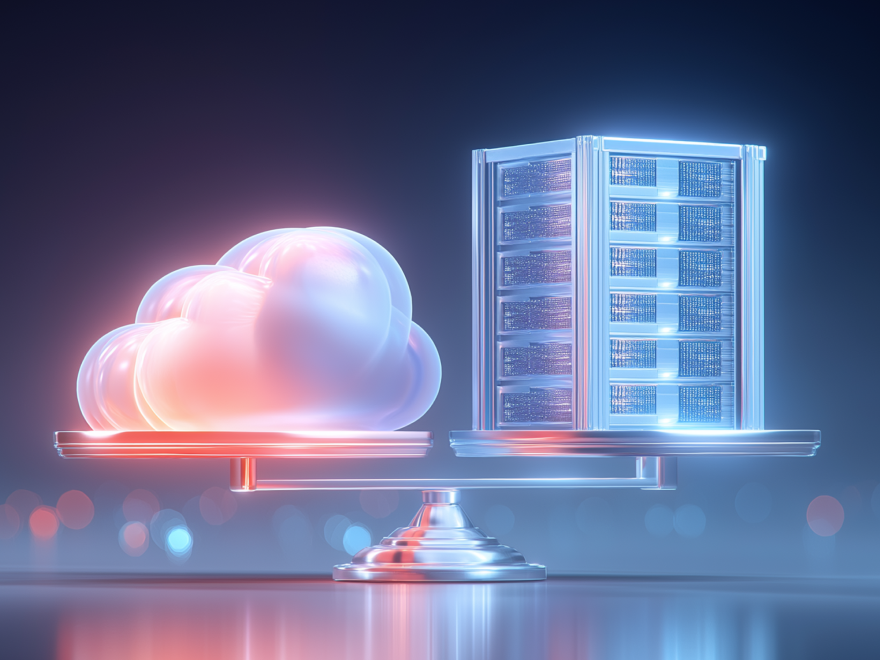
Under all of that, one decision sits near the top: on-premises ERP vs cloud ERP. The basic difference is simple on paper. On-premises ERP (also known as on-prem) runs on your own servers, and your team maintains it. Cloud ERP, usually sold as SaaS, runs on the vendor’s infrastructure, and your teams log in through a browser or an app.
What matters is everything that comes with that choice. It shapes how you pay for ERP, how quickly you can roll it out, how upgrades are handled, how much you can customize, how integrations behave, what reliability depends on, and how much day-to-day load lands on your IT team.
In this article, I’ll walk through on-premises vs. cloud ERP using the criteria leaders actually care about: total cost of ownership (TCO), time to value, scalability, security, and performance. By the end, you will have a clear framework to make the right call for your reality.
Sure, ERP systems may look alike on the surface. They help you manage finance, supply chain, HR, and operations in one place. Pretty similar, right? But the way you deploy them changes the entire experience.
Deployment decides where the software lives, who maintains it, and how your teams access it. The features might line up, but the setup behind the scenes shapes your costs, your upgrade path, and how much work your IT team has to carry. So yeah, this choice takes some thought. (And if you’re still figuring out which ERP system to get, we’ve got a guide for that too.)
Before we dig into all the ins and outs, let’s look at the three main options: cloud, on-premise, and hybrid.
With cloud ERP, you don’t buy hardware, set up servers, or manage upgrades. Instead, you pay a subscription (monthly or yearly), and the vendor takes care of everything: hosting, updates, security, and backups. You log in through a browser or an app, and you’re in. That’s it.
One of the biggest perks here is flexibility. As your business grows, the system grows with you. Need more users or extra storage? It scales on demand. And your team can access it from anywhere, which makes it a strong fit for remote work and multi-location companies.
It’s especially popular with small and mid-sized companies that want to avoid high upfront costs. Fast-growing teams love it too, because getting up and running is quick, and you don’t need a big IT department to keep it humming. More and more large enterprises are moving in this direction too, often to support remote operations, accelerate rollouts, and reduce infrastructure load.
You’ll see cloud ERP widely used in industries like retail, professional services, and e-commerce, anywhere real-time access and scalability matter. And some of the big names you’ve probably heard include Oracle NetSuite, SAP S/4HANA Cloud, and Microsoft Dynamics 365 Business Central.
On-premises ERP is hosted on your own servers, inside your own network. You buy the software, usually a one-time license, and your IT team handles installation, maintenance, updates, and backups.
The workload is higher, and the control is higher too. You decide when to upgrade, how to secure data, and where it lives. Users on your internal network can also access it without relying on the internet.
This model fits teams that need deep customization, have complex legacy tools, or operate under strict compliance rules. Government, banking, and defense are common examples. You need a capable IT team to run it well, but on-premise still earns its place when control and data ownership matter most.
By now, cloud and on-premise probably feel like opposite ends of the spectrum. But in reality, many companies end up somewhere in the middle. That’s a hybrid ERP. In a hybrid setup, part of your ERP stays on-premise, and part runs in the cloud. For example, finance and manufacturing stay on your servers, while a cloud CRM or analytics tool connects to the core system. It works well when you want cloud benefits in specific areas, without replacing systems that still do the job.
Multi-cloud goes a step further. You use multiple cloud providers or cloud apps together, for example, AWS for some services, Azure for others, plus a few specialist SaaS tools on top. Global companies sometimes run a two-tier setup too, where regions use different ERPs and sync data back to HQ.
The point of both hybrid and multi-cloud is flexibility. You mix local control with cloud scale and avoid being tied to a single vendor. The catch is coordination. Without it, things get messy fast. Integrations need to be solid, data flows need to be clear, and someone needs to be tied to one provider. You need strong integrations, clean data flows, and a clear owner for the architecture.
Before you go down the hybrid or multi-cloud route, it helps to nail the basics: cloud ERP vs traditional ERP.
This one choice decides who runs the infrastructure, how the costs show up, and how much work your IT team has to carry. It also sets the tone for everything else: rollout speed, upgrades, customization, and day-to-day stability.
If you want the short, side-by-side cloud ERP vs on-premises ERP view before diving deeper, here’s the cheat sheet.
Money is usually the first difference you feel. On-prem ERP is the upfront-heavy option. You pay for licenses, servers, and the setup to run them. Then you keep investing in the system through your IT team, because someone has to patch it, upgrade it, back it up, and keep it stable. And the ROI tends to come later, since you’re extending that big initial spend over several years.
Cloud ERP, on the other hand, lets you spread the cost out. You pay a monthly or yearly subscription, and the vendor bundles in hosting, maintenance, updates, and backups. Sure, you spend less upfront, but the cost can climb as you add users, modules, and data.
If your goal is to start seeing benefits fast, cloud ERP usually wins here. The infrastructure is ready to go, so you can focus on configuring the system, migrating data, and training people. Many teams can launch core modules in 3 to 6 months, which means you start seeing wins sooner, like clearer inventory numbers or a faster financial close.
On-prem ERP is more like building the runway before the plane can take off. You need hardware, databases, OS installs, and a lot of testing on your local environment. That preparation work stretches timelines, so go-lives of 12 months or longer are pretty normal.
Cloud ERP is the easier one to grow with. When business ramps up, peak season hits, you open a new branch, or you acquire a company, you can usually add users and capacity right away. No new servers, no waiting around. The vendor expands the capacity in the background, and your teams just keep working. It also makes new locations simpler. People can log in from anywhere with an internet connection, and they are looking at the same system.
On-premise scales, too, but it takes planning. When demand goes up, you need more hardware. That usually means budgeting, buying servers, setting them up, and testing everything. It takes time, and it takes money. And if you buy extra capacity just in case, it often sits there doing nothing once the peak is over.
In cloud ERP, the provider usually covers the infrastructure layer: servers, platform maintenance, patching, and baseline monitoring. Your team still has a full plate, just a different one. You manage identities, roles, permissions, configuration, and data governance. If you want something you can actually verify, many SaaS vendors share independent assurance evidence, such as SOC 2 reports, and some also hold ISO/IEC 27001 certification.
On-premise ERP puts the whole stack in your hands. Your team secures the servers, patches the OS and database, updates the ERP, monitors activity, and runs incident response. You get tighter control and more freedom to design security your way. You also carry the full workload, so the outcome depends on how strong and consistent your internal processes are.
As for compliance, start with the basics: where your ERP data is stored, who can access it, and what you need to show in an audit. Those three points usually decide whether cloud, on-premise, or a mix is even viable.
Use the cloud ERP vs on-premise ERP table below as a quick checklist of what to confirm before you commit to cloud or on-premise.
| Requirement | What it asks you to prove | Cloud ERP | On-premise ERP |
| GDPR | Where personal data is stored and how cross-border access/transfers are handled | Choose the right region, validate transfer safeguards, confirm vendor support for audits | Control server location directly, manage access paths and evidence yourself |
| HIPAA | Who handles PHI and what safeguards exist | Usually requires a BAA if the vendor handles PHI, plus your access/logging/retention controls | Fewer third parties, but your team owns the safeguards, logging, and audit trail |
| SOX | Strong internal controls over financial reporting | Prove access controls and separation of duties in the ERP configuration | Same requirements, plus you maintain the underlying infrastructure controls |
| DORA | Operational resilience and third-party ICT risk (EU finance) | Built-in resilience can help, but you must manage vendor risk and oversight | You build and maintain resilience yourself, with fewer vendor dependencies |
On-premises ERP lets you make big changes to the system. If your business runs on highly-specific processes or you have legacy tools that everything depends on, you can tailor the ERP to match how your business actually runs. The downside is the baggage that comes with it. Every custom tweak becomes something you have to maintain. When it’s time to upgrade, that custom code can get in the way, break, or both.
Cloud ERP is stricter about what you can change, and that is the point. Most adjustments happen through configuration, like setting up workflows, rules, roles, and fields. If you need more, you can use APIs and the vendor’s tools, which are often low-code. You give up some flexibility, but upgrades are much easier.
And on integrations, the cloud often has the advantage, too. Most cloud ERPs are built to connect, so plugging into CRM, e-commerce, analytics, or IoT systems is usually quicker and cleaner than in an on-prem setup.
Cloud ERP usually feels steady because the vendor runs it in hardened data centers and handles backups and disaster recovery. Day to day, you log in, and it just works. The weak link sits closer to you: internet access. If the connection drops, the ERP might be perfectly fine, and you still cannot reach it.
On-premises ERP flips that. Inside your own network, it can be very fast, especially for local use on a manufacturing floor where low latency matters. Reliability depends on what you build and how well you run it. A server failure, a storage issue, or even a building incident can take the system down. Getting back online depends on your backups and your recovery plan, and downtime lasts until your team restores everything.
Cloud ERP setup takes a lot of work off your plate. The vendor handles servers, patching, backups, and most of the infrastructure maintenance. Your IT team can spend less time firefighting and more time on better reporting, process automation, cleaner integrations, and smarter ways to use the data.
On-prem ERP is different. Your team runs the whole machine. Databases, hardware, network security, monitoring, backups, upgrades. You also need people who track ERP trends, because staying current matters. If you fall behind on updates for too long, even small changes can turn into big projects.
Sure, you can outsource parts of it. Plenty of companies do. You still need someone on your side to own the system: set priorities, approve changes, manage vendors, control access, and make sure upgrades and fixes do not break business-critical processes.
With cloud ERP, you’re buying an ongoing service. That’s convenient, but it also means you live on the vendor’s terms. If prices go up or a feature gets phased out, you usually need to adapt. You can move away, but it’s rarely quick. Data exports, rebuilding integrations, and retraining users can turn a switch into a full-fledged migration project.
On-premises ERP gives you more control over day-to-day operations because the system runs on your infrastructure. You still rely on the vendor for updates and support, but you have more breathing room. If you stop paying maintenance, you can typically keep using the version you already have. That buys time, but it comes with a downside: no patches, no upgrades, and rising security risk over time. With cloud, it’s simpler. Stop paying, and access usually stops too.
At this point, you know the differences between cloud, on-premise, and hybrid ERP. At least in theory. But the tricky part is figuring out which one actually fits your business.
There is no universal best option. The right choice depends on your priorities, your constraints, and how much risk you are comfortable carrying. Both cloud and on-premise work. They just solve different problems. And a hybrid fills the gaps when reality is more complicated.
So, let’s break it down by scenario.
Cloud ERP makes the most sense when you want to move fast, stay flexible, and not spend your time babysitting infrastructure.
Cloud ERP is the better bet when you want to move fast and stay flexible, without turning your ERP into a side job for IT.
Sometimes, the clean cloud ERP vs on-premises ERP choice does not match reality. Hybrid is what teams choose when the current ERP still runs the business, but they want to modernize without pulling the pin on a full replacement.
Hybrid is a good call when:
Multi-cloud shows up when different parts of the business have different needs, or when you want to avoid putting all your eggs in one vendor basket. For example, a global company might run one ERP setup at headquarters and a different cloud ERP in certain regions, then sync key data between them.
“ERP only pays off when its change rhythm matches how your business actually works. Cloud fits companies that are comfortable with steady, incremental change, while on-premise fits those that plan for fewer, heavier upgrade cycles. Pick the wrong rhythm, and you burn the budget on a system everyone tiptoes around.”
Chief Technology Officer
You can go back and forth on cloud versus on-prem for a long time and still feel uncertain. Instead, try focusing on the main challenges you’ll face no matter what: latency, scale, budget, IT capacity, customization, uptime, and how much change your organization can handle.
I’ve put together a few questions that usually help reveal the best option. If your answers mostly point in one direction, that’s likely your choice. If they’re evenly split, a hybrid setup might be the way to go.
If yes (factory machines, scanners, sensors), lean on-premises. If not, lean cloud.
If you need to add users, locations, or capacity quickly, this usually points to the cloud.
Prefer predictable monthly or yearly spend, lean cloud. Prefer upfront investment and ownership, then choose on-prem.
Want the vendor to handle it: lean toward cloud. Have the team and want full control: lean toward on-premises.
If yes, lean on-premises. If not, lean cloud.
Unreliable internet: lean on-prem. Limited disaster recovery capability in-house: lean cloud.
If yes, pick cloud. If not, either can work.
Lead of ERP Consultants


Your message has been sent.
We’ll process your request and contact you back as soon as possible.
By signing up you agree to our Privacy Policy, including the use of cookies and transfer of your personal information.