Your message has been sent.
We’ll process your request and contact you back as soon as possible.
The form has been successfully submitted.
Please find further information in your mailbox.
25,274 companies use ServiceNow. Pretty impressive, huh? It has earned its reputation in ITSM, and for service workflows, it can feel like the obvious choice. However, many organizations also hit a tipping point when the scope expands into finance, supply chain, and manufacturing, and they start to realize they need an ERP system that runs the core of the business.
That’s why, in this guide, I’ll walk you through the strongest ServiceNow competitors and ERP platforms that can replace it, or pair with it to seriously level up your stack. Whether you’re after a more cost-friendly option, a manufacturing-focused platform, or open source software you can shape into your own ecosystem, this list covers the best ServiceNow alternatives to consider in 2026.
The switch usually starts with the same little annoyance popping up again and again. Renewal season hits, a new business team asks for a change, someone adds yet another integration, and suddenly the platform feels like a full-time project. The tool that was supposed to remove friction starts creating it. Then teams feel the drag and start mapping alternatives.
And when they do, the reasons tend to cluster into a few repeat themes:
Once the recurring friction pushes you to explore alternatives, the next step is picking a platform that holds up in daily work. It’s perfectly common to be impressed by a swanky tool demo, only to find that upon adoption, groans can be heard around the office. And so I’ve written this checklist to help you test each option against your weekly workflows and the time your team actually has to run and improve the system.
The best place to start is with checking the basics: incidents, requests, problems, changes, and releases. If the tool is one of the genuine alternatives to ServiceNow, it should handle that full flow competently. In ERP systems, this often sits inside a helpdesk or support module. Walk through a real case from your environment, for example, a new laptop request or a recurring system outage, and see how natural that feels in the new platform.
If the portal frustrates people, they’ll avoid it. And tickets will inevitably end up in chat and email again. I usually hand the demo to a non-technical colleague and ask them to submit a few requests, for example, ordering equipment, requesting access, or logging an issue. If they need training to complete basic actions, that is a major red flag. A good portal should always feel natural as a place to raise tickets, select services, attach details, and track status without unnecessary guidance.
Service levels and approvals fall flat on their face without a strong workflow logic. So you should look for a workflow engine that supports SLAs and OLAs, escalation rules, approval routing, and the automation of repetitive steps. Use a real rule from your business and try configuring it live, without code. For example, the manager approves anything above 5,000 EUR, the security approves privileged access, or the P1 incidents are sent to the on-call team within 10 minutes. Then measure how long it takes, and how easy it is to maintain it after.
Many ServiceNow setups rely heavily on CMDB and asset management, so this is often a deal-breaker area. Check how the new platform handles what we own and where it lives across ownership, location, lifecycle, and relationships.
In ERPs, this sometimes shows up as inventory, fixed assets, or equipment tracking. I suggest picking a few examples, like laptops, licenses, or production machines, and checking how the system tracks location, owner, and lifecycle. If you rely on specialized SAM or HAM tools, check how cleanly the integrations work.
Prefer platforms with a clean, modern UI that people can pick up quickly. You also want enough low-code flexibility to adjust forms, workflows, and business rules without dragging developers into every small change. When customization needs heavy coding, the platform hardens fast.
I suggest you list what you already rely on: Microsoft 365 and Teams, Slack, Jira or Azure DevOps, monitoring, IAM and SSO, CRM, plus your data warehouse or BI. Then get specific. Do they have native connectors, or are you signing up for custom APIs? If your teams work mainly in Teams and Jira, ask to see tickets and tasks moving both ways with clean ownership, status sync, and minimal manual copying.
At some point, someone will ask for one more report. That part never ends. So yes, check the built-in dashboards, but put more weight on ad-hoc reporting.
A good sign is when a business user can build or tweak a report without pulling in a BI developer every single time. I like to test it with something boring and real, like open tickets by team and priority for this month, or maintenance costs by location. Then I watch the process. If it takes a dozen clicks, three menus, and a minor ritual, reporting will become a bottleneck again.
AI already ships inside the big platforms. Dynamics 365 Customer Service includes Copilot case summaries. NetSuite includes Text Enhance, and NetSuite Planning and Budgeting uses AI for predictive planning and insights.
But my advice is to treat it like seasoning. A little helps. Add too much, and the whole setup turns sour. Always keep your evaluation tied to daily work – can a virtual agent handle simple requests without bouncing people around? Can the system triage and route tickets, suggest next steps, and flag an incident spike early enough to matter?
Then ask vendors to prove it with a live demo using real scenarios: password reset, routing by urgency and category, detecting unusual surges in incidents. If they can’t show it clearly, you won’t get it clearly in production either.
The key here is to get specific early. Check role-based access control, audit logs, multi-factor authentication, encryption, and the compliance boxes your org cares about, for example, GDPR, SOC 2, or ISO 27001. If you’re going cloud-first, confirm the platform fits your industry requirements and data-handling rules without awkward exceptions or last-minute surprises.
Start with the delivery model, as it decides who carries the operational weight. Here, you have three options:
Next, confirm where the data is stored. Check records, backups, and system logs. If you run under residency rules (for example, EU-only), get a straight answer on whether any of those leave the region, including backups and logs. That detail protects you from rework later.
The license price is the sticker. The real bill shows up later. Implementation partners, ongoing support, and the cost of building and maintaining integrations add up fast. Look at the three-year picture so you do not end up with a platform that feels affordable at the start and expensive to keep running.
Before we dive into the full breakdown, I put together a quick comparison table of the 7 strongest competitors of ServiceNow. It’s the fastest way to catch the essence of each platform at a glance, especially if you’re short on time.
| Tool | Best for | Deployment | Key strengths | Nice-to-knows |
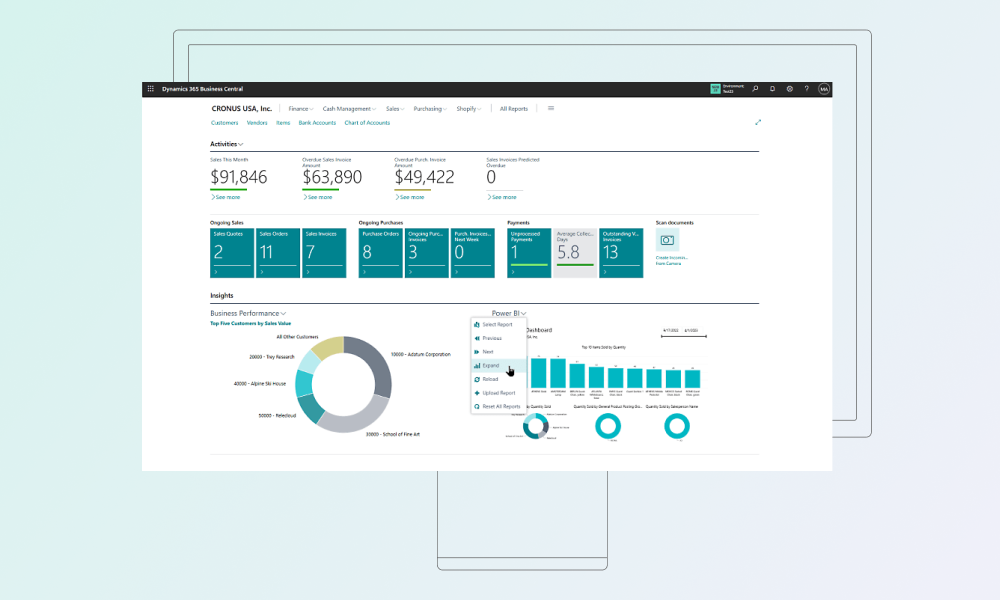
| Microsoft Dynamics 365 Business Central | Small & mid-size enterprises | Cloud or on-prem | Integrated with Microsoft Office / Teams; built-in Copilot AI for finance and planning; familiar UI | Primarily focused on SMB finance and operations; large enterprises may outgrow it |
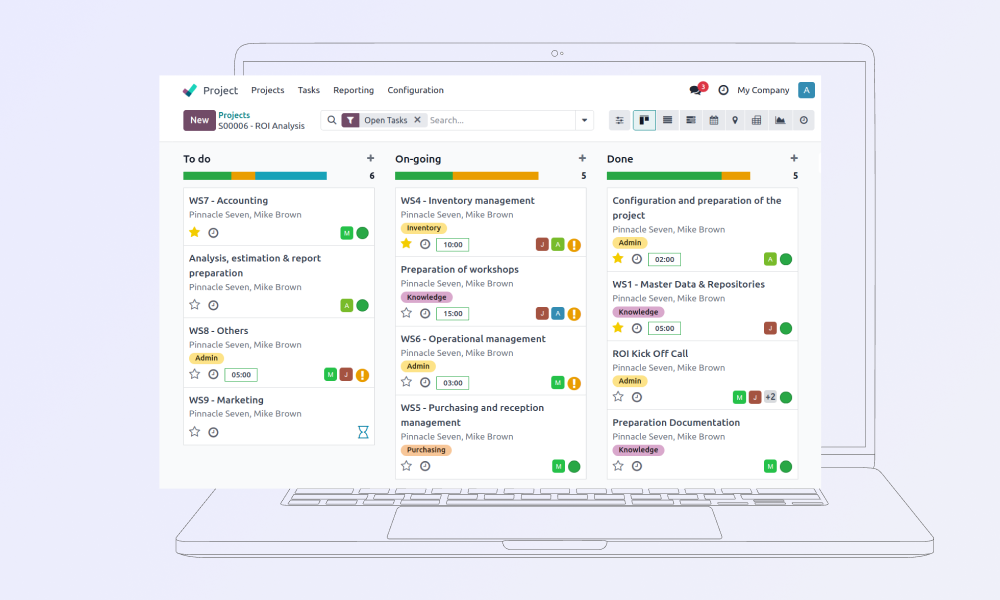
| Odoo (Open Source ERP) | SMBs & open-source fans | Cloud or on-prem | Extremely modular (CRM, sales, inventory, etc.) with low cost; friendly UI; huge community | May require customization for complex processes; support quality can vary by partner |
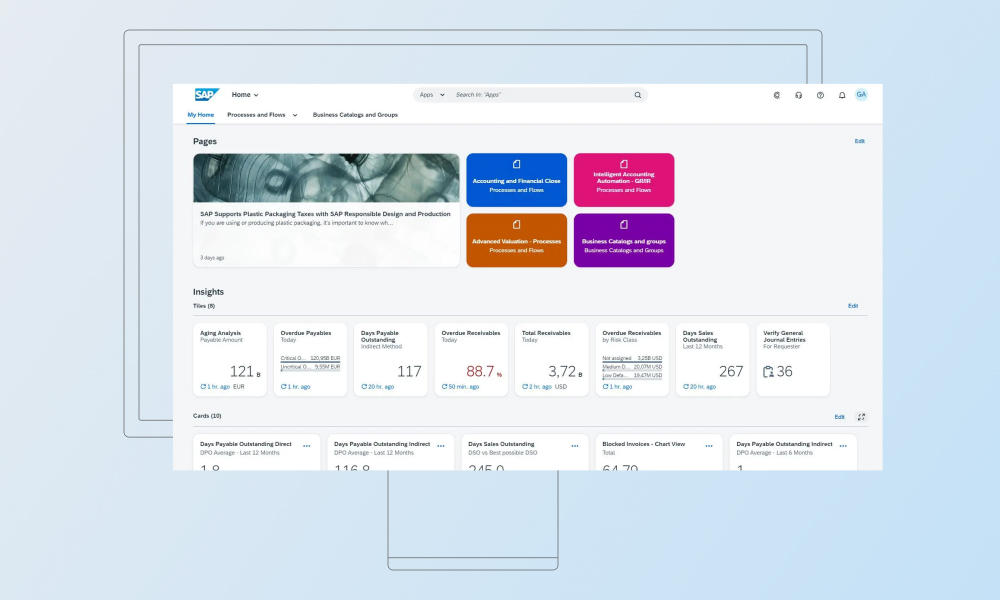
| SAP S/4HANA | Large enterprises | Cloud (public / private) | Comprehensive suite for finance, supply chain, HR; real-time analytics; AI assistant; proven scalability | Very high license / implementation cost; complex to configure |
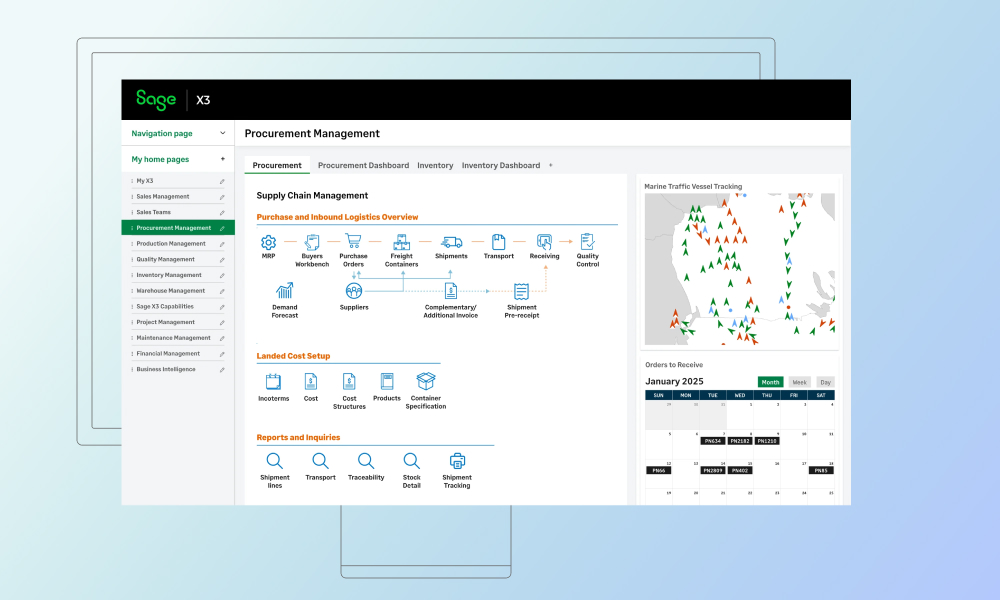
| Sage X3 | Midsize manufacturing / distribution | Cloud or on-prem | Covers procurement, production, warehousing, sales, customer service and finance; fast insights into costs and performance | Less global brand presence; customization often needed for unique processes |
| Oracle NetSuite ERP | Global mid-enterprises | Cloud (SaaS) | Multi-subsidiary support; continuous updates; built-in AI (text generation, invoice capture, budgeting) | Subscription cost scales with usage; customization governed by cloud platform |
| Infor CloudSuite (Industry) | Industry-specific enterprises (e.g. MFG) | Cloud | Deep industry modules (MES, SCM, WMS); multi-tenant cloud with embedded AI / analytics; composable architecture | Can be complex suite; overlapping products under CloudSuite name can confuse buyers |
| Epicor Kinetic (Cloud ERP) | Manufacturers (discrete MFG) | Cloud / Hybrid | Designed for manufacturers; real-time BI and IoT integration; built-in collaboration | Focused on MFG – less suited for non-manufacturing businesses |

You already know what to test from the checklist and how to spot which platforms pass the grade. Now it’s time to zoom in.
I’ve compiled a list of tools below that show up again and again as ServiceNow alternatives when companies want one system to run operations and still handle service execution, cases, work orders, warranties, and SLAs, in the same place.
A strong ServiceNow alternative is Microsoft Dynamics 365 Business Central, a cloud ERP for small to mid-sized businesses that connects finance, purchasing, inventory, sales, and service operations in one system. It integrates closely with Microsoft 365 tools to support collaboration and reporting, and it can be extended with service management and manufacturing capabilities depending on the selected plan and configuration.
Odoo is one of ServiceNow biggest competitors. It’s a modular, open-source ERP suite that lets small to midsize businesses pull finance, inventory, sales, and operations into one system, then expand into manufacturing and service workflows when the business needs it. Hosting stays flexible. You can run it in Odoo’s cloud, use Odoo.sh for managed hosting with customizations, or self-host on your own infrastructure when you want tighter control over environments and data.
SAP S/4HANA is the enterprise-grade option for large, complex organizations that want tight control over finance, procurement, supply chain, manufacturing, and asset-heavy operations. It shows up on shortlists when service execution needs to sit inside the same operational engine as inventory, purchasing, billing, and financial posting.
Sage X3 is a solid ERP choice for mid-sized manufacturers and distributors who want tighter control over inventory, purchasing, production, and financials, with a setup that stays manageable. It fits especially well when service and returns work, like RMAs, need to stay tied to stock moves, quality checks, and supplier workflows.
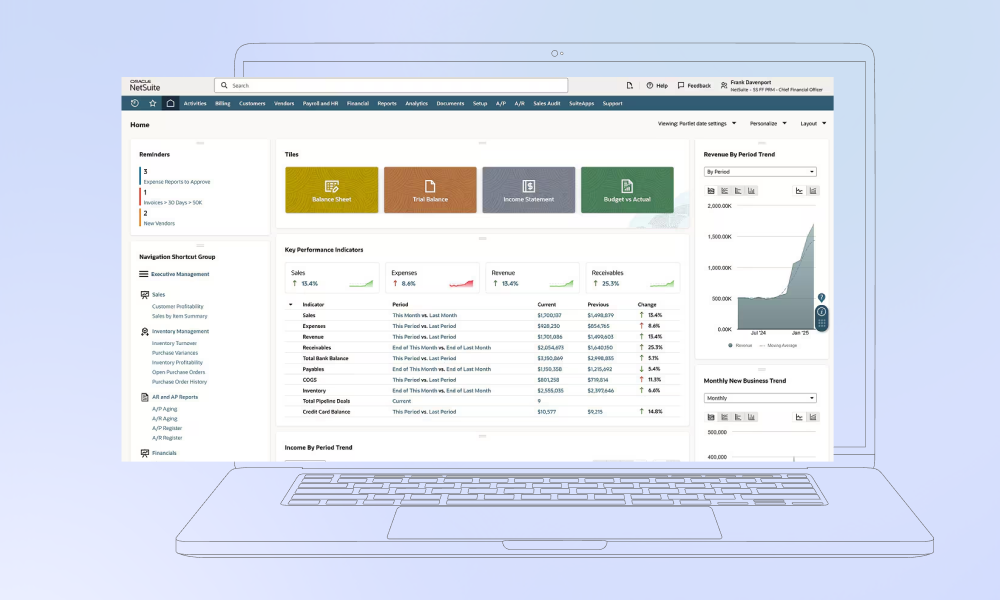
NetSuite is a cloud ERP for mid-sized and scaling companies that want finance, orders, inventory, and customer ops running in one place, especially across multiple subsidiaries or countries. It also gives support teams built-in case management, so they can work on a ticket with billing and order context right there, without hopping between systems.
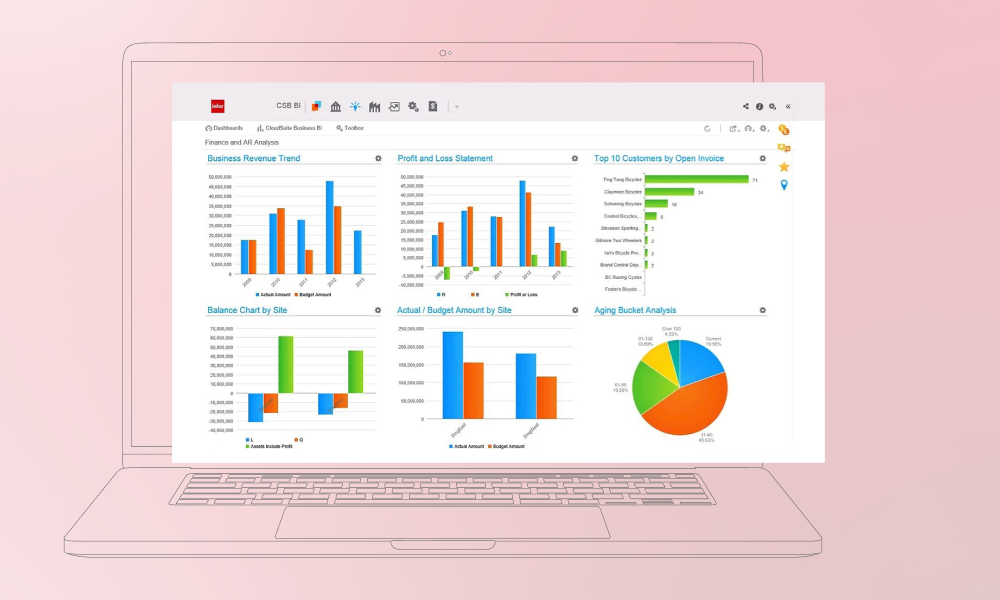
Infor CloudSuite is a set of industry-focused cloud ERP suites built around specific sectors, like industrial manufacturing, distribution, and healthcare. It fits best when you want service execution, asset-heavy operations, and supply chain workflows working together out of the box, without turning the project into a custom-build marathon.
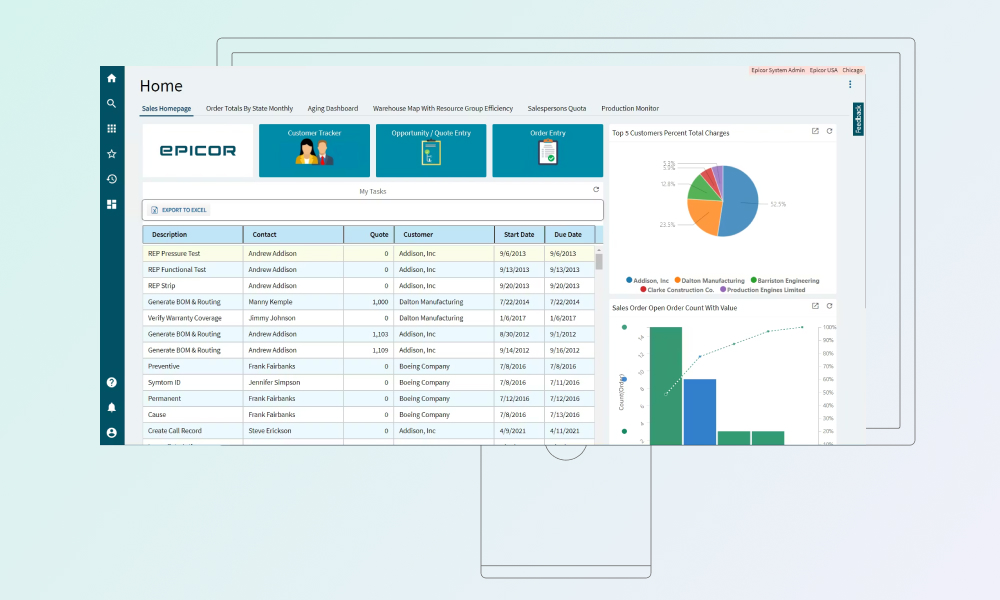
Epicor Kinetic is a manufacturing-first ERP for mid-sized and enterprise manufacturers who need production, inventory, and after-sales service to move in sync. It fits best when service work is part of the product lifecycle, RMAs, warranty claims, repairs, even field service, and all of it needs to stay tied to parts, costs, and planning.
If you’re still stuck between options, that’s normal. Most platforms look good until you picture your actual workload running through them. Choose the scenario that matches your week, and your shortlist will shrink fast.
Picture a global manufacturer with plants across regions, strict audit trails, and approvals that follow segregation of duties. A production line stops. A service order gets raised. Parts get reserved, procurement kicks off, goods move, billing follows, and finance wants the postings with no manual fixes.
That’s where SAP S/4HANA makes sense. Service orders, stock movements, procurement steps, and postings sit in one transactional engine. You spend less time stitching systems together, and you spend a lot less time arguing about which system has the real numbers.
Now switch to a mid-sized company where Teams and Outlook are basically the control room. The service team logs repairs and returns, finance wants posting that behaves, and leadership requires quick reports.
Business Central fits here. It gives you a solid ERP structure without the enterprise-suite weight, and it plays nicely in the Microsoft stack your team already works in. Service orders and contracts can live in the same place as the rest of the operations, so service stays connected to billing and costs.
Let’s assess a different vibe. Your engineering lives in Jira. Support collects customer issues elsewhere, and finance wants billing that lines up with what actually got delivered. With this setup, teams often end up with two systems and one exhausted person translating between them.
Odoo works well when you want one place to tie operations together. Keep Jira as the home for development work. Use Odoo for support, invoicing, inventory, and projects. Connect them with APIs so issues flow into engineering and updates flow back out to support and billing.
Imagine an MSP onboarding its tenth client. Each client needs their own contracts, SLAs, currencies, tax rules, and strict data separation. Meanwhile, the MSP still needs one view for P&L, resourcing, and cash.
Spreadsheets won’t survive that. NetSuite or Dynamics 365 usually fit because multi-entity is baked into how they work. You can separate client worlds and still roll things up for reporting without building a fragile patchwork.
Some teams want control, and they have the people to handle it. The budget is tight, processes change, and vendor lock-in sounds like a long-term headache.
Odoo is a natural choice in that case. You can start with the Community edition to prove the setup, then move to Enterprise when you want vendor support, more features, and a smoother path to maintaining it long term.
Now picture a support team getting hit from every direction: email, web forms, phone, chat, maybe social. They need one place where all of that lands, gets routed, and keeps the customer story intact.
Service Cloud fits that setup. It acts as the front door for every channel. Your ERP keeps running orders, inventory, and billing in the background, and you connect the two where it counts, so support stays fast, and the back office stays clean.
“ServiceNow is a strong platform for ITSM, but many of our clients reach a point where service work must tie directly to parts, costs, and billing in the ERP. At Innowise, we help teams choose the right system and migrate in a way that keeps support, operations, and finance working from the same data on day one.”
Chief Technology Officer
When teams move off ServiceNow, the first conversation is usually about moving tickets. I get why. Tickets are visible. The harder part sits in workflows and data that suddenly have to work for finance and operations too, not just IT. I’ve seen projects land well when teams plan for that early. I’ve seen projects go sideways when they try to rebuild ERP as ServiceNow with extra modules. Here’s what I plan for with clients before we touch a single record.
Make three decisions up front:
Then write down what exists today: the tables and records that matter, custom fields, workflows, integrations, and attachments. Anything you don’t write down here tends to show up later at the worst moment.
Pick a cutoff date, then clear out what you do not want to drag forward. Merge duplicates and drop dead records. Next, define the translation rules: what each ServiceNow record becomes in the ERP, and how fields, statuses, teams, and ownership carry over. Decide what happens to IDs and history so references still work and your year-over-year reporting still adds up.
First, export the data and pull attachments the same way every time, so you can rerun the process without guessing.
Then get the files into import shape:
This is the stage where you either clean it up or you pay for it later. A priority written as “High” in one place and “high” in another becomes two separate values after import. A location entered as “Warsaw HQ”, “HQ Warsaw”, and “Warsaw Office” turns into three different locations in the new system. Then people can’t filter cleanly, dashboards look off, and someone ends up fixing it by hand.
Load in a sequence that prevents broken links and missing references:
Only rebuild what you need on day one. Keep the ERP core close to standard, so upgrades stay manageable.
Start with record counts. Then test the paths that matter most, end to end. For example, run a high-priority repair through the full flow, or test a procurement request that should trigger approvals and purchasing.
Once the tests pass, run a final delta import for anything created during the migration window, switch integrations over, and go live. Keep the old instance read-only for a defined window if you want a safety net.
Right after go-live, set aside a short period to catch what real usage exposes. Collect the issues users hit in the first days, fix the ones that block daily work, and document the new steps for the common flows so people stop falling back to email and spreadsheets.
Then decide what happens to the old ServiceNow data. Keep what you still need for audits and internal checks. Archive what you don’t. Set a date to switch the old instance off so you don’t keep paying for it by default.
If ServiceNow still works for you, stick with it. It’s a great tool for ITSM, and there is no reason to fix what isn’t broken. The change usually starts when service stops being a pure workflow problem and starts touching real operations. When repairs pull parts from stock, returns affect inventory, or service work triggers purchasing, a standalone workflow layer starts to feel like an extra hurdle. You eventually get tired of bridging the gap between your ticketing system and your system of record.
That’s the moment to look at competitors to ServiceNow. Use the checklist like a stress test. Pick two or three candidates, run the same workflows, and see where work moves with fewer handoffs and less manual patching. The platform you want is the one that keeps service, operations, and finance looking at the same facts.
If you want a second set of eyes on the mapping or the cutover plan, we can help you sort what has to move on day one and what can wait, whether you’re leaning toward SAP, Microsoft Dynamics 365, or something else.
Lead of ERP Consultants


Your message has been sent.
We’ll process your request and contact you back as soon as possible.
By signing up you agree to our Privacy Policy, including the use of cookies and transfer of your personal information.