The power of data mapping in healthcare: benefits, use cases & future trends. As the healthcare industry and its supporting technologies rapidly expand, an immense amount of data and information is generated. Statistics show that about 30% of the world's data volume is attributed to the healthcare industry, with a projected growth rate of nearly 36% by 2025. This indicates that the growth rate is far beyond that of other industries such as manufacturing, financial services, and media and entertainment.

Augmented reality in real estate: transforming property
searches

Sergei Molchanov
Feb 27, 2026 12 min read

Key takeaways

  • Photos and PDFs break at the same point. Buyers ask how the space feels, how the layout flows, and what actually fits. AR answers those questions on the spot.
  • VR puts people in a digital world. AR keeps them in the real one and layers the useful bits on top, so they can judge layout, scale, and finishes without assuming.
  • The best use cases stay easy to explain: scan a brochure and see the building, walk a floor plan on your phone, stage an empty room, preview an off-plan unit on-site, or point at a building to pull up key info.
  • The payoff shows up as less back-and-forth and faster decisions, especially for long-distance buyers and projects that are still on paper.

If you’ve already tried selling or leasing property with plain photos and a PDF brochure, you know the breaking point: the space looks fine on screen, then a buyer asks a simple question. “How big is this room, really?” “What’s the view from the balcony?” “How does the layout feel when you walk through it?” You end up scheduling another visit, sending more files, and trying to fill the gaps with words.

Augmented reality real estate solutions fix that gap the moment it shows up. They let you place a 3D model, layout, or set of details on top of the real world through a phone or smart glasses, so people can see what you mean instead of supposing. That makes remote decisions easier and helps teams present projects that are not yet built with fewer rounds of feedback.

In this guide, I’ll explain what AR in real estate is, the practical benefits it brings to listings and sales, the use cases that work best, and what it takes to build and roll out augmented reality property visualization in real projects.

What is AR in real estate?

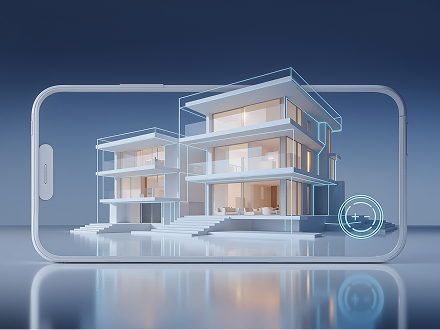
First, here’s a quick definition of augmented reality in the real estate industry. Unlike VR, which needs a headset to create a digital world, AR keeps you in the real space and adds digital layers on top of it. You can use your phone, tablet, AR glasses, or headset to drop 3D elements, like furniture, floor plans, or finished interiors, onto the live view of a property. Which radically changes the buying experience. Buyers can preview a renovation, try furniture placement, or explore a home from anywhere. Less guessing and back-and-forth.

Picture you’re in a sales office. An agent slides a printed floor plan across the table, and you’re trying to make sense of it. You open the listing app, point your phone at the paper, and the layout shows up in 3D on your screen. Tilt your phone to look into the living room, pinch to zoom, then tap to switch from Unit A to Unit B or jump from the 3rd floor to the 5th. You get it in seconds.

Where AR helps most during property search

Will the sofa fit? Does the kitchen feel tight? What does an open plan actually look like in real life? You probably hear these questions all the time. And sometimes you just can’t answer them from photos and a 2D floor plan. That’s where AR helps. It lets buyers drop 3D elements into the space and check things on the spot, so customers can make confident decisions. Here’s what it does best:

A clearer sense of space

Instead of staring at an empty room or a blueprint, buyers can drop in furniture, test a few interior looks, and see what fits in real time.

Staging without the hassle

Virtual staging can replace renting, moving, and setting up real furniture. Buyers get the feel of a lived-in space without the physical setup.

Faster decisions with fewer doubts

When the view feels more real and more detailed, buyers can decide quicker and feel more sure about what they’re buying.

Easier for long-distance buyers

AR helps people explore a property in detail without jumping in blind. That matters a lot for international buyers or anyone shopping from another city.

Marketing that people interact with

AR brochures and 3D models let buyers explore the listing on their phone, tap through details, and view it from different angles. The listing stands out and is easier to remember.

A way to sell before the build is finished

Developers can show the end result early, so clients can walk through the finished space in 3D and commit sooner.

“Treat AR like a sales tool with a scoreboard. If it does not reduce site visits, cut the back-and-forth, or lift lead-to-viewing conversion, it’s just a demo. I push for experiences that answer the buyer’s first questions in under a minute and that your team can update without calling developers.”

Dmitry Nazarevich
Chief Technology Officer

Augmented reality real estate examples

Marker-based brochure scanning

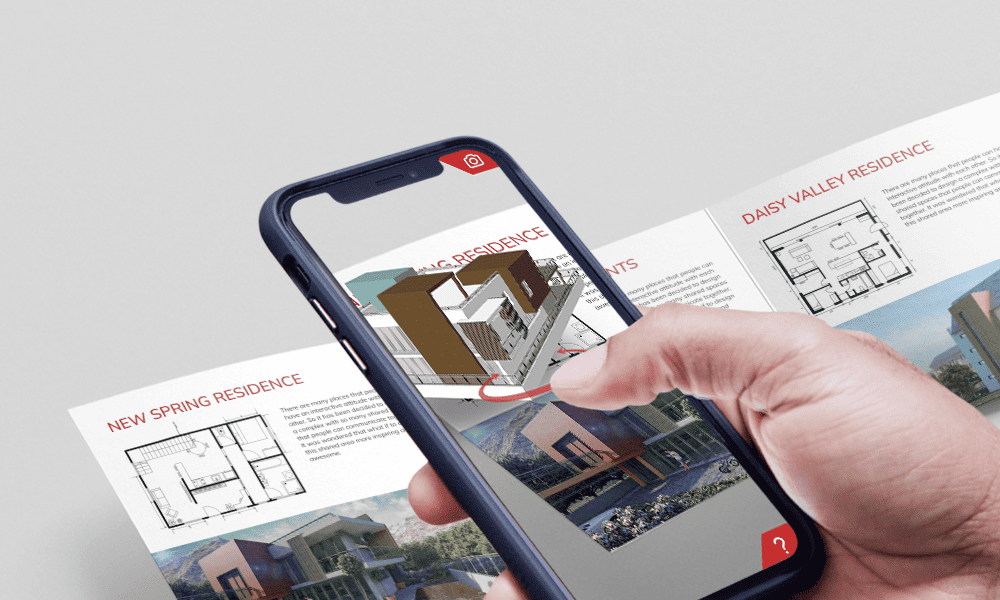
Marker-based AR tied to print is one of the most dependable setups. A person can grab a brochure, open their phone, scan the page, and a 3D building model shows up on-screen, locked to the paper. Tilt the phone, move closer, step back. The model stays put on the brochure like it belongs there. It fits sales offices, showrooms, and event stands because it’s quick to understand and easy to run.

An augmented reality brochure mobile solution for marketing and sales purposes.

In a standard marker-based real estate AR build, you’ll see:

  • Panoramic 3D models the viewer controls (rotate, zoom, move around)
  • Models you can swap or update for different buildings or units
  • Media layered on top, like CGI, animation, video, narration, and captions

Some marketing teams brush it off as too basic next to full tours or demos. But I think basic is the point here. You can explain it in one line, like “Scan this. See the building”.

3D property tours & walkthroughs

A floor plan gives you lines and measurements. You still end up guessing how the space feels. With AR, the plan becomes a 360-degree walkthrough on your phone. You move room to room, look around, and get a better sense of flow without being there in person. It’s especially handy for compact city apartments, where a single meter can change the whole setup.

Virtual staging & renovation previews

Empty rooms can feel bigger than they are (I learned that one the hard way). Renderings can look great, but they still leave you wondering, especially when you don’t know the exact furniture model or the real size. AR helps here. You point your camera at the room and try to make changes right on the screen.

Typical try-it-now options include:

  • Swapping wall colors
  • Testing different flooring
  • Placing furniture to see what fits and what blocks the flow

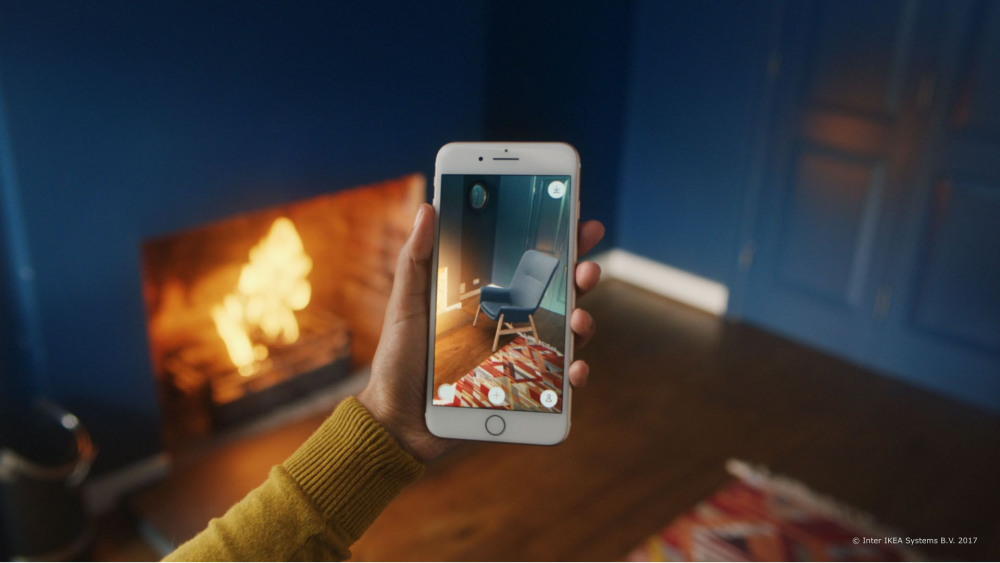
For example, IKEA Place lets you drop true-to-scale 3D furniture into a room and check the fit before anyone drags a couch across the floor. REimagineHome, an AI design platform, goes wider with virtual staging, remodel ideas, and landscaping previews, often using AI to generate options.

IKEA Place AR app helps people virtually place furniture at home
But watch out. Renovation AR can drift into fantasy fast. Keep it tied to finish options you can actually deliver, and label what’s shown so buyers know what they’re looking at.

Visualization of unbuilt properties

Selling something that isn’t built yet is awkward. You’re asking people to buy a future version of a place, based on a few renders and a floor plan. AR makes that pitch easier because it lets buyers walk through a 3D model of the home before it exists.

Apps like inCitu place proposed buildings into their real setting, using phone-based, life-size views with QR codes in real locations. Here’s how it usually goes:

  • On-site mode: you’re standing on the actual plot, scan a QR code, and the building appears where it will sit. You can walk around it and check the shape from different angles.
  • Tabletop mode: you drop a smaller model onto a desk and use it to explain layout, unit options, and floor changes without turning the meeting into a floor plan decoding session.

It’s especially useful for answering the questions that usually stall people: How big will this feel? Where does the light come in? What does the balcony look like next to the living room? AR makes those details easier to understand without waiting for a show home.

Property information overlays

Normally, you spot a place you like, then you go home and spend 20 minutes trying to match it to a listing. With AR overlays, you can check it right there. Point your phone at the building, and an info card shows up on-screen with things like listing details, price or value estimates, and a path to contact the agent.

A good example is PropertyData. Its app shows AR property boards when you’re standing outside properties in England and Wales, with key property info shown at the kerbside. You see the building, check the details, and move on.

Augmented reality commercial real estate

Commercial spaces often start as a blank shell. But AR helps teams see a fit-out plan inside the real space, before any walls go up or furniture arrives. You get a quick reality check: does the layout fit, and does it feel workable?

What people use it for:

  • Space planning: place desks, meeting rooms, and storage zones on the floor.
  • Fit-out previews: test finishes, lighting ideas, and partition layouts.
  • One view for everyone: tenants, brokers, and facilities teams look at the same setup and talk about the same thing.

Say a tenant walks into an empty office and says they need 120 desks plus collaboration areas. On paper, it sounds fine. In AR, you drop the layout into the room and see circulation paths right away. The conversation shifts from vague preferences to concrete choices.

Still showing properties with flat photos?

How AR solutions are typically built

Most AR projects follow a pretty standard build pipeline. You create the 3D assets, hook them into an AR framework, and render everything in an engine, often Unity.

The first decision is tracking, because it shapes the whole experience:

  • Marker-based AR: works off printed targets like brochures, posters, floor plans, or product labels.
  • Markerless AR: tracks the real space so you can place content in the world, often using SLAM-style tracking under the hood.

From there, the workflow usually goes like this:

Ideation & concept

Before anyone builds anything, I pin down four things: what this AR experience is meant to do, who it’s for, how we’ll tell if it worked, and what success looks like. If you skip this, you end up with a cool demo that looks nice and solves nothing.

Asset creation & optimization

Here we build the actual assets: 3D models, textures, animations, and audio. Then we make them mobile-friendly. Keep models light, textures reasonable, and the scene simple enough to run smoothly. The usual knobs to watch are poly count, texture sizes, and draw calls.

Development & integration

Here, we connect everything so it actually works in a real space.

  • Get AR running: open the camera, turn on the device sensors, and set up tracking.
  • Pin the model in place: for marker-based, you lock it to an image target (like a brochure or floor plan). For markerless, you lock it to the room using planes or feature points.
  • Add the basic controls: rotate, move, zoom. Keep the UI simple so users don’t need instructions. Add voice control only when it actually makes things easier.

Testing & QA in real conditions

AR can look perfect in a calm office and fall apart the second someone tries it in real life. So we test it where people will actually use it, and on more than one device. So, we test:

  • Different environments: bright sunlight, low light, reflective surfaces, and rooms with plain walls and few visual cues.
  • Basics that must hold: tracking stays stable, the object scale looks right, and the frame rate holds up.

Deployment

At this point, you package and release the experience in the format you chose earlier. If it needs stronger performance or deeper device access, you ship it as a native iOS or Android app. If it’s lightweight and you want the easiest entry, you ship it as WebAR so people can scan a QR code and open it in the browser without installing anything.

Next steps for your AR strategy

Property search is heading toward better spatial experiences. Higher-res photos still leave people inferring. AR cuts through that by showing how a space feels, how it fits real needs, and what options are actually available. Trust builds faster when buyers can see it for themselves.

Adoption is the make-or-break point. Heavy apps and confusing flows get skipped, even when the demo looks great. If you want to launch AR and be confident it will get used, reach out to our team. We’ll help you pick one or two use cases, define what success looks like, then build and ship the app with content your team can update without developers.

Dmitry leads the tech strategy behind custom solutions that actually work for clients — now and as they grow. He bridges big-picture vision with hands-on execution, making sure every build is smart, scalable, and aligned with the business.

Table of contents

    Contact us

    Book a call or fill out the form below and we’ll get back to you once we’ve processed your request.

    Send us a voice message
    Attach documents
    Upload file

    You can attach 1 file up to 2MB. Valid file formats: pdf, jpg, jpeg, png.

    By clicking Send, you consent to Innowise processing your personal data per our Privacy Policy to provide you with relevant information. By submitting your phone number, you agree that we may contact you via voice calls, SMS, and messaging apps. Calling, message, and data rates may apply.

    You can also send us your request
    to contact@innowise.com
    What happens next?
    1

    Once we’ve received and processed your request, we’ll get back to you to detail your project needs and sign an NDA to ensure confidentiality.

    2

    After examining your wants, needs, and expectations, our team will devise a project proposal with the scope of work, team size, time, and cost estimates.

    3

    We’ll arrange a meeting with you to discuss the offer and nail down the details.

    4

    Finally, we’ll sign a contract and start working on your project right away.

    More services we cover

    arrow