The power of data mapping in healthcare: benefits, use cases & future trends. As the healthcare industry and its supporting technologies rapidly expand, an immense amount of data and information is generated. Statistics show that about 30% of the world's data volume is attributed to the healthcare industry, with a projected growth rate of nearly 36% by 2025. This indicates that the growth rate is far beyond that of other industries such as manufacturing, financial services, and media and entertainment.

HubSpot CRM for startups: How good is it, really?

Feb 22, 2026 17 min read

If you’re running a startup, there’s a 99.9% chance you don’t have a huge budget for fancy software. You need something that can get your sales and marketing under control quickly, and without needless complexity.

HubSpot CRM is one of the best tools for that. And it’s exactly what companies like Shopify and DoorDash started with in the early stages, a decision that helped them grow without breaking the bank.

In this guide, I’ll walk you through everything I know about how to use HubSpot CRM and how to save money while still getting all the features that can help your startup scale. So without further ado…

What startups get from HubSpot CRM

Though it’s believed that HubSpot CRM is very simple and quite basic, don’t be deceived. It’s packed with features that help startups stay organized. Here’s a look at the key features that can make your life easier:
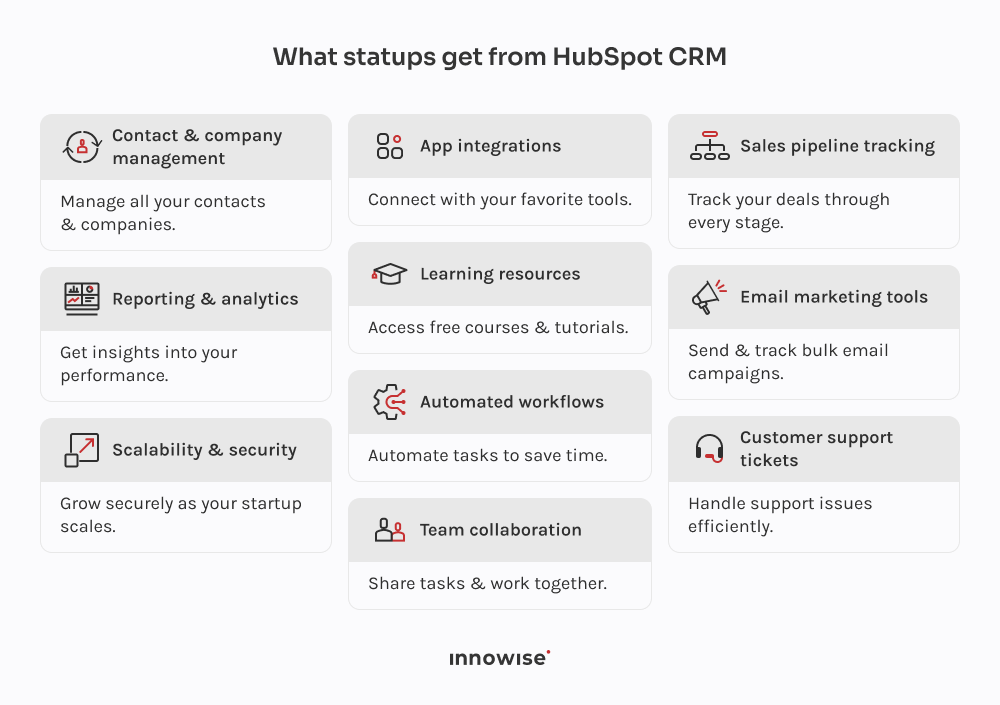
Infographic showcasing key features of HubSpot CRM for startups, including contact management, sales pipeline tracking, email marketing, customer support, reporting, and scalability.

Contact and company management

HubSpot lets you manage all your contacts and companies in one place. It’s relatively easy to track customers, leads, or partners there. You can add notes, set follow-up tasks, and keep track of past interactions.

Deal and sales pipeline tracking

With HubSpot, you can track deals through different stages of your sales pipeline. Giving you a birds-eye view of where each deal stands and what actions need to be taken next. This helps keep your sales team on track and prevents leads from slipping through the cracks.

Email marketing and templates

One of the most useful features for startups is the email marketing suite. Here, you can send bulk emails, create email templates, and track campaign performance. It’s a must-have feature for growing your subscriber list and staying connected with prospects and customers.

Marketing automation and workflows

As you scale, HubSpot’s workflows can save you a ton of time. You can set up automation to send emails, assign tasks, or move deals through stages without lifting a finger. This keeps things running smoothly as your team grows, and it lets you focus on pressing matters.

Customer support ticketing

When things go wrong, you need a way to manage customer issues quickly. HubSpot includes a ticketing system that helps you track support requests to make sure nothing gets forgotten. It’s a simple but effective way to keep your customer service organized and responsive.

Reporting and analytics dashboards

Understanding how your sales and marketing efforts are performing is key. HubSpot gives you access to detailed reporting and analytics, so you can see what’s working and where you need to improve. You’ll get insights into things like deal conversion rates, email performance, and website traffic.

Integrations with popular tools

HubSpot integrates with many of the tools you’re already using, like Gmail, Slack, Google Calendar, and more. Making it easy to connect all your systems and keep your workflow unified without constantly switching between apps.

Access to educational resources

HubSpot offers a boatload of learning resources through HubSpot Academy. You’ll find free courses, webinars, and the knowledge you need to make the most of the platform. This is especially helpful for startups that may not have dedicated CRM experts on staff.

Team collaboration and shared workflows

Collaboration is essential, and HubSpot simplifies this process. You can share tasks, assign leads, and track progress in real-time, so everyone’s on the same page. As your team grows, this feature lets everyone stay in sync.

Scalability and security features

Finally, HubSpot’s scalable features mean it can grow with your startup (not unlimitedly, of course). If you’re just getting started or expanding rapidly, this CRM adapts to your needs rather well. Plus, HubSpot takes security seriously, so data is always protected.

We make HubSpot a force for your startup

What’s inside HubSpot CRM for startups exactly

HubSpot CRM includes a set of tools that help streamline sales, marketing, customer service, and more. These tools work together within the CRM and basically give you everything you need to manage and grow your startup from one place. Here’s a quick rundown of the key features and how they can support your business.

Sales Hub

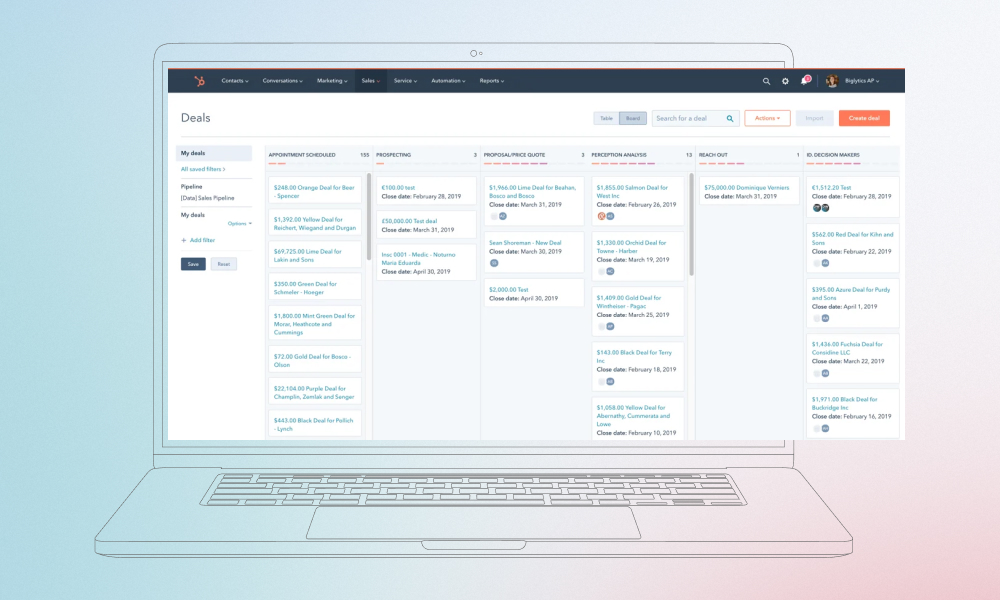
The Sales Hub helps you track deals through various stages in your pipeline. You can see a visual representation of your deals, monitor emails, meetings, and follow-up tasks in one place. It also lets you manage customer interactions and automate repetitive tasks like follow-up emails.

HubSpot's Sales Hub interface

Pro Tip: Take advantage of the email tracking feature. It not only tells you who opened your emails but also how many times they opened them. Use this insight to follow up at the perfect time and increase your chances of closing deals.

Service Hub

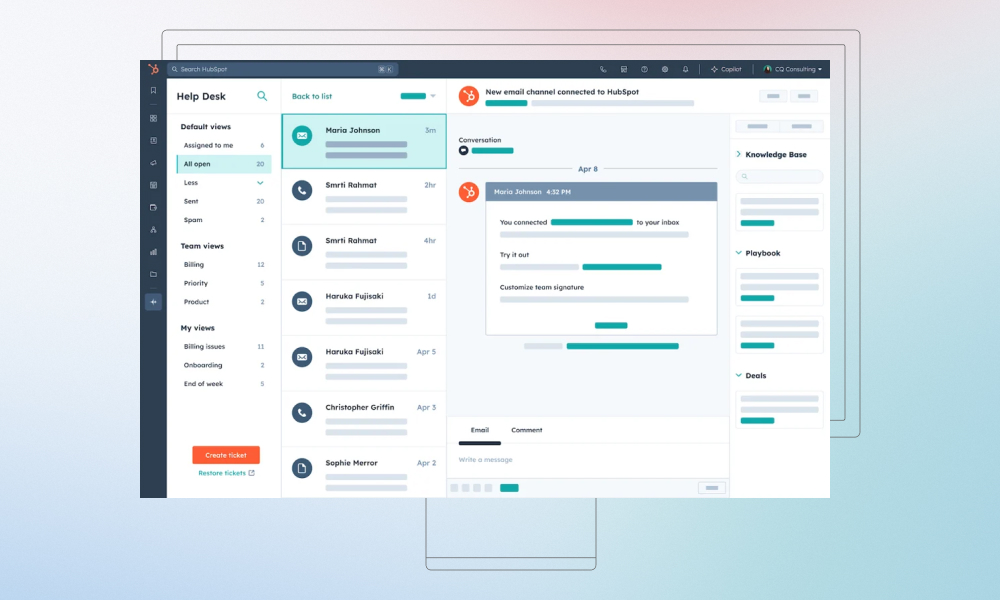
The Service Hub is designed to help manage customer support tickets. It includes a ticket queue with status columns (open, pending, closed), making it easier to track each issue’s progress. You can also use live chat to quickly address customer concerns and gather feedback through CSAT and NPS scores to measure satisfaction.

HubSpot's Service Hub interface

Pro Tip: Set up automated ticket routing based on priority or team member availability. This helps you address urgent issues faster and improves team efficiency without manual intervention.

Marketing Hub

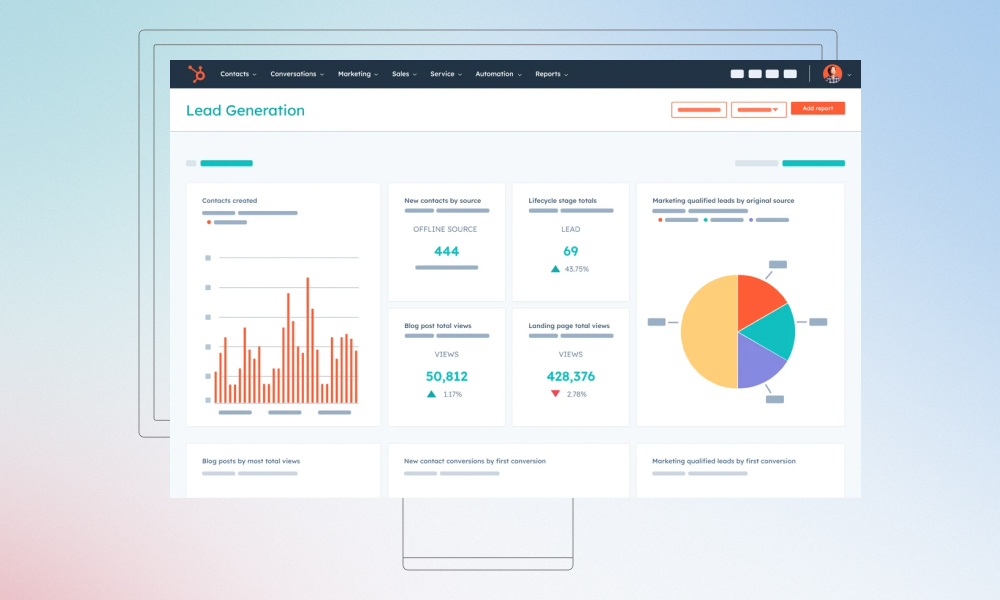
The Marketing Hub helps you track and manage your inbound marketing efforts. It provides insights into traffic sources (like direct, organic, and social), and conversion rates from forms, landing pages, and email campaigns. You can also monitor lead generation performance over time to spot trends and optimize your strategy.

HubSpot's Marketing Hub interface

Pro Tip: Use HubSpot’s A/B testing for emails and landing pages. It lets you test subject lines, copy, and design to see what works best with your audience, helping you refine your campaigns for better results.

Content Hub

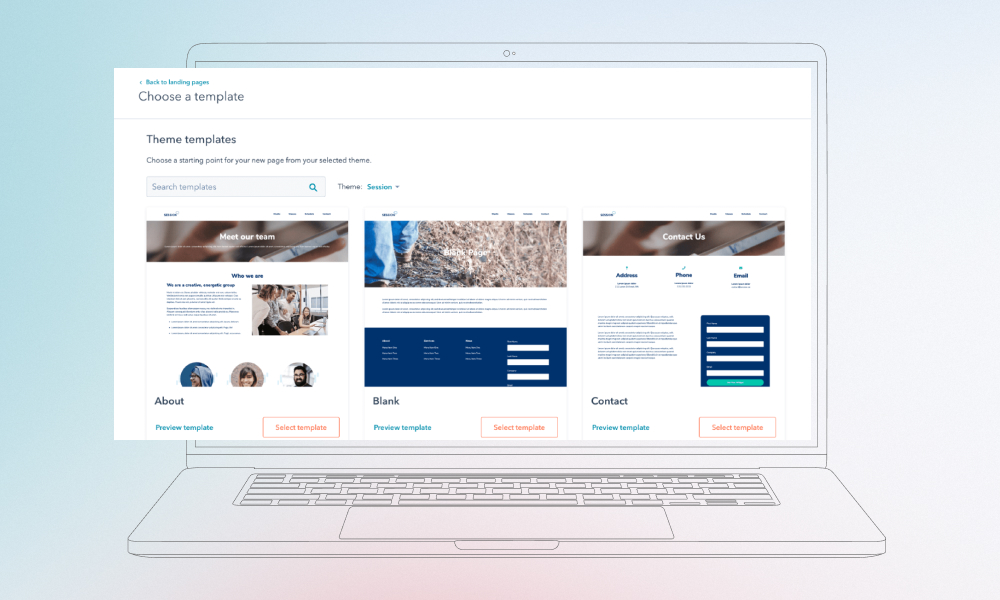
The Content Hub allows you to create, optimize, and manage your website and blog content. There’s a dead-simple drag-and-drop builder to design pages and access SEO recommendations that help improve your search engine rankings. It also includes templates for landing pages and blog posts, making a content strategy easier to stay on top of.

HubSpot's Content Hub interface

Pro Tip: Keep an eye on HubSpot’s SEO recommendations as you build content. The tool automatically suggests improvements for your pages, making it easier to rank higher in search engines without needing deep SEO knowledge.

Commerce Hub

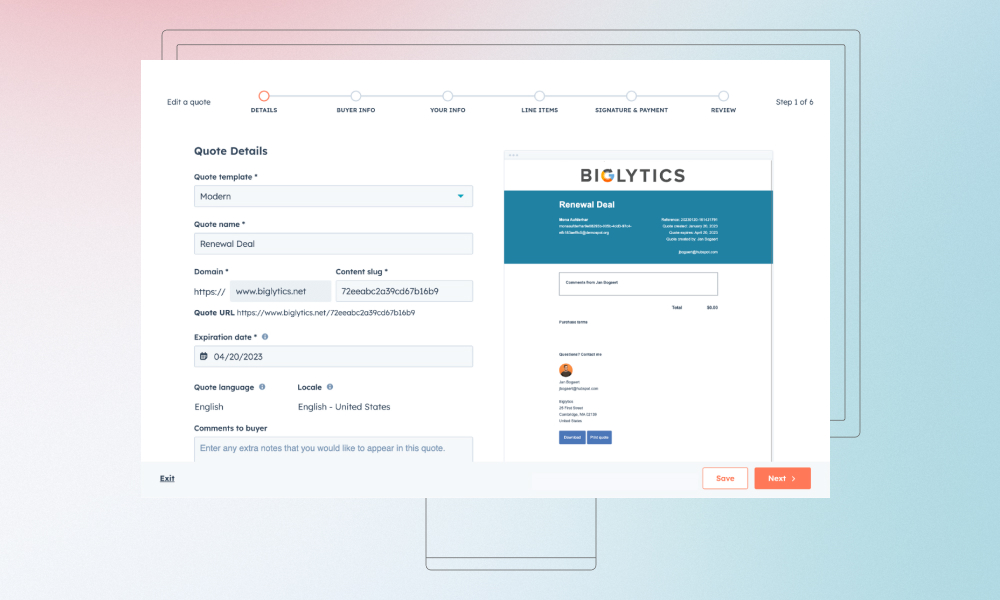
The Commerce Hub helps you manage product information, generate quotes, and automate billing and invoicing. It provides a centralized location for all your sales data, reducing errors and improving consistency in customer interactions.

HubSpot's Commerce Hub interface

Pro Tip: Use HubSpot’s quote generation tool to create professional, branded quotes that automatically pull in pricing and product details from your CRM. This speeds up your sales process and reduces errors.

Data Hub

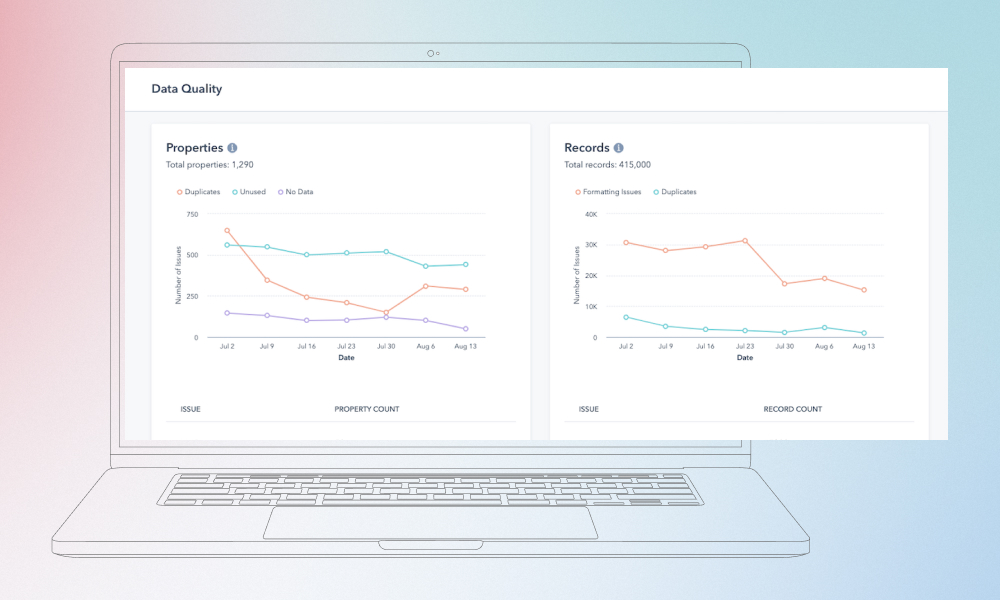
The Data Hub is focused on maintaining and managing your data quality. It includes dashboards for monitoring sync statuses across different apps and helps you visualize your data pipelines. It also includes workflow tools for automating data management tasks, ensuring data stays clean and consistent.

HubSpot's Data Hub interface

Pro Tip: Regularly monitor the Data Health Dashboard to ensure your data is accurate and synced across all apps. Clean data leads to better insights, and you can identify issues before they affect your workflows.

App Marketplace

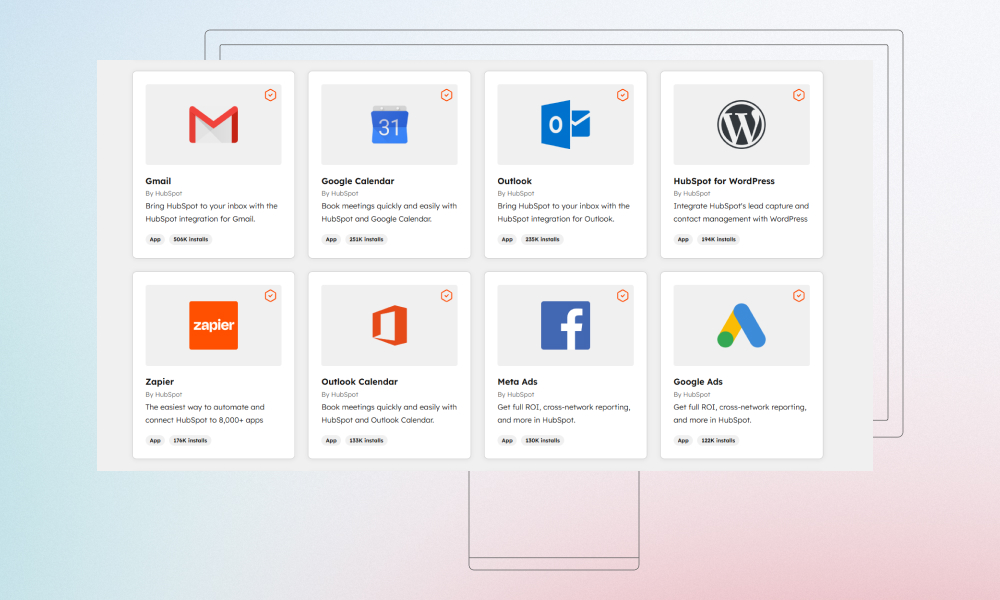
The App Marketplace connects HubSpot to other tools and platforms your business may already use. You can integrate HubSpot with apps like Gmail, Slack, Google Sheets, and more, which makes it easier to automate tasks and keep all your systems connected.
HubSpot's App Marketplace interface name: app-marketplace

Get your HubSpot CRM set up quickly

There is a HubSpot for startups program

HubSpot offers a special program tailored for startups to help them hit the ground running with their CRM. Here’s what you need to know about the program, its benefits, and some of the limitations.

Eligibility and requirements

To qualify for the Starter Bundle, your company has to meet certain criteria. Typically, it’s designed for companies in the early stages of growth, usually with under 1,000 employees. You’ll need to provide proof of your startup status, such as a business registration or similar documentation.

Discounts and benefits for startups

HubSpot offers a range of benefits through its program to help startups grow efficiently:

  • Reduced pricing for early-stage companies: Startups can access HubSpot’s powerful tools at a significantly lower cost than typical plans.
  • Access to HubSpot Academy and learning materials: You’ll get access to free courses, tutorials, and certifications that help you and your team make the most of HubSpot’s features.
  • Personalized onboarding and support: HubSpot provides hands-on onboarding assistance and dedicated support to ensure you’re set up and running as quickly as possible.
  • Community networking and events: As part of the program, you can join a community of other startup founders and attend events that offer networking and learning opportunities.
  • Integration capabilities with existing tools: HubSpot supports integrations with a wide range of tools, allowing you to connect your CRM to the software you already use.

Program duration and limitations

While the HubSpot for Startups program offers great benefits, there are some important things to keep in mind:

  • Benefits may reduce after several years: HubSpot’s startup program typically offers deep discounts and extensive support for the first few years. However, after a certain point, these benefits may reduce as your company grows and you transition to a standard HubSpot plan.
  • Some advanced features remain in higher-tier plans: While the program gives you access to many essential tools, some advanced features (such as advanced reporting or custom reporting) may still be locked behind higher-tier HubSpot plans, requiring you to upgrade as your needs grow.

The most interesting use cases of HubSpot CRM for startups

Here are real examples of companies that used HubSpot CRM as they grew.

Allica Bank scaled from startup to profitable bank

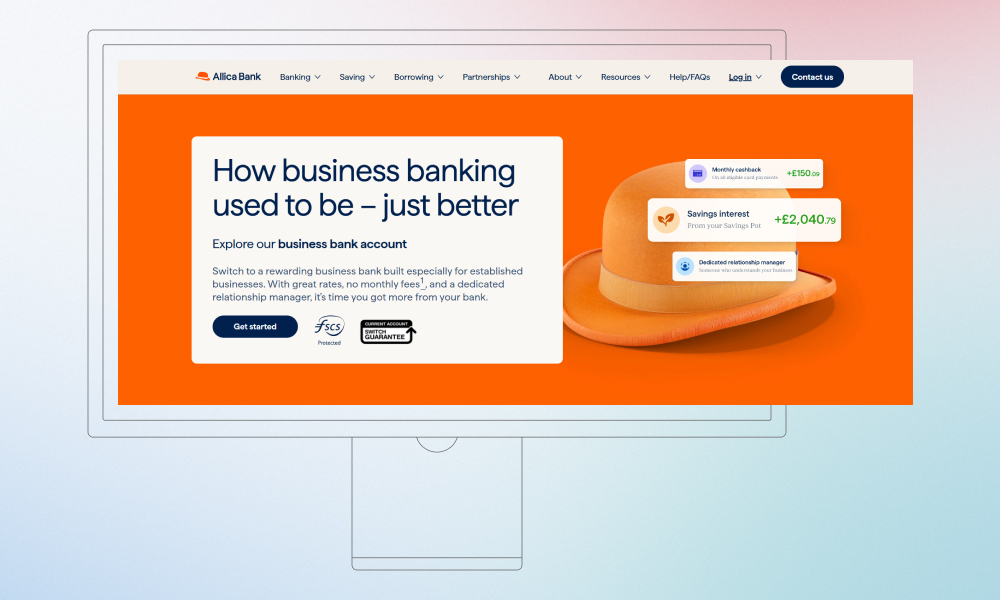
Allica Bank homepage

Allica Bank started small and had to find a way to build direct customer acquisition and connect sales, marketing, and service without a huge tech team. HubSpot CRM helped them bring everything together in one system.

When they acquired another business with 2,000 customers, having HubSpot already running made it much easier to onboard and support those customers without chaos. After three years using the CRM, they became profitable and passed £1bn in lending and deposits, with high customer satisfaction scores because their support team could work more confidently with organized data.

Handled went from zero to 121 locations fast

Handled, a company that reimagined the home moving experience, chose HubSpot because other CRMs were either too complex or too fragmented. They used HubSpot CRM across sales, marketing, and service from day one.

With workflows and automation built into HubSpot, they kept processes efficient as they expanded quickly. This unified view of leads and customers helped them scale to 121 locations in 18 months.

2030 Builders reached better team alignment and revenue

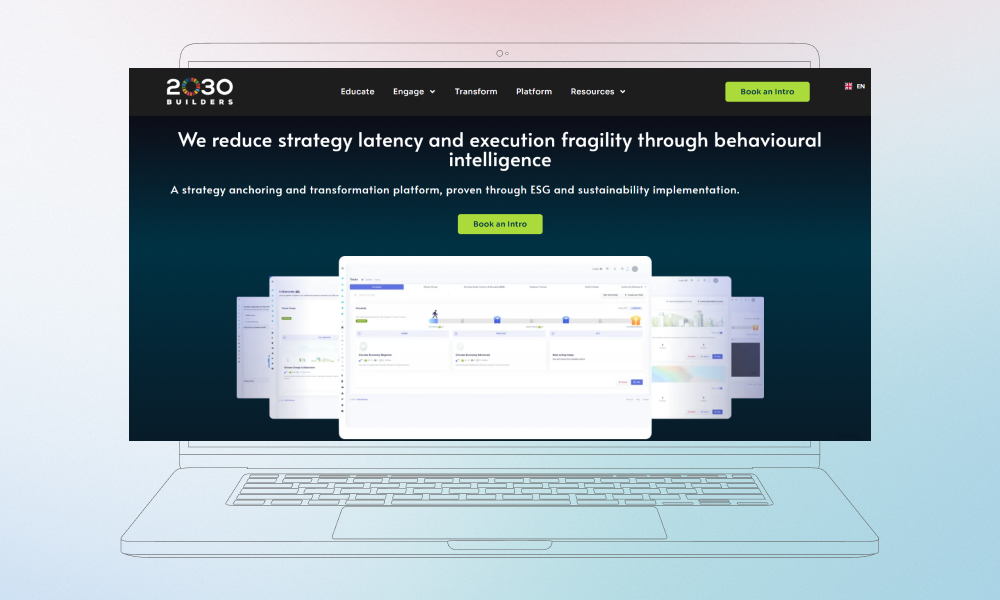
2030 Builders homepage

2030 Builders used HubSpot’s Starter Customer Platform when they were a young startup and saw clear improvements in how the team worked together. They got better visibility into customers and activities, which helped them save time and make decisions with more confidence. They reported about 80% ROI from using HubSpot tools because the team could focus on the work that mattered instead of manual tracking.

Xoxoday — higher CRM adoption and clearer sales/marketing data

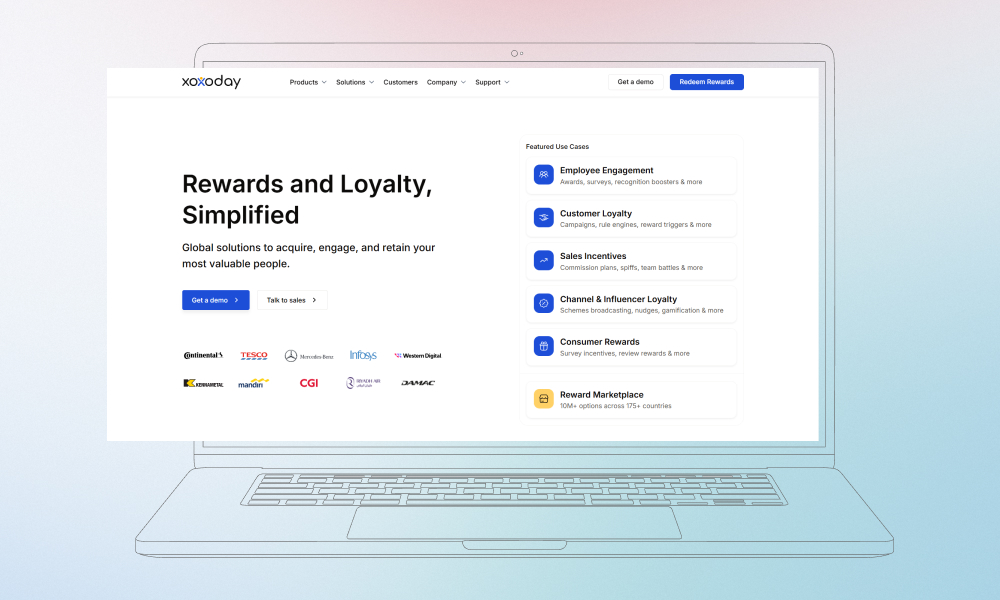
Xoxoday, a fintech SaaS startup, tested a few CRMs and ended up with HubSpot because it fit both sales and marketing needs in a single place. After adopting HubSpot CRM, they saw much higher team usage (CRM adoption rates climbed) and clearer visibility into leads and marketing impact. That alignment made it easier for them to measure progress and growth.

Xoxoday homepage

Some larger companies like Motorola Solutions and Rakuten Advertising also use HubSpot CRM. Motorola leveraged HubSpot’s Data Hub to unify over 123,000 customer records, turning insights into millions of dollars in additional revenue. Rakuten used HubSpot to drive 25% more marketing-influenced revenue year over year through better reporting and segmentation. These show that HubSpot is good for companies of all sizes.

Want to see similar growth with HubSpot?

What is the price?

HubSpot’s pricing is traditionally flexible. The platform provides a free CRM with essential features to get started, and as your business scales, you can upgrade to more advanced plans that offer greater functionality. Here’s a breakdown of the available plans and what they offer:
Plan
Key features
Pricing
Free CRM
- Contact management;
- Email tracking;
- Task and activity tracking;
- Basic reporting
Free
Starter
- Email marketing;
- Ad management;
- 2,000 marketing contacts;
- Basic reporting
From €9/mo/seat
Professional
- Custom reporting;
- Sales automation;
- 5,000 marketing contacts;
- 24/7 support
€50/mo/seat
Enterprise
- Advanced reporting;
- Predictive lead scoring;
- 10,000 marketing contacts;
- Custom event tracking
€75/mo/seat
As your startup grows, you may need more advanced features like detailed reporting, sales automation, and increased contact storage. HubSpot for startups pricing is designed to scale with your needs. You can start with the free CRM and upgrade as necessary without disrupting your workflow. Whether you need additional marketing contacts, better sales tools, or 24/7 support, HubSpot’s various plans ensure you only pay for what you need.

Why startups switch to HubSpot CRM

As startups grow, they often find that the tools they used in the early days are no longer enough to keep up with increasing complexity. HubSpot CRM offers a centralized solution that streamlines processes and supports growth. Here’s why many startups make the switch:

  • Scaling sales and marketing processes: Automates lead tracking, follow-ups, and campaigns, saving time as your business grows.
  • Replacing spreadsheets or fragmented tools: Centralizes customer data, making it easier to manage and collaborate across teams.
  • Need for better reporting and visibility: Provides detailed reporting and dashboards to track performance and make data-driven decisions.
  • Preparing for growth and investment stages: Supports scalability, helping startups manage more leads and customers while providing key insights for investors.
By switching to HubSpot CRM, startups can streamline their operations, improve team collaboration, and set themselves up for long-term success. It’s a practical tool that grows with your business, helping you stay organized as you scale.

How Innowise helps startups with HubSpot CRM

At Innowise, we understand that implementing a CRM system like HubSpot can be daunting for startups.
For startups, getting things set up correctly from the start is key. It saves you a lot of trouble later on. If you don’t get the foundation right early, you’ll end up spending way more time fixing things as you grow. At Innowise, we handle everything: HubSpot setup, integrations, automation, or ongoing support.
Dmitry Nazarevich
Chief Technology Officer

That’s why we offer HubSpot Success Packs to ensure a smooth, efficient, and tailored setup. Our Success Packs provide personalized support, ensuring your HubSpot CRM is fully operational and ready to support your business growth. Here’s how we help:

What you get with our success packs:

Success Packs offer a clear, structured process to get your CRM up and running. Each pack includes dedicated support, training, and hands-on guidance, making it easier for your team to adapt and utilize HubSpot to its full potential.

  • Personalized onboarding: We help you design a scalable solution and roll-out strategy that fits your needs.
  • Configuration & setup: We configure your data model and workflows to match your business processes.
  • User enablement: We provide training and onboarding sessions to ensure your team can use HubSpot effectively.
  • Data integration & migration: We assist with migrating your existing data and integrating your systems.
  • Scheduled sessions: We offer ongoing online or phone sessions to help you optimize HubSpot features and get the most out of the platform.

Here are our success pack options:

Service
Basic
Standard
Advanced
Integration Team
-
Project management
-
Requirements discovery
Solution & design
Email & phone support
Training & coaching
Configuration
Data import
-
Data migration
-
-
Onsite consulting
-
-
App customization
-
Integrations
-
-
Performance issues
-
-
Hours
150 hours
400 hours
600 hours

As for pricing breakdown:

  • Basic plan: 150 hours of support, ideal for smaller-scale setups.
  • Standard plan: 400 hours of support for medium-scale startups needing additional customization.
  • Advanced plan: 600 hours of support, perfect for larger startups or those requiring extensive custom development and integrations.
We make sure that you only pay for what you need. We offer no unnecessary add-ons — just the essentials for getting your HubSpot CRM fully up and running. Whether you’re just getting started or scaling rapidly, our Success Packs provide the exact support you need at the right time.

HubSpot CRM is easy with the right support

Conclusion

HubSpot CRM can streamline your startup’s operations, but to unlock its full potential, you need the right setup and support. With Innowise’s Success Packs, you get:

  • Expert guidance: We’ll help you configure HubSpot to fit your unique needs, ensuring smooth adoption.
  • Seamless integration: Connect HubSpot with your existing tools, keeping your workflow efficient and unified.
  • Ongoing support: From onboarding to scaling, we’re with you every step of the way to optimize your CRM usage.
  • Custom solutions: Need advanced features or custom workflows? We tailor HubSpot to grow with you.
We’re here to make sure you get the most out of HubSpot, without the hassle, so you can focus on growing your business.

FAQ

Yes, HubSpot CRM is an excellent choice for early-stage startups. It offers a free version with essential features that help manage contacts, sales, and marketing efforts. As your startup grows, you can easily scale up to more advanced features with paid plans.

The HubSpot for Startups program includes discounted pricing, access to HubSpot Academy for training, personalized onboarding, and integration support. It’s designed to help startups implement and grow with HubSpot without overspending.

HubSpot offers a free CRM with essential features. Paid plans start from $45 per month for the Starter plan, and increase based on the features and scale you need. The Professional and Enterprise plans offer more advanced features, starting from $800 and $3,200 per month, respectively.

Absolutely. HubSpot is designed to grow with your startup. As you expand, you can add more users, integrate additional tools, and unlock advanced features without losing the simplicity that makes it great for startups in the early stages.

Yes, HubSpot offers integrations with a wide range of tools like Gmail, Slack, Google Calendar, and more. This makes it easy to connect HubSpot with the other platforms you’re using to streamline your workflows.

Lead of ERP Consultants

Kiryl knows SAP inside and out. He’s the go-to when a client needs not just implementation, but smart configuration that fits their unique processes — with a clear path from complexity to clarity.

Table of contents

    Contact us

    Book a call or fill out the form below and we’ll get back to you once we’ve processed your request.

    Send us a voice message
    Attach documents
    Upload file

    You can attach 1 file up to 2MB. Valid file formats: pdf, jpg, jpeg, png.

    By clicking Send, you consent to Innowise processing your personal data per our Privacy Policy to provide you with relevant information. By submitting your phone number, you agree that we may contact you via voice calls, SMS, and messaging apps. Calling, message, and data rates may apply.

    You can also send us your request
    to contact@innowise.com
    What happens next?
    1

    Once we’ve received and processed your request, we’ll get back to you to detail your project needs and sign an NDA to ensure confidentiality.

    2

    After examining your wants, needs, and expectations, our team will devise a project proposal with the scope of work, team size, time, and cost estimates.

    3

    We’ll arrange a meeting with you to discuss the offer and nail down the details.

    4

    Finally, we’ll sign a contract and start working on your project right away.

    arrow